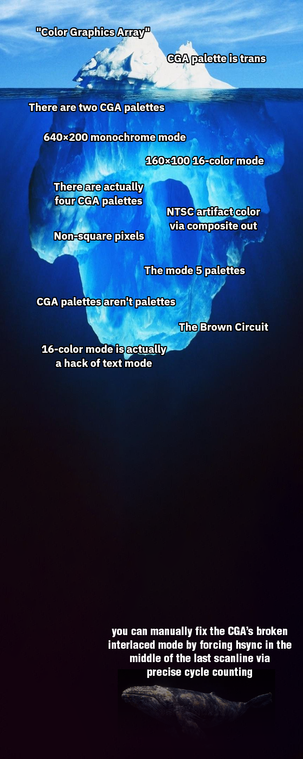
Inspired by an offhand comment Alice (@foone) made earlier today: the CGA iceberg
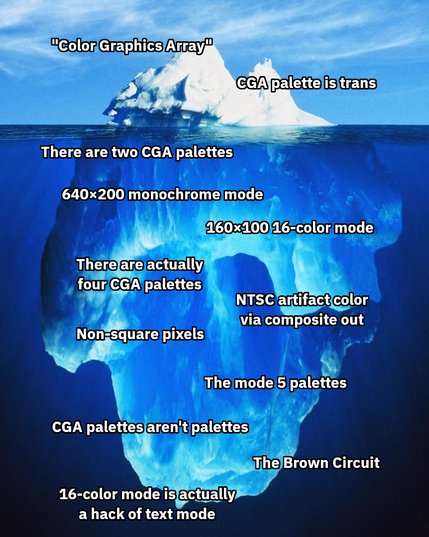
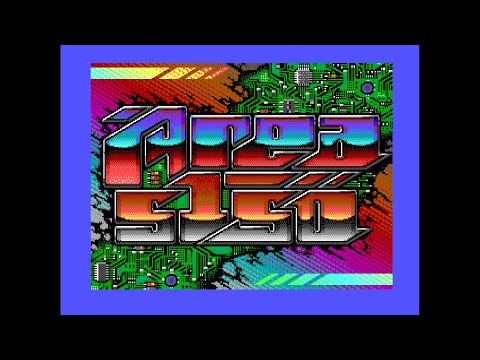
@gloriouscow @curtmack @foone somewhere in the mantle lies the Area 5150 demo

(which I guess puts https://int10h.org/blog/2015/04/cga-in-1024-colors-new-mode-illustrated/ "only" on the sea floor)

CGA in 1024 Colors - a New Mode: the Illustrated Guide

VileR's blog: old school PCs, games, graphics, programming, fonts, demos, and so on.

@LionsPhil @curtmack @foone

Area 5150 sounds cool

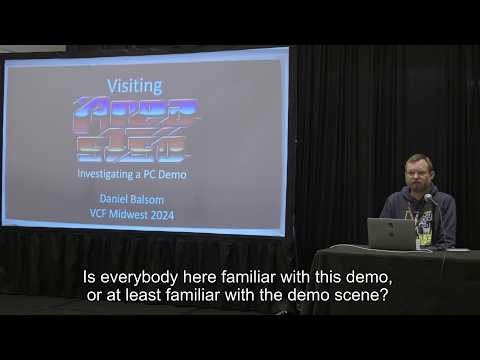
@gloriouscow @curtmack @foone it is! https://www.youtube.com/watch?v=fWDxdoRTZPc , and see the description for the commitment to graphics wizardry, or it runs correctly in martypc and is in the default loader menu it boots into
Area 5150 by CRTC & Hornet (Party Version) / IBM PC+CGA Demo, Hardware Capture

YouTube
Visiting Area 5150: Investigating a PC Demo | VCFMW 19 (2024)

YouTube
@gloriouscow @curtmack @foone *brain itches*
*click*
"Author of: MartyPC" 

@curtmack @foone ...i thought most of these were well known

the only ones we don't know are "mode 5 palettes", "palettes aren't palettes", and "the brown circuit"--and would be interested in seeing more information on those
-F

@Hearth @foone
- Mode 5 is an undocumented mode that disables the color burst while also combining the two mode 4 palettes (cyan/red/white, instead of green/red/yellow or cyan/magenta/white). It also respects the palette intensity bit, so two palettes total.
- Graphics in mode 4 get their color because the two per-pixel bits and the two palette select bits each correspond to one of the RGBI bits for that pixel. So they aren't "palettes" in the traditional sense.
@Hearth @foone
- There's a special circuit on IBM CGA cards so they render low-intensity yellow as brown. Some clones lacked this circuit, so they would display a darker yellow instead. Also, since RGBI was a digital signal, RGBI monitors needed their own brown circuit.
@curtmack
And on the Amstrad PC1512/1640 there were 4 writable colour planes in 640x200 mode (RGBI) that you could selectively write enable with a plane register. By default all planes, which were all in the same CGI Mono memory space, were enabled for black & white. Oh yes. Writing graphics drivers was super fun back then.
@foone
@curtmack @foone WTH is THE BROWN CIRCUIT?
@megatronicthronbanks There's a special circuit on IBM CGA cards so they render low-intensity yellow as brown. Some clones lacked this circuit, so they would display a darker yellow instead. Also, since RGBI was a digital signal, RGBI monitors needed their own brown circuit.

@curtmack @megatronicthronbanks

this might blow your mind but the brown circuit is not on the CGA card.

it's in the monitor

@gloriouscow I knew there was *a* brown circuit in the monitor, but wouldn't the card have its own brown circuit for composite out? Or does composite out just use dark yellow?

@curtmack It was only added to the digital RGBI 5153 monitor, so you wouldn't see brown in composite mode.

dark yellow kind of looks like pea soup or baby vomit
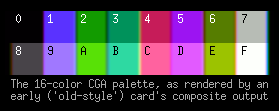
@curtmack people with memories of CGA games running on a composite monitor just lived in an alternate timeline than the rest of us
@gloriouscow
Cool!
My earliest computer memories are of VGA and Wolfenstein 3D, so all my knowledge of "real" CGA comes from the Internet. The closest I ever got was playing around with ZZT as a teenager and learning why there were 16 text colors but only 8 background colors (because ZZT forces blink mode).

@gloriouscow

Sooo many compromises, because hardware was expensive and things weren't that miniaturised yet!

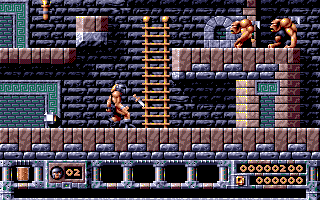
@curtmack @foone VGA was such a step up, 320x200 in 256 glorious colours. Who remembers the Bitmap Brothers game, Gods