 Peter N Lewis
Good to see Keyboard Maestro working hard for me! It is nice that for once Apple’s security system is actually helping to market my program to my customers! ;-)
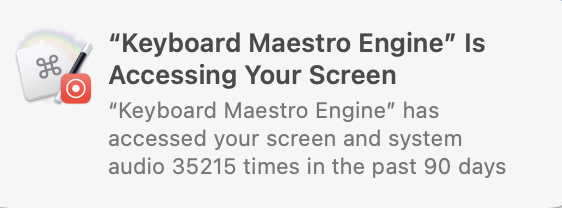
@peternlewis I wonder why I haven’t seen that - is it a macOS 26 thing?
Or do you have to unlock 30,000 uses in a month? 😏
@peternlewis My main Mac is on Sequoia - maybe I have some notification turned off
I should thank you for Keyboard Maestro - I have it doing an ever increasing amount of things. I do sometimes wonder why the engine is chewing through 3 - 5 GB of RAM but I've sort of resigned to the idea that it needs it.
@peternlewis I just found a yellow warning in KM saying that screen recording was off. I turned that on - maybe it was running up against an impossibility?
Also I've been saying “Don't Allow" to the dialog below, Why/when does it need that?
"Keyboard Maestro" would like to access data from other apps. Keeping app data separate makes it easier to manage your privacy and security.
@peternlewis hmm - I’ll have to dig around. Does disabling a macro make it so macOS wouldn't ask this question?
It does generally take a while for the memory usage to build up. I just disabled quite a few - we’ll see if that changes anything.
My favorite macro was recently created after getting bit by iCloud sync going wrong between a few devices. So now I have KM copy a couple folders from iCloud nightly to my Mac that then get backed up in TM. Previously iCloud stuff could just disappear.
@peternlewis Oh I didn't disable that macro - and I've consistently said “Don't allow” but it does copy the files as I wanted, so I think it must be something else asking for that access.
Memory use for the last little while is 28.6MB ! so maybe I need to poke more at if some of what I disabled changed that. It sure seems like it.
 dxzdb
dxzdb