
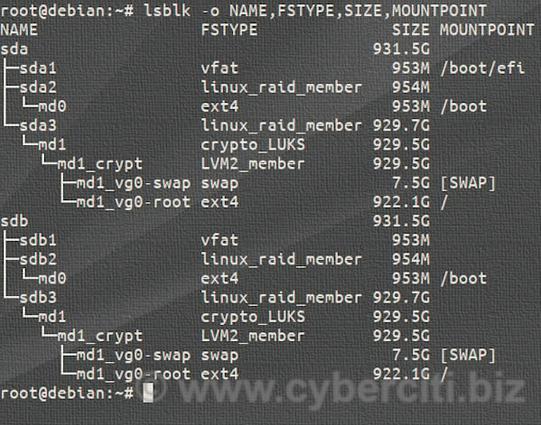
Today's desktop computer challenge: For the case I need access to my home desktop from remote, I trigger boot through wake on LAN and then remotely unlock the encrypted hard disks through SSH.

The challenge: Two encrypted hard disks. Solution: For the second hard drive add a key file located on the first hard disk as additional slot through cryptsetup, update the configuration in `/etc/crypttab`. Done.

1/n
#ubuntu #dropbear #cryptsetup #wol

Bonus: I can wake up the desktop through Home Assistant.

And with VPN through Wireguard I then have access to my desktop system, its files and services that I need in rare cases.

I used this article
https://www.cyberciti.biz/security/how-to-unlock-luks-using-dropbear-ssh-keys-remotely-in-linux/ from [email protected] . Thank you.

2/n

#homeassistant #cryptsetup #dropbear #ubuntu

How to unlock LUKS using Dropbear SSH keys remotely in Linux - nixCraft

Explains how to unlock LUKS encrypted disk using Dropbear SSH keys remotely in Linux when you don't have access to the KVM console.

nixCraft

Following the article, I ended up in emergency mode with the messages:

systemd-tty-ask-password-agent: Failed to query password: Input/output error
systemd-tty-ask-password-agent: Failed to process password: Input/output error

Dropbear SSH only unlocks the first encrypted volume. For a second volume in `crypttab`, systemd attempts to prompt for its passphrase after the Dropbear session has closed. The password request fails, because no terminal is available at that point.

3/n