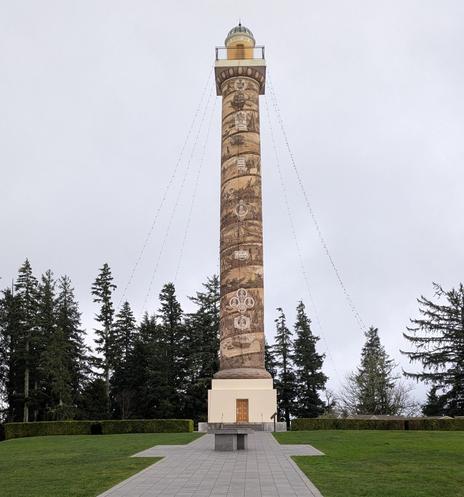
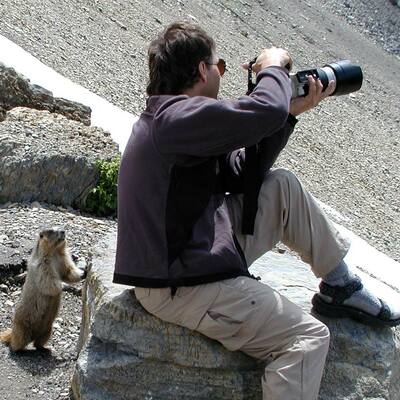
With a KDE desktop, you can copy-and-paste graphics across applications. I used this a lot. But what I recently learned is that it does not preserve format. It pastes as a PNG, maybe not the best choice for uploading photographs.

It's sooooo convenient. But I'm trying to switch from copy-paste to the old fashioned download-upload when adding photos.

Does it make a difference? See for yourself. (Check the alt descriptions.)

#linx #kde

@courtney not by eye although my browser tells me the JPG is a higher resolution. I assume the JPG is the smaller file size too?

@snail @SmolGojira When I view the images on desktop, I'm seeing finer resolution and clarity in the JPG photo. Look at George Washington -- the top emblem of the cluster of emblems at the bottom.

That said, I doubt it's a visible diff on mobile.

The PNG is significantly larger. Yet another reason to upload-download rather than copy-paste.

$ ls -s
3568 16531f9fd27cc84e.png
636 8d13cd1a08045da0.jpg

@courtney I have not looked into it recently, but, when I first joined Mastodon there was a lot of discussion amongst photographers about how Mastodon handles photos. TLDR: uploading a photo to Mastodon internally converts to new format (I think PNG) with resampling and color space conversion. Posting to Mastodon fundamentally changes the photo and invalidates your comparison. Just FYI. I need to look and see what’s changed now, so I could be way wrong here.