Disable AI when typing · Issue #160 · forkgram/tdesktop
Is your feature request related to a problem? Whenever I type a message of any length (even a few lines), an AI icon appears and offers to "improve" my text. I don't like it when someone else write...
@sec_yote_agenda I installed it just today, so I'm on the latest version is the thing. Dunno, either there's some a/b testing, which I don't believe to be a thing, or the dev managed to remove it after the issue was posted. ¯\_(ツ)_/¯
@sec_yote_agenda UPD: The AI button just appeared for me on this client, but so did the option to hide it in the fork-specific settings. *Also*, I read that the vanilla desktop client has an option to hide it, so it might appear at some point on mobile too? Hopefully?
 Fortune's Fool - He/Him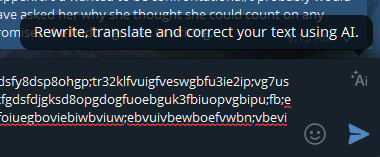
 Funky Captain 𓆏