Hey Linux gurus. I'm a new-ish Debian user. What are some options for safely sharing sensitive files with Windows users?

(In my Windows days, I'd use 7-Zip to create a password-protected *.zip file. I would have preferred to use the *.7z file format/extension, which I had read was more secure. But most folks weren't technical enough to accommodate that type of file.)
#Linux

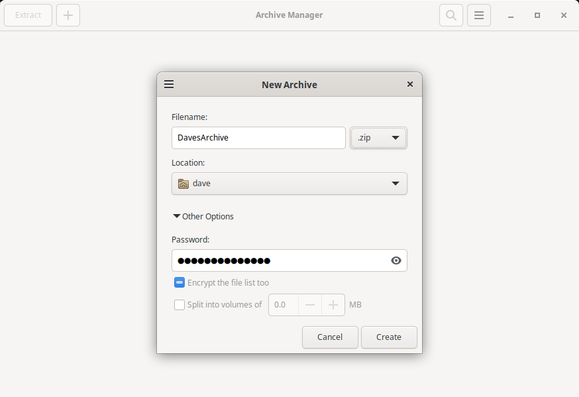
I do see the Archive Manager app, which has an option for *.zip files, along with options for a password & encryption.

Should I just go with that?

@DaveMasonDotMe hey, you can do it in a GUI friendly way, by just right click the folder in the file browser.. it's all right there just like windows

@ajit_456

Ahhh! I missed that. For me, it's Right-click | Compress...

I had been looking for Right-click | Send To Compressed Folder ... or something like that.

My brain is still wired for Windoze. /shrug

@DaveMasonDotMe I'm not 100% sure if this will make files that Windows users can open, but it's how you can create password protected .zip files in linux: https://itsfoss.com/password-protect-zip-file/

Since .zip files are just .zip files, hopefully the Windows user could open them in the usual Windows way too.

How To Create A Password Protected Zip File In Linux

This simple tutorial shows you how to create a password protected zip file in Linux both in command line and graphical way.

It's FOSS
@DaveMasonDotMe Bitwarden Send is a good, easy to use option. If you want to be a little more enterprising, you can install 7zip on Debian, although I’d be sure to look up an instructional on YouTube because you’ll need to do a couple of things after installation like picking AES-256 for encryption. But it’s not that complex and will seem familiar as a Windows user.
@DaveMasonDotMe linux supports those (compressed) archive files too. Other options are some online services, gpg, ...
@DaveMasonDotMe I suppose you can use regular gpg to encrypt/decrypt the files on Linux, and gpg4win to decrypt/encrypt them on Windows?

@DaveMasonDotMe

sudo apt install zip

Followed by

zip -e archive.zip file1.txt file2.txt

In the terminal. It should ask the password to use in a prompt.