 The Picard Maneuver
Go ahead, take a bite.
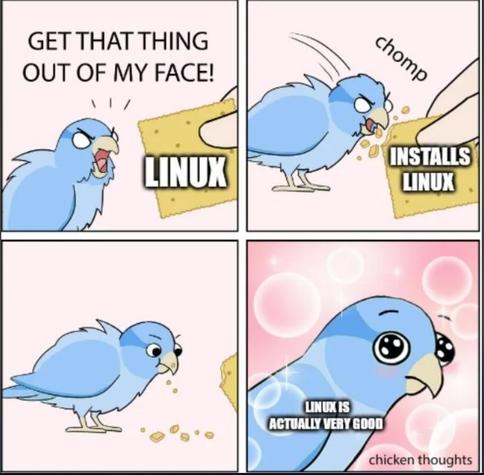
Maybe twenty years ago.
Quickest and easiest way to find out is to boot to a Live USB stick and see how it goes. Doesn’t touch your hard drive at all.
It really depends on your devices and what you want to do with them.
What I’ve noticed so far is that the generic drivers on Linux seem to cover more functionality (eg, my mouse didn’t show battery status on windows without the proprietary drivers but it shows up in Linux), but if it’s not covered by that, then odds are support will be more limited or none on Linux unless it’s commonly owned.
Though depending on what kind of data your devices are dealing with, it might not be that bad to get it working. Like audio data is just a time series of amplitudes (though codecs can complicate that if you’re dealing with some digital format), input devices are usually some combination of button press events and axis updates (and controller vibrate is pretty much just a lower bitrate audio signal). Video can be more complicated, but there’s likely software that can understand whatever stream of data it gives off. But this all depends on patience and skill, and if you were the type to gravitate to something like that, you probably would have already switched.
When the PC I’m installing a Linux distro on has the GPU driver built into the kernel I agree it’s such a breeze and I love CachyOS, otherwise it can get painful.
Sorry I’m recently traumatised by my oldest computer that has a GTX1060 in it and I want to rabt lol. It’s retired to workout room duty, so I wanted a stable distro on the Stremio “you pass the butter” PC that I can neglect for long stretches of time.
I tried LMDE first because I was hoping to avoid the Canonical fork that is Mint prime. Installing non-free drivers on reboot just dumped me to TTYL. So then I decided after failing for 30 minutes to fix that to cut my losses as I figured it’d take less time to just install a different distro than troubleshoot Debian’s issue. Wrong. Very wrong. Fedora the installer application would crash every time in live USB mode I opened it and I tried different DE’s to see if that was the culprit. Nope. I tried OpenSUSE but it crashed loading live USB mode and shat out a kernel panic about my MSI B250 motherboard for the corei5 7600 it has installed, so that wasn’t even Nvidia’s fault. Only distro to do that. MX Linux installed then crashed to a broken unresponsive ttyl mode if you tried to run a program…like their non-free Nvidia driver installer. Sigh. I figure most of this is to do with nouveau.
Anyways, only Linux Mint worked. Fuck!
Proud Linux user since 2019.
Never broke an install to the point of non return, except when my SSD literally died
PSA: Never buy WD green SSDs
Kubuntu before the SSD broke, now Debian Unstable.
Yes, if you go and see my old post I’ve had a tricky issue with Apt, but I fixed it.
I wouldn’t really reccomend Debian Unstable because it has some problems with dependencies in Apt, but it usually works if I compile software from source or install on Flatpak.
If you are courious, I ditched Kubuntu because it was pushing snaps over dpkg and do-release-upgrade had some issues, my friend managed to nuke his install TWICE by doing a release upgrade
Yeah, the only issues I have are virtual mics to filter background noise on Discord. I have a program that does it, but I lose control over playing music as well (I have a solution through Helvum, but I have to do the specific audio paths every boot for Firefox -> Discord, and I can’t individually control the volume. Plus the path dies every time I pause the music).
But it was equally as frustrating to get it set up on windows with virtual cables as it has been to try to get virtual cables to work on Linux, so it’s a push there. Everything else has been basically as easy, give or take some of the learning curves of a new OS, and can be attributed to user error.
I can’t figure out Discord push to talk on Hyprland because of the X11 stuff. Regarding capture cards, I only record on Windows, anything else on that OS feels slow. There is a delightful snappiness to Linux, and adding animations don’t seem to cause any chugging.
Also opening power shell terminal is awful,
1 hold super 2 press x 3 release super 4 press a
It loads slowly.
Windows does not want you accidentally being productive. Bleh.
That’s what someone suggested to me and got me 90% of the way there. The remaining issue is that, on Windows, I had a virtual cable that took browser audio and added it to the discord input so I could individually control volume, and I cannot find a way to do that. I tried to do virtual cables prior to all of this, and just could not get it to work, frustratingly. But, I had equivalent amounts of issues just getting it set up on Windows in the first place, so I’m not super worried about it.
Now I just use Helvum to map the audio from Firefox into the Discord input, but I have to do it every time I log on, and skipping a song or pausing it kills it and I have to redo it in Helvum again. Minor inconvenience, I just don’t have the will to fix it rn.
Yeah it’s a whole thing. The learning curve is so steep with Linux on this kinda thing, cause you can’t really just play with settings like you can on Windows. Like I just got Skyrim Nolvus running on it, and it took me, legitimately, 20 hours and multiple reinstalled to get it to go. Idk what was even different when it worked lol, but it works and that’s what matters!
I have been parroting how easy it is to just swap for a regular user, tho. Shit installed in like…12 minutes and does 90% of what anyone would ever want out of a PC, no issue.
Hi, I just recently made a post and it was about Crimson Desert and me searching for a distro that doesn’t need any extra hassle for the game to get going. I currently use openSUSE Tumbleweed, but moved back over to my Windows SSD to be able to play the game.
My question is: What distro are you using and is it an AMD or NVIDIA card? :-]
Okay look, when my current drive fails I’m never EVER reinstalling Microsoft,cand I’m not getting another Microsoft computer. Macos was never even an option…
So One Day™ I will chomp down hard on that cracker…
I even broke out my old laptops to see if I could salvage an hdd to give current laptop (with space for an extra hard drive) a separate (if smaller) Linux drive.
Sadly all 3 were unusable, they literally freeze everything that tries to access them…
But I pinky swear I’ll be making the swap Soon™
Dude honestly I cannot recommend this enough, and to all who are in a similar position:
While you still have your main system as a fallback, get a used cheap laptop with ~8gb ram just to fuck around and try linux, install [your distro] FedoraKDE, and play around.
If a relative or friend is upgrading and gonna trash their current because the HW is choked by windows, ask to buy it for a reasonable price, cheap to you because old trash HW anyway, but a couple bucks to help them with their new purchase, win win. That HW that will no longer run windows will run linux just fine, and then you can main the laptop for a bit while you learn but still can boot into your old system to troubleshoot and also don’t have to fuck with dual booting and windows fucking with your linux or boot partitions.
I’ve got a couple busted laptops and some loose memory floating around, I just need to find one of my working hdds.
Technically I have an extra one but it’s acting as my media drive right now and I don’t even have a backup of it…
I definitely want to make the switch BEFORE my current setup dies, since it’ll be easier to transfer/convert everything I can.
Let me just say this:
If you’re here on Lemmy, you are the target Linux demographic.
If you:
…then both are meant for you.
 Emi
Emi devfuuu
 BurgerBaron
 pewpew
 CMLVI
CMLVI
 Miles O'Brien