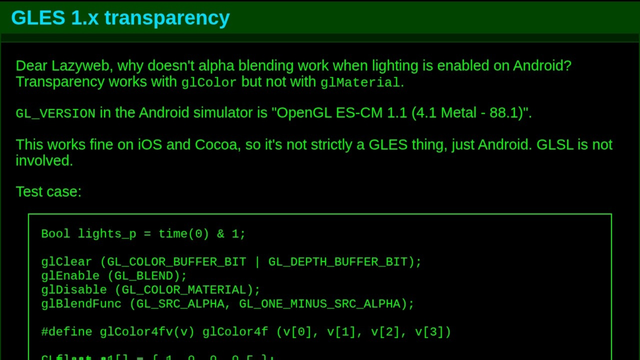
Dear Lazyweb, why doesn't alpha blending work when lighting is enabled on Android? Transparency works with glColor but not with glMaterial.
GL_VERSION in the Android simulator is "OpenGL ES-CM 1.1 (4.1 Metal - 88.1)".

This works fine on iOS and Cocoa, so it's not strictly a GLES thing, just Android. GLSL is not involved.

Test case:
https://jwz.org/b/yk5Y
@jwz is the same code running natively on iOS also using the same OpenGL-on-Metal translation layer?
@astraleureka If you mean my gl to gles library, it is not involved. These are native calls.
@jwz sorry, my question wasn't very clear. I also answered it from looking at Apple's docs - *all* GL/GLES versions are wrapped on top of Metal these days. I had some suspicion that the GL/GLES<->Metal wrapper was at fault, but that same wrapper is going to be present in your native iOS environment.
I do wonder if the Android simulator is still using ANGLE, and if it is, whether it's translating to Metal directly or if your stack ends up being the simulator<->ANGLE w/ GL4.1 backend<->Apple's wrapper<->Metal. lots of potential for API translation problems with more than one wrapper :\
@astraleureka Sad to report that I understood none of that....
@jwz the tl;dr version is: Apple considers OpenGL deprecated and no longer natively supports it. On current macOS/iOS, OpenGL calls are implemented via translation to their proprietary graphics API, Metal.
Further complicating things, the Android emulator implements GLES by way of another translation layer called ANGLE. Both Apple's GL{,ES}/Metal translation as well as ANGLE are known to have weird bugs like this, and based on the GL_VERSION you reported it's possible that *both* translation layers are in use here, making debugging an absolute nightmare.
i'm sorry I don't have much more to offer, the only Apple device I have on hand atm I can't use for testing.
@astraleureka Apple works fine, it's only Android that is being weird.