 Karl Baron
#GlobalTalk Pro Tip:
You know that progress dialog that shows up when you try to connect to some hosts? That’s it trying to use AppleShare IP to connect to the host over TCP/IP instead of AppleTalk, which will not work over GlobalTalk. Hit cancel and it will drop back to AppleTalk instantly.
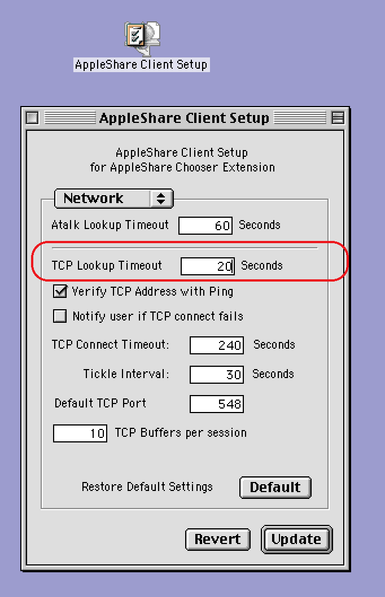
Or BETTER YET, install AppleShare Client Setup, and change the TCP Lookup to 1 second and you’ll never see the dialog again. You might want to raise it back up if you connect to OS X Macs on your LAN.