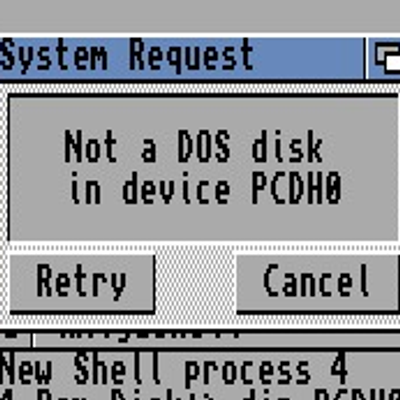
After system updates I routinely get error dialogs like this and they trigger a massive wave of Weltschmerz. Who is this actionable for? What does it mean? Why does it happen? I understand the design goal of couching highly technical concepts like checkin failures and stalled event loops in "normal" language, but this is layperson-izing to the point of gibberish. I am begging you to just let your users learn things.
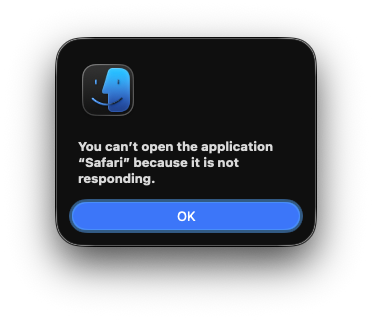

Also, not for nothing, it's completely wrong. *I* wasn't "opening" it (it was auto-launching at boot, in the background, before I unlocked the machine). Also it *is* open already by the time I see this dialog box. Also it's perfectly responsive to all my inputs. The gestalt effect of this dialog box is a sea lion sneering down his[1] nose at me, arrogantly incorrecting my pronunciation of a word that I know and they obviously don't

[1]: gendered language intentional

@glyph Like the application “Safari,” I too am not responding
@glyph Are you laying on your side? Why is the content smooshed against the left edge?
@mirth Not sure I'm seeing what you're seeing here.
@glyph The layout of that dialog is all wonky
@mirth Are you referring to the fact that it's left-justified? That's just what dialog boxes look like in macOS 26.
@glyph Oh no 😬
@mirth it's fine, *that* part you'll get used to in 5 minutes :)
@mirth Dialog boxes have been oscillating from left-justified to centered every few releases since Mac OS X public beta
@glyph I've been using Macs since the 80s, I don't know why that one looks so jarring. Maybe it's the liquid glass.
@glyph It really is one of the most frustrating, mystifying dialogue boxes.
@glyph God even a stack trace would give more useful information
@glyph Sounds like me, every morning.