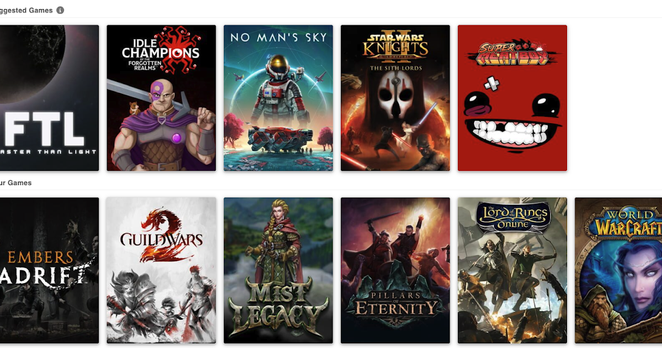
Happy to announce that the Suggested Games feature is now live in #TempusGameIt. It should make connecting titles in your Steam catalog not yet in the TempusGameIt catalog a _lot_ smoother. After updating, run a scan and see what turns up!

As part of this update the catalog page also got a little bit of a facelift.

Read all about the changes here: https://blog.kevinbrill.com/2026/03/suggested-games-is-now-live.html

Download the app and start tracking your gameplay time here: https://tempusgameit.com
Suggested Games is now live

Suggested games is a new feature in TempusGameIt that makes it easier than ever to get started tracking your gameplay time. Quickly see all ...

 note to self: don't forget to update the API server too. Stand by while those changes go live.

’Tis deployed. Adding Suggested Games should work now. Derp.

@kevinbrill So, I'm in a brain fog today. This is a way to make it easier to add games that you've installed in Steam but that TG for whatever reason hadn't picked up in the scan?

Sorry if I'm being extra special dense today. :)

@nimgimli Yep! There are some titles that may be partially defined in the TGI catalog. Like the steam executable isn't in the catalog, or it has never had a Mac Application bundle added. This should help with those cases.

It should also help with cases where the game hasn't ever been added to the catalog, like for new releases.

I think the real benefit is for new users, but I have some plans that may help pickup games faster as they are installed in steam, and not require a re-scan.

@kevinbrill does this handle PS5, Switch 2, Steam, iOS mobile? Would it also (long shot) track PCSX2 emulator usage?

@Tipa I wish!

I've looked a little bit a mobile before, but on iOS they really don't want you looking outside of your sandbox. :) I don't have any consoles, so I can't comment on the challenges getting monitoring there.

Funny enough, the long shot of the PCSX2 may be the easiest the support. We handle emulation of windows games on linux and osx. so there's already some basic emulation detection support in place. I'll add a story to peek at DOSBOX and PCSX2 emulation support.

@kevinbrill I looked on the site but didn't find which platforms are looked at, aside from Steam and WoW. Is that the list?

@Tipa Sorry for the confusion! Here’s the breakdown of default locators:

Windows
* Steam

Mac
* /Applications
* ~/Applications
* Steam
* CrossOver

Linux
* Steam
* Lutris

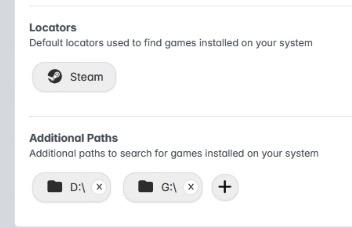
On each platform though, you can set additional folders to scan, and we'll check the contents of those folders for matches. On my windows, I've set it up to look at the D: and G: drive as well. The locators are a newish feature that serves as an improvement over the old "scan your whole system" setup.

Does that help?

@kevinbrill Gonna have to give it a shot, so many of my friends love it so much 🙂
@Tipa Sounds great, thanks for trying it out! As always, please feel free to let me know if you have any questions, problems, or feedback!
@kevinbrill it didn't work at all. the program seems to show a splash screen and then do nothing, and I couldn't connect to Steam on the website, it would just hang after the OAuth2 redirect. Anyway I noticed you had a blog so you're on the blogroll as of today 🙂

@Tipa Check in your system tray. There should be an icon down there that you can use to bring up the app's local website. Or visit localhost:45000. Let me know if you've been there and nothing happened. Cause that's a problem!

I'll also add a story to open the browser on first launch, since it seems like there's a step missing there to guide people into the app.

Additionally check in on Steam and see what's happening. It can be particularly finicky. (1/2)

And thank you for including me on the blogroll! It's quite an honor, even if I post like once a month. :) (2/2)

@kevinbrill tbh, I like adding people who don't post much. Each of those posts seems more impactful.

At work now, I'll give your suggestions a shot after work.