Ok apple people… I’m about to receive a used/refurb current model m4 mini. It *probably* has Tahoe on it.

I’d like to mindwipe it and put the earliest OS I can put on it. (Which I believe is Tahoe -1).

How do I do that?

I reckon it’s not as easy as booting from a thumb drive with an installer… is it?

@octothorpe I'd recommend browsing the Apple community forums before you undertake this. There's been discussion there prompted by remorseful updaters-to-Tahoe wishing to push back the hands of time, but having troubles in doing so.

I can't remember all the details, but there were issues with firmware updates (which can't be walked back easily, if at all) and also some databases (Mail, Music, perhaps Photos) being restructured in such a way that earlier OS versions could not access them. A jolly old mess.

@stitchbystitchmaui I don’t use any of Apple’s apps, so that’s less an issue vs firmware tied to an OS.
@octothorpe You might look into “internet recovery” mode. Unless things have changed, this reinstalls the OS that the machine shipped with, which is usually the earliest version that it can run.

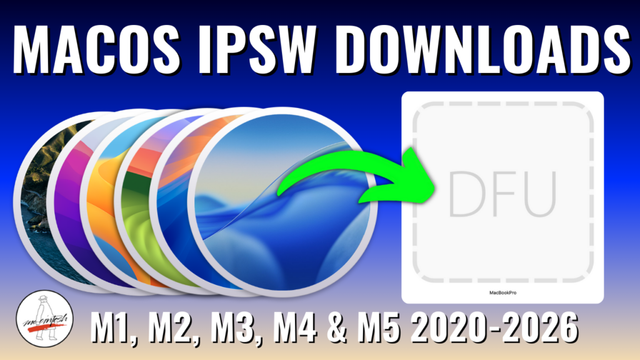
@octothorpe You just need to use Configurator (and another Mac) and an image of the OS you want to install (that it supports).

You can get images from here

https://mrmacintosh.com/apple-silicon-m1-full-macos-restore-ipsw-firmware-files-database/

and he has videos about how to do the flash. (I think more recent version of Finder can do it - but, again, another Mac.)

Apple Silicon M1/M2/M3/M4/M5 macOS IPSW Firmware Restore Files Database

Apple Silicon Mac Direct ISPW Download Links Database. This database includes ISPW file sizes, Is the OS Still Signed? Release Dates & More!

Mr. Macintosh
@dnanian cool! This new mini will be replacing an i5, so notionally that should work as the ‘other computer’? Does that machine have to be the ‘target’ OS? (Haven’t read the page yet)
@octothorpe It has to be able to run Configurator (in the App store) and connect via USB to the mini in DFU mode…like an iPhone.

@dnanian ah! Got it. So the ‘controller’ machine doesn’t need to be the migration source, and migration is a separate step. So in my case, I’d probably (for ease) do:

Mac studio controlling Configurator.

New mini thunderbolt tethered to Mac studio in DFU for brain wipe.

(Later)

Old mini thunderbolt tethered to new mini as migration assistant source.

(Migration happens)