#askfedi

I want to set up some simple programmable buttons to run scenarios at my house and my (elderly) mother's.

Factors:
Wi-Fi enabled houses
I have a background in IT - but only done vaguely intelligent plug and play for the last 10 years.
No hubs existing.
Trying to stay cost effective.

Recommendations?

I have existing home automation scenarios, so pretty easy.

Mum's will be all new, but the most important one will be one that sends an alert of some sort to me on activation.

@Andrea will the buttons be battery powered or wired? want physical clicky buttons or touch-switch. what home automation platform is your existing stuff? (I have designs for these cases, and have also evaluated a number of cheap off the shelf options)

@Unixbigot battery powered.

My use case is for guest convenience.

My stuff is a whole mish-mash of stuff on different apps. Most Wi-Fi, some Bluetooth with proprietary Wi-Fi hubs. Then I've got about half (lights, fans) working with home automation scenarios. That's the stuff I want to put on buttons - for random guest convenience.

I also have tuiss smartview blinds that use Bluetooth that I'd like a button for - I've found a reddit post that gives me an option there and I'm looking at the SwitchBot mini hub which includes IR blaster - which may solve that problem. More research needed.

Mum will eventually also have the smartview blinds. But my main use case for her are "call me" buttons in case she has a fall when her phone is not nearby. A more interesting and complex solution needed there.

She doesn't really care about the buttons yet, but has fully embraced the ring cameras I gave them years ago and the eufy smart door lock more recently.

@Unixbigot battery, clicky buttons, existing protocols - I built my stuff up over time before I realised there were different protocols. So mine's a mess. I'm an android house though. The key stuff already works through Google home.

@Andrea the thing about wifi for home automation buttons is that WiFi is a battery pig³. If you don't already have a home hub that supports other lower-power radio bands, your options are either "get one¹ , build a home-assistant hub with a low-power wireless bridge, or get a self-contained bridge and some zigbee or matter buttons²". There is a saying "when setting out to install HomeAssistant, first dig two graves".

¹ I have several spare google home minis which you may have one or more of if this helps
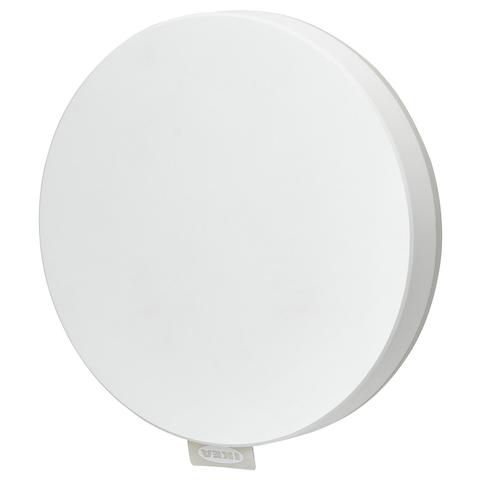
² ikea https://www.ikea.com/au/en/p/dirigera-hub-for-smart-products-white-smart-90503407/ https://www.ikea.com/au/en/p/bilresa-remote-control-white-smart-dual-button-50617868/

³ these do work but unsure of battery life https://www.aliexpress.com/item/1005006081884094.html also https://www.aliexpress.com/item/1005010524995760.html

If you want to explore build-it-yourself no-evil-cloud options for ideological or recreational reasons, I have designed all the necessary hardware and have stock.

DIRIGERA hub for smart products, white smart

DIRIGERA hub for smart products, white smart With more than one smart product from IKEA, the DIRIGERA hub, together with the IKEA Home smart app, brings the most benefits to your smart home. Improving the IQ of your home makes life itself smoother.

IKEA