Dear Apple, please give the Weather app the option to show temperatures in both F and C, particularly on the menu bar in macOS. It would really help in chats that involve both US and non-US participants. Thank you so much!

@Meyerweb This would also be a great way to help people learn to be “bilingual” with both scales.

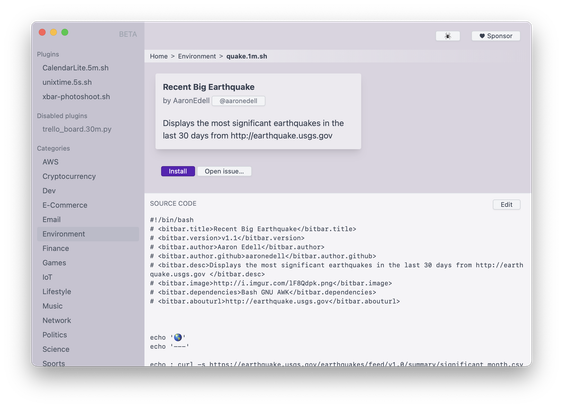
@Meyerweb I also wish Apple provided this by default. I have been using xbar (or SwiftBar) so that I can run scripts and output results in the menu bar. This is the one I use for temperature:

echo "$(curl -s 'wttr.in/Minneapolis?m&format=%t')/$(curl -s 'wttr.in/Minneapolis?u&format=%t')" | tr -d '+'
@benji Hmmm, it looks like these things would also let me display the date and timezone offset in *exactly* the manner I want it. Hmmm hmmm hmmmmmm.

@Meyerweb Yeah, the wttr.in docs has quite a bit of formatting options. There's also a ton of plugins out there with varying levels of complexity if you're looking to add other such things to the menu bar.

https://github.com/matryer/xbar-plugins/tree/main/Weather

xbar-plugins/Weather at main · matryer/xbar-plugins

Plugin repository for xbar (the BitBar reboot). Contribute to matryer/xbar-plugins development by creating an account on GitHub.

GitHub
@benji Can’t tell if xbar or Swiftbar is a better choice, and neither project seems much for selling itself to people who don’t already know what they are. Am I seeing this right that Swiftbar reads xbar files?
@Meyerweb Yeah, they're pretty much the same thing other than xbar is written in Go and Swiftbar in Swift. I recently migrated to Swiftbar to try it out and everything is working as expected with the same plugins I was using in xbar.
@Meyerweb I know it's not what you want, and you probably know this already, but in a pinch, open Spotlight and type "50F" or "10C" and it'll show you the conversion result without needing to press enter or adding in the ° symbol. I use this all the time on calls with my family, but what you suggest would be very nice to help me learn Fahrenheit!
@Meyerweb or just adopt Celsius which makes a ton more sense and is pretty much universal already ;)
@Meyerweb Yes. And an option to show both in the app (maybe one smaller than the other). Not a hard thing and so handy.

@Meyerweb Have you seen the app 40 below? Very cool for seeing the weather in both F and C, nicely designed, and I bet its developer ( @MrRooni ) would be interested in this idea as he’s working on the Mac version now 😉

https://apps.apple.com/us/app/40-below/id6759849820

40 Below App - App Store

Download 40 Below by Fruit Stand Software, LLC on the App Store. See screenshots, ratings and reviews, user tips, and more apps like 40 Below.

App Store