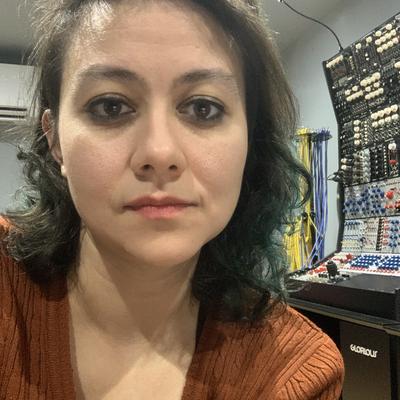

of course i had to add *just one more part* to this patch and now it's spiking the cpu.

looking for places to trim it up and... not finding.

:(((((

always pushing this shit right to the edge
ok, found a way to delete a couple of modules, now getting max at 89% cpu, which i can live with. i think i hear some clickies though, which is grumblesome.
@c_reider Nice :) Does anything improve if you focus on an empty area of the rack, no modules in view? I swear this helped me once but I can't reproduce it. Not ideal, in any case.
@ghostmeet no, i've never had that experience. usually high load patches, if they're not spiking sometimes will spike with zoom ins/outs

@c_reider 🤔 I wonder why. If only VCV wasn't so conceptually tethered to eurorack representation. I'd love to make it vanilla, Reaktor ca. 2004. But then I could just get into Max. Probably kinder on CPU too.

Also, fyi, a huge part of the CPU problem on my side is that I'm using VCV Host, so I can run VST's in a patch. V expensive.

@c_reider vcv issues?
@elifyalvac almost always! :D
@c_reider at least you are not spending 999$ for a source of uncertainty module!

@c_reider @elifyalvac I forgot you were using VCV -- I'm into it for the last few months and I'm pushing the CPU all the time. On a M1 Max here. I turn off everything I can, including wifi, and it improves but there are some modules that could do with optimizing for cpu.

I've been building modules this past week (using Claude), btw. It's a blast :) Now I'm building a phasor addressor (don't know if you're using phasors).

@c_reider @elifyalvac I also use Claude to check for patch optimizations, to reduce CPU.
@c_reider @elifyalvac One idea I had to reduce patch CPU was to kind of distribute the modules across 2 or more patches, and run multiple VCV instances inside Reaper, with signals sent across channels. It's not ideal but opens up some possibilities (including lots of crashes :) )
@ghostmeet @elifyalvac i've never actually used it in Reaper before, i always end up recording a mixdown and then doing overdubs later in Reaper.
one thing i have done is just split up a patch into two and record them separately - a super-goofy fix, but it works sometimes.
@c_reider @elifyalvac :) fwiw I found VCV performance a little better when hosted in Reaper, even a single instance/one channel.
@c_reider @elifyalvac are these overdubs freeform/async? Or -- if rhythmic -- are you syncing by eye/ear?
@ghostmeet @elifyalvac the latter by ear as everything
@c_reider @elifyalvac nice, can't fault.
@ghostmeet @c_reider Nice to wake up to this thread ha! I agree on separate patch recording to separate channels. also, just to remind, Cardinal can also be good. I will report on that
@elifyalvac @c_reider oh right, Cardinal, I forgot all about that! Please do report back :)
@elifyalvac @c_reider Couple of questions: Do you both use Phasors in VCV? And platform: are you using Mac ARM or Mac intel -- or windows/linux? Curious about this re:performance but also wondering if you'd be up for trying a Phasor module I'm building? Would love some feedback when it's ready. If not, no worries :)
@ghostmeet @elifyalvac i’ve only just recently adopted phasors, switching from clock generators due to Hetrick’s robust set of modules. i’m on mac intel… at least on desktop, i think the macbook is intel as well
@c_reider @elifyalvac similar to my situation, only got into phasors recently. Hetrick's stuff is v good. I just need a module that divides the phasor into steps and let's me reorder the steps, resize them, shape them etc. So like the Hetrick sub-step shaper/phasor randomizer, but with more control. I could try and make a version that'll run on intel (I'll try just for fun, anyway).
@ghostmeet @elifyalvac like a step sequencer for steps? 🤣
@c_reider @elifyalvac when you put it like that... :)
@ghostmeet I checked out those hetrick modules and phasors literally after I saw @c_reider writing about them here. I am on a macbook air with m4. Haven’t delved further into phasors yet. I am also fortunate to work in a place where I am teaching synthesis, including using a studio with roland and buchla at times ☺️
@ghostmeet @c_reider overall, been happy with it but it could be because my laptop is new, or has been new. For many MANY years I had to use very old laptops. Had to always keep things limited, not just vcv, but also with Max.
@ghostmeet @elifyalvac (btw, just got on the laptop and checked - yeah, it's intel as well.)

@ghostmeet @elifyalvac a couple of cpu optimization tricks that no one talks about (but that maybe you've found already)

if you're using the VCV native Audio8 module for sound out, you can set the sample rate & block size.
be sure sample rate matches at the audio8 module& under the 'Engine' drop-down menu. set the block size to the max 4096. under the 'View' drop down menu, set the frame rate to as low as possible, 10 fps. after all, you're using the thing to make sounds, not pretty lights.

@ghostmeet @elifyalvac
yeet scopes / visual modules the minute they're not needed.

also, little stuff like, if i ever need more than one sample/hold in a patch, this is my go-to for fewer modules per patch

https://library.vcvrack.com/ML_modules/SH8

ML Modules S&H 8

8 fold Sample and Hold

VCV Library

@ghostmeet @elifyalvac for absolute certain there are modules that ought to be optimized though. 100% agree.

often have that problem w/ Squinky Labs' Stairway... good filter though.

@c_reider @elifyalvac just found that one, haven't heard it yet tho.

@c_reider @elifyalvac nice tip :) mine was at 30hz, not high, but now at 20hz -- every little bit helps.

I noticed that GUI stuff was a huge problem in VCV.

@ghostmeet @elifyalvac oh, yeah, and maybe i thought it went w/o saying, but 44.1 kHz sample rate goes much easier on the cpu than 48 kHz. not an audiophile so i've never even tried a higher sample rate. have tried lower, and it sounds like hammered shit, lol.

@c_reider @elifyalvac did this recently out of necessity, 44.1khz.

Thanks for the tips!