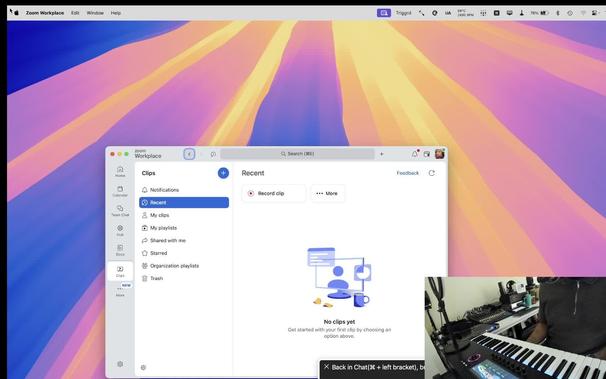
zoom really, really broke something on Mac. When tabbing around, it brings up info about whatever the focus landed on. Show-stoppingly bad UX design here. Don't know how to combat it.
Alright, in Zoom 7.0.0 they really bothered to fix all the stupids they screwed up and it feels snappier somehow, so well done.
No need to disable a feature I've had on for years just to use one app that got a bit excitable. It's back to how it used to be.

@FreakyFwoof Why did they break it in the first place?
@cub80_appleby Lol you're asking the wrong person. One doesn't know why people break things.
@FreakyFwoof Lol rbay!
@cub80_appleby @FreakyFwoof They probably got the idea from the Facebook mobile people who made the Back Button inaccessible. lol You know how good ideas spread.
@hallen @FreakyFwoof Yeah in some cases like wildfires!
@FreakyFwoof Interesting. I don't use Tab on the Mac Zoom so didn't experience any issues.
@FreakyFwoof They've taken on the whole ethos of coding whatever that comes to mind. Might as well break things.
@FreakyFwoof And then might as welll fix things until the next time someone touches the code with AI.
@ppatel Yeah, felt like the last one was very AI slappy.
@FreakyFwoof I have this weird feeling that we're about to see this quite a bit. I don't know. Somehow that feeling persists.
@FreakyFwoof Try to schedule a meeting. Date picker is still broken. You can't use it with VoiceOver.
@chikim I've never done it that way actually, I always just send people a link and they join at the specified time. Didn't know it was still broken. Email accessibility, you may also get Alex, he responded very quickly.
@FreakyFwoof Yeah I reported last year, exchanged a long email chain, they fixed, and they broke again. lol
@FreakyFwoof Lazy question. What's their accessibility email? [email protected]?
@chikim Yeah think so, I went to the website and found a contact but try just that, it sounds right.
@chikim I just looked back in my email history, it's [email protected]
@FreakyFwoof It might open up things based on the mouse location, so turn off mouse tracking with vo Shift 3. .
@jakobrosin Didn't used to do this until most recent version though. Only way to get out of it is to hold escape for about 5 seconds. If you press esc once, it comes back straight away.
@FreakyFwoof I didn't have a Zoom meeting today. Maybe it has updated itself meanwhile, but on Friday it worked well for me.
@jakobrosin Yes, and me. Open it now though. Even enabling the companion brings up a stupid 'learn more' window and it's seemingly non-defeatable
@jakobrosin Nothing I do can get it to enable it now. Absolute clusterfuck. Tab to notes, it brings that up. Host tools, can't find the screen-sharing. They really, really shit the bed on this release.
@FreakyFwoof @jakobrosin Do you by any chance have the mouse cursir set to follow VoiceOver? Sounds like some poorly coded tooltips popping up
@pitermach @jakobrosin If turning it off, tab works but if you VO around the window, fucked.
@FreakyFwoof Strange, for me, everything works so far. Granted, I haven't connected a calendar to zoom directly so my experience may be different from yours. @pitermach
@jakobrosin @pitermach Are you sure you're on the same version?
@FreakyFwoof Zoom workplace Version: 6.7.7 (76486) @pitermach
@jakobrosin @pitermach OK, do:
Command Control V to start your own meeting.
Wait for it to connect.
Tab or VO around the window with follow cursor on, which is the normal behaviour anyway. Are you saying it doesn't mis behave?
@FreakyFwoof Very strange. Nothing like that for me in the same view. @pitermach
@jakobrosin @pitermach I get that even after a reboot, so yeah, maybe it's a Sequoia thing. Glad it's fine for you, but it's showstoppingly shit for me. So glad I maintain time machine backups. I copied an older zoom app out of backup to a different folder. Cannot work like that. Genuinely fucked off with it so much right now.
@FreakyFwoof @jakobrosin Looks like my zoom app updated yesterday, but at least on the main screen I'm not seeing anything like what you had. Will be in a meeting later today so we'll see how that goes.
@pitermach @jakobrosin Try the Command Control V and just tab around your own meeting. You best find out before you go in, so you're not caught unawares.
@FreakyFwoof @pitermach @jakobrosin I did have some badly designed tooltips that trap NVDA, I just went fuck it and downgraded Zoom to 5.17.5 lol
@pitermach @jakobrosin Think I've worked out why you guys don't have it. If the mouse cursor is set to ignore VO cursor, it won't do it, but that means you have to do VO CMD F5 before clicking something, so it's an annoying extra step.
@FreakyFwoof @jakobrosin That would do it, and this is exactly why I have that option off. Sure, it's one extra step, but in my experience it causes more issues in the longrun. Auto expanding menus in some audio plugins and websites changing around the cursor, sometimes opening random popups much like what you just described were very common occurances.
@pitermach @jakobrosin Shouldn't have to though. It's been on for years, and only with this build has it caused problems. That doesn't make it OK. Not saying you said it is, by the way... Just observing.
@FreakyFwoof @pitermach @jakobrosin I have follow mouse cursor set to a custom command for exactly this reason. It also breaks a lot of websites. I generally have it off, unless I know I need to do a lot of clicking on things, at which point I turn it back on for the time I have to do that, then turn it off again. So many things become so much more pleasant with it off.
@talon @FreakyFwoof @pitermach @jakobrosin Interesting. I didn't realize this was a thing. I must try on places like gmail. I can't press enter on emails anymore. It would be nice to dumb that whole process down from what I have to do to work around it.
@FreakyFwoof @pitermach @jakobrosin I do the same for cursor tracking. That one has a default command, but I find that command really annoying to press, so I also remapped it. That one is generally on unless I'm somewhere where I want it off, like Ableton's browser. Having a command that you can easily press makes it so much easier to quickly toggle those things. I also do the same for web navigation switching between groups and dom. It's usually set to dom, but some apps seem to be more navigable with groups. So I basically mapped that entire cluster of functions to right option and the right symbol keys, ; ' \ , . / [ ] and so on. It has made a very measurable improvement in my usage happiness.
@FreakyFwoof @pitermach @jakobrosin I saw a reply but it seems to be gone, but I already wrote a reply so gonna paste it here. cursor tracking is right option comma, web groups is right option period, mouse following is right option slash, I remapped left and right click to right option left and right bracket, that kind of thing. I also moved the synchronize vo and keyboard cursor to there. Most of those keys I can just roll my finger over to trigger them which is really quick but might be awkward if you're not used to it, but it's what works for me. But the main point is most people can, and probably should, customize their voiceover keyboard commands more than they are. Especially because there's an absolute ton of unmapped commands that I didn't know existed for years. It's worth exploring.
@talon @pitermach @jakobrosin Aah thanks. I deleted it because I saw your other reply and thought you'd explained it quite well, and didn't want to bother you again haha

@talon @pitermach @jakobrosin Less than 24 hours and a response from customer service.

Hi Andre,

Thanks for reaching out, and we apologize for the issues. The fix for this issue is anticipated to be released next week in version 7.0.0. In the meanwhile, please see below for how to fix this issue through macOS VoiceOVer settings:

The issue stems from a Voiceover focus setting that automatically moves the mouse cursor to follow the voiceover focus. What's happening is that when you hit Escape to close the popup dialog, the voiceover focus moves back to the trigger button. However, since the mouse focus also lands back on that button, it triggers the on-hover popup dialog again.

As a workaround for now you can disable that VoiceOver setting

@talon @pitermach @jakobrosin I give them props for knowing it at least, and we troubleshooted our way to it, so yeah. Good work.
@jakobrosin @pitermach Also in my case it's nothing at all to do with calendar, it's when I'm in my own meeting and I tab or VO arrows around the window. This is specifically with build 6.7.7.76486.
Maybe they pushed a hotfix to correct that, but I doubt it, as it only released yesterday morning in the early hours. I doubt they've even noticed yet...
@FreakyFwoof that's an issue on windows to, I can't even upgrade to 6.7.8 from 6.7.2
@munchkinbear the bad Mac version is:
6.7.7.76486.
Is Windows in parity?
@munchkinbear Wen I checked for updates, that was the last one and it happened by itself at 2 something this morning according to my date modified on the app.
@FreakyFwoof oh, well the website insists it's 6.7.8 but the installer comes down as 6.7.0. but the installed release is 6.7.2 and the version *written* on the website is 6.7.8. well that explains why the installer runs, and immediately launches zoom because it's like this isn't an update, idiot, and of course their's no check for updates in the usual spot it used to be! fucking rude!
@munchkinbear @FreakyFwoof I just wish Zoom would sort their fucking shit, Idk why they're not being held accountable for this shit, but of course, these companies get away with murder.
@alexchapman @munchkinbear For me this just happened today, was perfectly fine last week, so it's a new issue.
@FreakyFwoof @munchkinbear Oh right, well since I started getting involved with Bits and having done that Github workshop, I've been on Zoom more than I used to, and I've been having weird problems where I'm unable to access certain controls, like I didn't even know how to raise hand until someone told me Alt Y does it, I was trying to find the actual button in the UI, but the layout is so overcomplicated.
@alexchapman @munchkinbear They have pretty good shortcuts for the most part, better than teams and even google meet usually, but you have to know to know and if you don't know, well... You've seen the results haha
@FreakyFwoof @munchkinbear Yeah, that's the issue, trying to find things is like finding a kneedle in a haystack.