I think I’ve managed to achieve the behavior I want using pure SwiftUI, which makes me weirdly happy. I might have made a compromise or two on the visuals in order to do it with pure SwiftUI, but that’s a trade-off I’m OK with for now.
Having so much fun with this project! I spent last night and most of today optimizing the main UI for iPad and I think it’s turned out very slick. Might be the best iPad optimization I’ve ever done.
Spending a tremendous amount of time optimizing my app this week in order to avoid hitches during navigation. This is really tricky with a somewhat advanced SwiftUI app. I enjoyed it in the beginning, but I’m really struggling to pinpoint where I can do the remaining optimizations, so it’s starting to feel daunting.
Every of these hitches happen on some common and key navigation in my app and I'm fightning so hard to get rid of them, but… This SwiftUI code is getting the best of me 😢
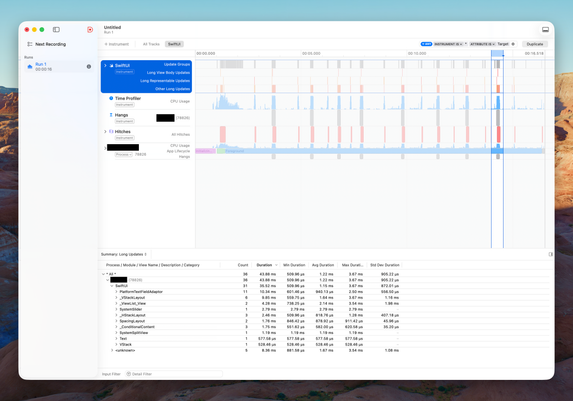
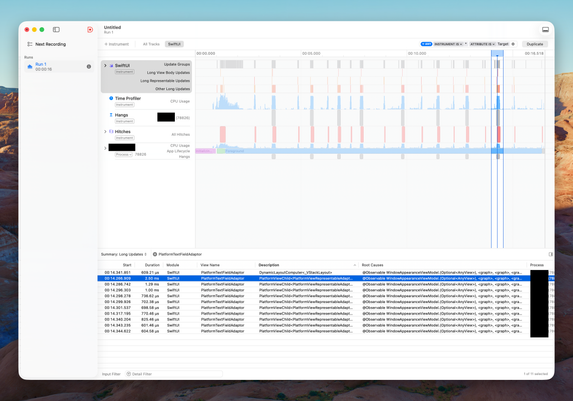
I'm starting to think that SwiftUI's TextField is a bit expensive on macOS. It seems that once I load ~10 text fields into a view, I'm noticing small hitches.
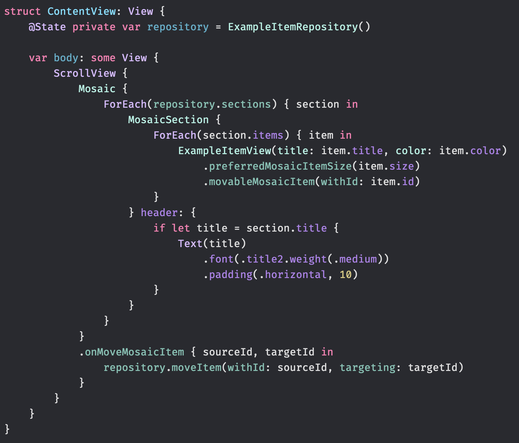
About to build a “mosaic” layout in SwiftUI where the size of the views will depend on the properties of the model they represent. Some views will fill the entire screen, and some will be sized to show two-by-two.
If this turns out well, this will be the first thing people see when they open my new app 😀🤞
Seems like the tricky part is figuring out how I can introduce a concept of sections when using SwiftUI’s Layout protocol to place views on the screen 🤔
I know how to do this with a UICollectionViewFlowLayout but I’d like to do it in SwiftUI.
This project allows me to build UI that I've had on my mind for 5 - 6 years. It feels so good to see it come to life and play around with it on my own devices.
For the first time since starting this project, it’s in a state where I can actually use it myself. There are still sooo many features I want to add, but it feels amazing to finally have the core flow working 😃
Getting here has taken longer than usual. Normally, I rush to get the core flow working end-to-end so I can verify everything, and then polish later.
But this project was different. From early prototypes, I knew the technical side would work. The real challenge was designing an interface that felt good enough that I’d actually want to use it. It slowed things down, but I’m glad I did it.
Moved the category filter to the bottom of the screen so it’s within reach and tweaked the appearance slightly. It’s starting to feel the way I want it to.
Spending a few hours these Christmas days combining Swift macros, property wrappers, and result builders to build a powerful API that lets me generate large parts of the UI for my upcoming side project. Feels good to get this nerdy again 😄
Spent a couple of hours today writing some of the weirdest SwiftUI I’ve ever written. In a small part of this side project, I need to use Mirror to traverse the children of a SwiftUI view hierarchy. Looking forward to show you why 😄
As much as I dislike large parts of Liquid Glass and would go back to the iOS 18 UI in a heartbeat, I have to admit that Liquid Glass fits quite well with the app I’ve been working on intermittently since early June.
I’m so close to being able to show you the project I’ve been working on since early June (with breaks, for example, to build Festivitas). It has been eight months underway. I’m now using it daily. I hope some of you will too.
Still a few somewhat big features left before I can release this project. Payments is one of them.
I think this will be my first subscription app. My guess is it’ll require a non-negligible amount of changes and testing with every major iOS release, and to make that sustainable, subscriptions feel like the right model.
Looking forward to diving into the subscription APIs in StoreKit… though I’ve heard they can be a bit daunting 😅
Part of me really doesn’t want any kind of account in the app, even if it’s optional or delayed. But I also want something that’s secure and maintainable… which is exactly what Sign in with Apple promises to be.
Trade-offs everywhere. Curious how others have approached this.
How to Use iCloud While Only Kinda Using iCloud
iCloud is the gift that keeps on giving - both good and bad. Let’s see how to leverage one of its best aspects today.
A “no account” solution based on CloudKit could look like this:
1. Device fetches S, a user-specific secret, from the user’s private CloudKit DB, creating it if missing. 2. Device authenticates with HMAC_SHA256(S, token || deviceId || timestamp || nonce) 3. On first registration, the backend learns S and then groups devices by userId = SHA256(S), verifying the HMAC and rejecting replays via timestamp and nonce.
This proves knowledge of S, and therefore access to the user’s private CloudKit DB.
I’m experimenting with CloudKit’s public database for user-specific data but it makes my brain itch that it’s called “public”.
I’m pretty sure I’m using it as intended though. Access is scoped, records are tied to the user’s iCloud account, and nothing is actually truly public.
If this holds up, it’s nice. I already sync data in the user’s private database with SwiftData, and this gives me a way to share auxiliary user-bound data with a backend service via CloudKit’s server-to-server support.
@simonbs scope creep alert! I was just thinking about some use cases, and how cool it would be if, when brrr received a notification it could optionally trigger a shortcut to run with the notification as input...
@john I haven’t tested it, but I think you can do this by setting `openURL` to a Shortcuts URL scheme when sending a notification with brrr.
You’d have to manually supply the arguments through the query parameters when sending the notification, so it’s not “use the notification as input” but rather “supply an explicit input”, which may be even better.
 Simon B. Støvring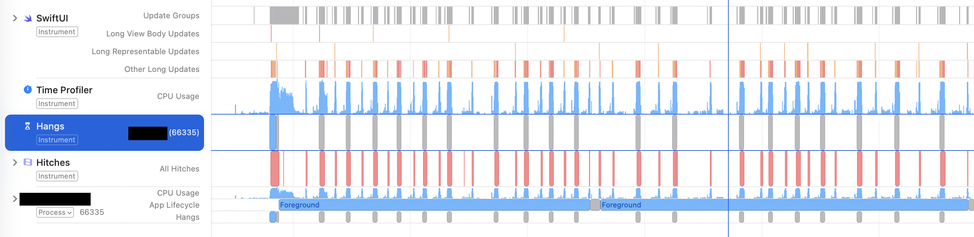


 John Payne