 Taffer 🇨🇦
Switched from SDDM to Plasma Login Manager, which didn’t magically fix the ridiculously long time (30+ seconds) it takes KDE to start up on my laptop (EndeavourOS, dedicated GPU). Work laptop (Fedora, and no dedicated GPU) starts KDE in a couple of seconds. #kde #kdeplasma6
 20000lbs_of_Cheese
@Taffer if you're using a distro with systemd, the command: systemd-analyze and its options are useful to see what's holding things up; systemd-analyze blame; systemd-analyze critical-chain; and systemd-analyze plot > plot.svg to generate a fancy graph for a better look at the entire process
@Taffer it's likely waiting for a connection that's only sometimes present if I had to guess, but can't know for sure without further investigation
@20000lbs_of_Cheese Thanks for the tips, I’ll see if anything interesting show up! It definitely feels like something timing out, but I don’t know what, the login -> desktop time has been like this for ages and I can’t remember if it was always like this or not.
 nbe1233
@Taffer @20000lbs_of_Cheese In KDE plasma desktop you can disable the splash screen-maybe KDE should add a minigame during the loading screen. I think that one possible cause of slow load times is harddrive speed; my computer used to be really slow because I had it running on a slow hardddrive.
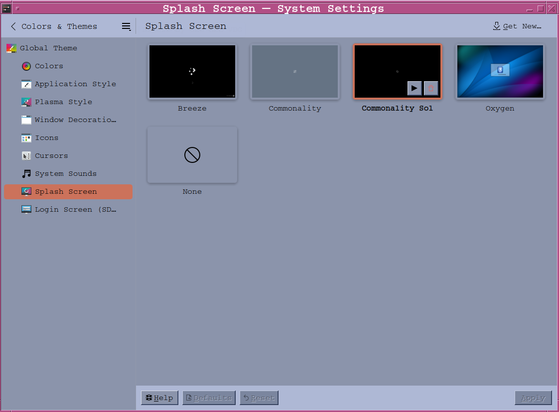
@nbe1233 @20000lbs_of_Cheese My delay seems to be between the login manager starting KDE and the splash screen though, actual time on the splash screen is quite short.
I'm still digging and so far the only interesting thing I've found is plocate-updatedb.service, which shouldn't be blocking (and hopefully doesn't run in between login and KDE).
I will try disabling the splash screen though, just to check. Thanks!
 alci
alci@20000lbs_of_Cheese @Taffer I had a similar problem some years ago. Turned out it was linked to encrypted swap. Maybe a try ? https://askubuntu.com/questions/1013830/slow-boot-long-kernel-load-time-due-to-wrong-resume-device

@alci @20000lbs_of_Cheese Pretty sure I don't have encrypted swap and that this predates when I activated swap, but I'll check it out, thanks!