"This Week in Plasma" brings the news that...

You can use long-presses on your regular keyboard to access alternative glyphs—just like on your phone, e.g. press and hold down [$] and a popup appears that let's you choose between €, £, ¥, ¢, ₹. Also new is that you can download and install alternative sound themes and that we reduced CPU and GPU load for full-screen windows on screens using more fractional scale factors, and much more!

https://blogs.kde.org/2026/03/14/this-week-in-plasma-press-and-hold-for-alternative-characters/
#desktop #FreeSoftware #openSource

@kde looks like a feature for @pallenberg :D

@kde @jrt

The longpress-glyph functionality might collide with homerow mods for (alternate) keyboard firmwares.

@kde what if I just want to type Nooooooooooooooooooooo! Can I still do that? 🤔
@kde amazing new feature and people are complaining it will interfere with typing things they never type

@joat

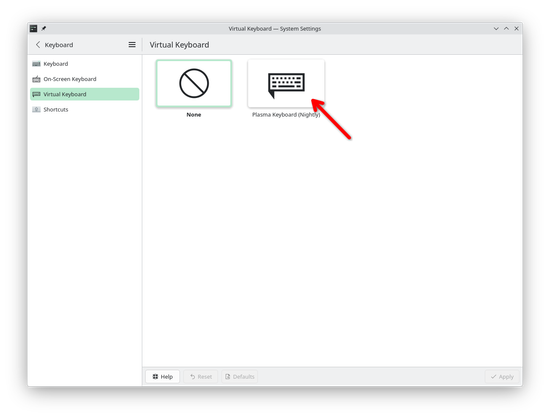
It also is not on by default. At the moment you can activate it by downloading a Flatpak and then enabling "Plasma Keyboard"—which can also be disabled if you find it annoying.

There's a whole blog post explaining this:

https://merritt.codes/blog/2026/03/13/2026/_plasma-keyboard-funding-diacritics

@joat @kde It's actually really useful, I have a Mac for work and sometimes need to type Polish or Czech characters, and it works reaaally well
@natty @kde I look forward to it. I currently use the compose key for French characters but having it work like a phone keyboard is a great idea, should reduce cognitive load.
@kde 🐧 very clever stuff 🐧
@kde pretty dope feature
@kde Wow, fixing that copy-paste error in wxWidgets is great, I have a coworker who uses KiCad on Linux and was affected by this. Great example of open source collaboration!

@kde has anyone implementing this ever made use of the ancient rite of "key-repeat"? It's great if you want to insert a character multiple times without having to repeatedly press the key.. or.. well.. it was until KDE.

/cc @vyr

@heals @kde @vyr Knowing kde, there will be a setting to turn this on and off.

@ainmosni knowing @kde it'll be named unintuitively, hidden deep in the guts of the settings and the "new cool behaviour" will be on by default..

(And - without looking at the implementation details - the approach feels very EN focussed where most other languages have up to 3 symbols per key I'm not sure a long press is especially useful (hi ISO-Level3 shift: "8, (, {"))

/cc @vyr

@heals @kde @vyr Kde has improved loads on settings usability and defaults front, it’s definitely not as messy as it used to be. And it’s nice to actually have options when the default behaviour doesn’t suit you.
@ainmosni fair I guess but still one of the weirder touchscreen features to adopt given how many things it’ll break just be existing.. (hi, hjkl editor movement)
@heals Yeah, which would make me quite surprised if they make it a default, or at least, if it stays default after a beta of it being default.