 Cleo Menezes Jr. 🌵
For fun: partially implementing the Moisac Windows concept by @tbernard.
https://blogs.gnome.org/tbernard/2023/07/26/rethinking-window-management/
For fun: partially implementing the Moisac Windows concept by @tbernard.
https://blogs.gnome.org/tbernard/2023/07/26/rethinking-window-management/
At the moment I am making a dynamic and intelligent tiling system that coexists with the mosaic as shown in the mockup and this has been a fairly wide road.
I have already achieved good results, but I think I will only have something that can be proved next year.

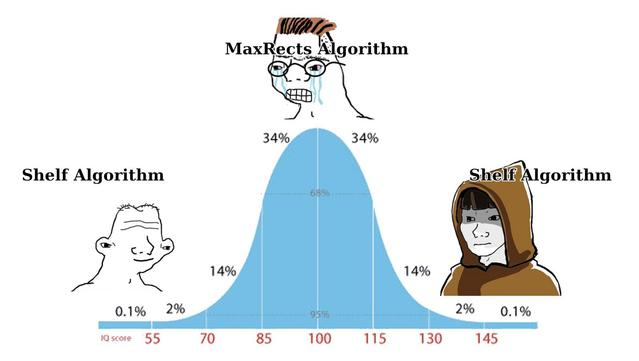
I initially used the Shelf algorithm to build the mosaic, but I ran into limitations I didn't like. I'm testing a hybrid approach: MaxRects algorithm augmented with some BSP algorithm features to improve space utilization and partitioning flexibility.
I need to weigh the pros and cons: a hybrid MaxRects with BSP improves space utilization and flexibility (fills gaps and eases reorganization) but increases computational complexity and processing cost.
Any thoughts?
Using the Shelf algorithm, I implemented an approach where windows are arranged with radial growth; exactly what I was looking for. This greatly improved space utilization and looks visually well-balanced.
Before the algorithm tried to complete the horizontal space of their "shelf" with windows before creating another "shelf". The look was very unbalanced and uncentric.
I was researching some articles about algorithms for collages and came across an interesting one: https://callistaenterprise.se/blogg/teknik/2025/06/11/genetic-algorithms-collage-creation/.
The proposal presented seems brilliant, as considering the concept of "collage" makes more sense than thinking about "mosaic" to solve this problem.
I tried everything: spiral packing, radial growth, bin packing... Each one promised to be "the definitive." The radial looked nice but had gaps. The spiral got stuck on edge cases. The bin packing ignored aspect ratios.
In the end, I went back to basics: horizontal rows with smart distribution. Windows arrange themselves in lines, respecting their original sizes. Simple, predictable, and it works.
Sometimes the elegant solution is the one that doesn't try to be brilliant. 🧘
Guys, MosaicWM is becoming more and more stable, so I would like to start having people testing it.
@aburka some things to score:
1. The extension is being tested in GNOME 49, it may work without problems in versions 45+, but you will have to manually change it in the extension/metadata.json before installing.
2. I was using a script to install that had as dependency the zip package, if you didn't have it on your system it would fail.
3. I added a new, more polished script. You no longer need to have the zip package installed.
Please see the new installation method in the README and try again
@CleoMenezesJr here is my feedback, I couldn't test it further than the installation. Your gît clone is wrong, you should do this instead;
"git clone https://github.com/CleoMenezesJr/MosaicWM.git
cd ~/MosaicWM
chmod +x install.SH
./install.sh"
But then you have more errors so it can't be installed, for exemple ./export-zip.sh: line 5: zip: command not found, [email protected]:No such file or directory...
@visnudeva I just updated the installation script so it no longer requires the zip package. Try it out:
https://github.com/CleoMenezesJr/MosaicWM?tab=readme-ov-file#from-source
@CleoMenezesJr Ohhh that's lovely! I've always wanted to try the concept @tbernard blogged about, amazing someone implemented it! Especially since native GNOME halves/quarters tiling doesn't make me happy on my 49" monitor, I'd rather have thirds, at least.
Will try this when I'm on my personal box again, currently dealing with macOS at work (which also has bad tiling and I'd love to see mosaic/collage there as well...)
@CleoMenezesJr Excuse my messiness, but some notes I took...
- Takes some getting used to, but quite nice
- It feels like you're in overview all the time at first
- You have to resize your windows to stop them from overflowing all the time - this settles down quickly when window sizes are remembered by apps
- Whether it takes the pain out of managing windows: there are some trade-offs, but I'd say overall it accomplishes its task
- The idea of "one workspace per task" becomes harder to maintain if one task just involves too many windows; the smaller your screen, the bigger the problem
- If it could try to intelligently resize the new windows to fit, that'd help (I see the newest builds are doing this)
- Trying to intelligently resize the existing windows would help further, but perhaps at too high a cost? Don't want those windows rearranging their contents unexpectedly
- Once you have too many windows open, you have to manage them, you just do
- BUT: If you were to keep shifting existing windows to make way for new ones, and then just letting them stack when it becomes too much, that may be enough. My wife keeps opening 50 instances of Files, it would definitely help solve that
- Automatically punting the user over to the next workspace to fit a new window is disorienting because I always expect it to spawn on the current one no matter how crammed it is. If there's no choice though, perhaps make the animation slower and light up the workspace switcher so they can be clued in to what happened and how to fix it
- It interacts with the lack of tray icons in GNOME - I keep all my background apps together on a workspace; if you have a lot of background apps, you might need many workspaces to fit them all now.
(Continues)
@CleoMenezesJr (continued)
- When I've got one window among many others, and I need more space in the other windows and I can get away with not seeing this one just for one second, what do I do? I know, just move it to another workspace, but... Yet I feel some mental resistance at this.
- could it be helpful to temporarily bring up the overview when you grab a window? With window management now needing to be so much less precise than before, you could merge the functions of both into one. Rearrange or snap windows on the same workspace or drag them into another, on the same screen
- It's making me more intentional about what windows I have open, and slow the hell down and it's great
- I thought for a long time I was a "power user" by opening a hundred different things quickly and tossing them around with muscle memory, until I saw someone else doing the same and realised how much time they were wasting. I think this behaviour may actually be more of an ADHD trait than a power user trait, and having some control of window management taken away is actually helpful and not an impediment.
- For less advanced users that don't grasp window management at all though, I can foresee different benefits, but no less significant
- I never noticed that my main way of telling the active window was the one that was sitting on top of the rest. With windows no longer stacking, having another way to see what's in focus becomes more important, especially if you're switching focus with the keyboard
- Goes very well with the "Highlight focus" extension to quickly flash the focused window
- There is something weirdly really satisfying to me in knowing that a lone window is perfectly centred on screen
@ianmclean Thanks for the feedback; it’s very valuable. I’m in the same boat (I have ADHD) and have been testing different approaches to improve window management.
The original idea was for every window to have an "ideal size," but that proved unworkable in the short and medium term (and possibly long term).
+
@ianmclean So I moved to plan two: smart resize. When a new window opens, try to make it fit at all costs before letting overflow occur. Now I’m exploring plan three: abandon automatic resizing in favor of a larger, scrollable canvas that provides more space without forcefully changing existing windows.
+
@scottjenson @CleoMenezesJr My bad, see: https://floss.social/@CleoMenezesJr/115676796813945950
Based on the idea: https://blogs.gnome.org/tbernard/2023/07/26/rethinking-window-management/

Attached: 1 image Using the Shelf algorithm, I implemented an approach where windows are arranged with radial growth; exactly what I was looking for. This greatly improved space utilization and looks visually well-balanced. Before the algorithm tried to complete the horizontal space of their "shelf" with windows before creating another "shelf". The look was very unbalanced and uncentric.
 Proficiency
 Jacob
Jacob fe
fe aburka 🫣
 Sashin
 Haydn Trowell
 visnudeva
 Roman Schaller
 Alex Dufournet
 Axel Antoni
 lj·rk
lj·rk Peter Hilgenfeld
 Ian McLean
 Tris
Tris Scott Jenson