@amerpie This image already has alt-text
―
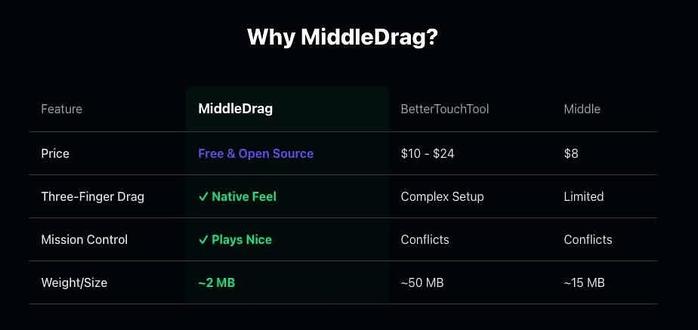
A dark-themed comparison table titled "Why MiddleDrag?" with four columns and four rows of features. The columns are labeled "Feature", "MiddleDrag", "BetterTouchTool", and "Middle". The rows compare "Price" (MiddleDrag: "Free & Open Source"; BetterTouchTool: "$10 - $24"; Middle: "$8"), "Three-Finger Drag" (MiddleDrag: green checkmark and "Native Feel"; BetterTouchTool: "Complex Setup"; Middle: "Limited"), "Mission Control" (MiddleDrag: green checkmark and "Plays Nice"; BetterTouchTool: "Conflicts"; Middle: "Conflicts"), and "Weight/Size" (MiddleDrag: "~2 MB"; BetterTouchTool: "~50 MB"; Middle: "~15 MB"). The "MiddleDrag" column entries are highlighted with green text, while other columns use white or different-colored text on a dark background. The table visually contrasts these three software options across key features using checkmarks, pricing, and size details.
―
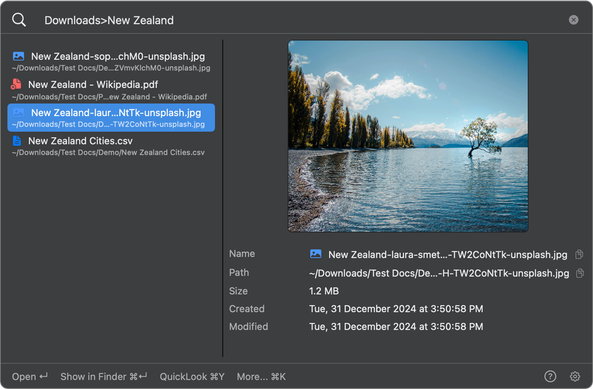
A macOS Finder window displaying the Downloads > New Zealand folder. The left pane lists four files: "New Zealand-sop...chm0-unsplash.jpg", "New Zealand - Wikipedia.pdf", "New Zealand-laure...TW2C0nTk-unsplash.jpg" (highlighted with the path "/Downloads/Test Docs/De...TW2C0nTk-unsplash.jpg"), and "New Zealand Cities.csv". The right pane shows a selected landscape image of a lake with trees along the shore, a solitary tree in the water, mountains in the background, and a blue sky with clouds. Below the image, file details read: "Name: New Zealand-laura-smet...TW2C0nTk-unsplash.jpg", "Path: ~/Downloads/Test Docs/De...H-TW2C0nTk-unsplash.jpg", "Size: 1.2 MB", "Created: Tue, 31 December 2024 at 3:50:58 PM", "Modified: Tue, 31 December 2024 at 3:50:58 PM". At the bottom of the window, the toolbar includes "Open", "Show in Finder", "QuickLook 36Y", and "More... 36K".
―
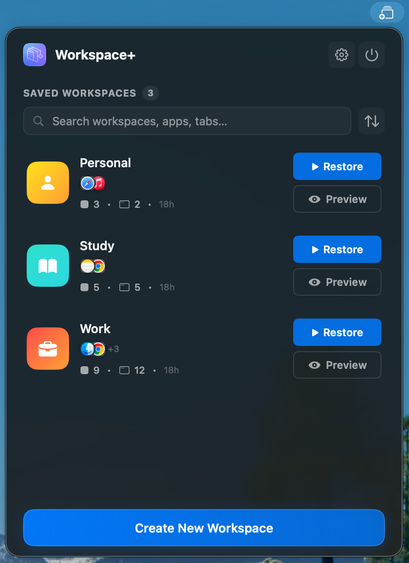
Screenshot of the Workspace+ app interface displaying saved workspaces. The interface has a blue header with the "Workspace+" title and a purple icon. Below, it shows "SAVED WORKSPACES 3" and a search bar labeled "Search workspaces, apps, tabs...". Three workspaces are listed: "Personal" with an orange icon, "3 • 2 • 18h", and a blue "Restore" button; "Study" with a teal icon, "5 • 5 • 18h", and a blue "Restore" button; "Work" with an orange icon, "9 • 12 • 18h", and a blue "Restore" button. Each workspace also has a "Preview" button. A blue "Create New Workspace" button is at the bottom.
Provided by @altbot, generated privately and locally using Qwen3-Vl:8b
🌱 Energy used: 1.265 Wh
 Lou Plummer 💖
 Altbot
 derZeitreiser 🇪🇺🇩🇪🇯🇵🇬🇧