One thing I obsess a little bit over is the fact that it’s 2026, we pretend that Linux is a serious OS, but we‘re still losing your data on a regular basis.

Out of memory conditions (OOM) are one of our biggest pain points, so I just did a quick experiment with macOS to see how they are handling OOM.

I loaded about 200 memory heavy tabs in Firefox and kept a close look at memory usage.

(1/4)

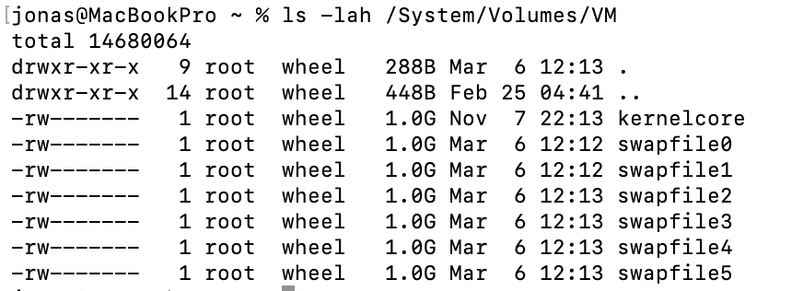
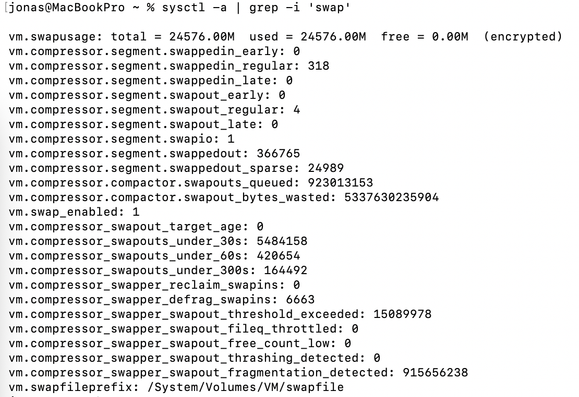
Once my 16 GB of memory were filled up, with a good extra amount saved thanks to compression, macOS just started creating swapfiles. Memory pressure went from the green to the yellow area, things got a little bit sluggish when switching to the oldest tabs, but no major slowdowns or freezes of multiple seconds.

The more tabs were open, the more swap files got created. At some point the disk would fill up though.

(2/4)

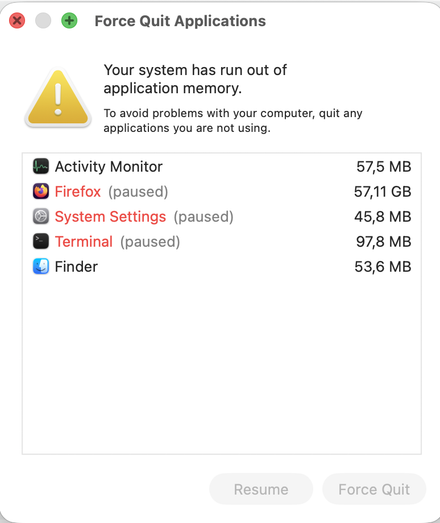
With about 200 MB of disk space left, Firefox froze completely, and at the same time a window popped up telling me that Firefox and a few other apps were frozen (not killed!!!) by the system.

The window prompted to either kill the app or resume it. Pressing resume, Firefox continued running smoothly for a few seconds, until it got frozen again. Pressing resume again, I could quickly close a few tabs, and things worked fine again.

(3/4)

@verdre I got a similar prompt on Ubuntu when I ran too many apps from a pen drive install (Wait or Force Quit)