 Skullgrid
why hard exit editor? Nano say at bottom.
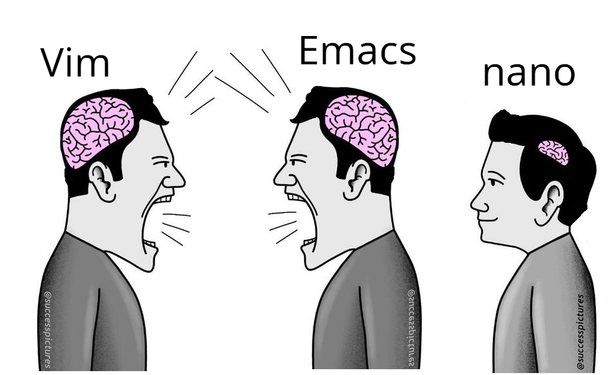
Yes. It’s newby-friendly, what is great for the time every 2 or 3 years that it opens in my face and there’s no alternative editor installed.
Copy and paste are there too, but there’s no reason to use them instead of the terminal buffer, so I can edit things in an editor I like. I just wish it made it easier to delete several lines at the same time.
neovim user (inside zellij) and same. More of a full blown IDE than an editor.
Also for the keybind memory impaired like myself:

💥 Create key bindings that stick. WhichKey helps you remember your Neovim keymaps, by showing available keybindings in a popup as you type. - folke/which-key.nvim
Yep, I’ve gradually gone from using vim motions in VSCode to using Neovim with basically all the functionality I need for backend (.NET and TypeScript) and infrastructure work.
There are still some things I have to rebuild some muscle memory for, but it’s been great. I haven’t made it to zellij yet but that’s the next step.
It has nothing to do with intelligence. vi and emacs are just rote memorization and also endless installation of plugins and configuration. They are slow to pick up, but very powerful and also ergonomic once you know what to do.
A modern GUI like CSCode is faster to pickup and immediately very powerful.
A good emacs or vim configuration tailored to your needs can stay with you for decades. It’s stable, reliable, and does everything already. vim has released less than one point update per year for more than 2 years. During that time Sublime and VSCode had dozens, if not hundreds.
For most people the choice of editor doesn’t make a huge difference. They spend far more time reading than writing code.
Nano is the right choice for you.
I pressed 6 while holding shift, then x. But it just typed ^x in my file.
Maybe I need to swap black and white as I type them, but I don’t know how to do that.
micro enters the chat.
Static, portable binary with no dependencies.
Out of the box:
I have nothing to do with the project but this binary is the absolute best. curl or wget to any host and away you go with effectively a Sublime Text / VSCode like in the terminal.
It’s baffling it’s not more well known and not installed by default on major distros.
I’m glad we all agree that nano is the one true text editor.
/s
How many Linux distros include micro in their minimal image? Vim, emacs, and nano are good because I can connect to just about any container or Linux VM and expect to have all of them available.
Let’s say I have a test that always passes on my machine but fails in CI. If I can get a terminal on the test runner, I can open up my test code in vim, add extra logging and error handling, and rerun the test to check my fix.
I am not going to install additional editors in a VM that will be recreated next time I push a code change. If I am setting up a development environment for long term use, I will install my favorite IDE and configuring all the bells and whistles.
the same old argument that anal sex is good because it works on more people
you might appreciate it, but being preinstalled is not the selling point you think it is. I spend hundreds of times longer in the editor than installing it. I want something good while I’m using it. I don’t care if it takes me 30 seconds to install, and maybe no one should.
And in Emacs ctrl+k means kill the line or selection (adds it to the kill ring) and ctrl+y yanks a value from the kill ring. Meta+y cycles to the next item in the ring. Meta is usually escape, unless you’re using the computer of someone with a key called meta
This comes from being earlier than MS-DOS, so it couldn’t copy someone else’s work (why did it take so long for DOS and windows to come up with the innovation of a copy history. It came after the windows key
Just use ed.
Ctrl+C. Easy.
fastfetch | grep ackage
Packages: 2530 (dpkg), 21 (flatpak)
me no remove package. me start with vanilla debian install. no need gui until me choose to install gui.
Please file a bug with the Debian maintainers.
How are people supposed to edit files without the standard editor?
 ruuster13
 bleistift2
 ramasses
 Cevilia (they/she/…)
 Eager Eagle
 caseyweederman
 N.E.P.T.R
 MaggiWuerze
 Lucy :3
 dadarobot
 rozodru
 whelk
whelk Wildmimic
 u/lukmly013 💾 (lemmy.sdf.org)
 Morphit
 kate
kate Colonel Panic