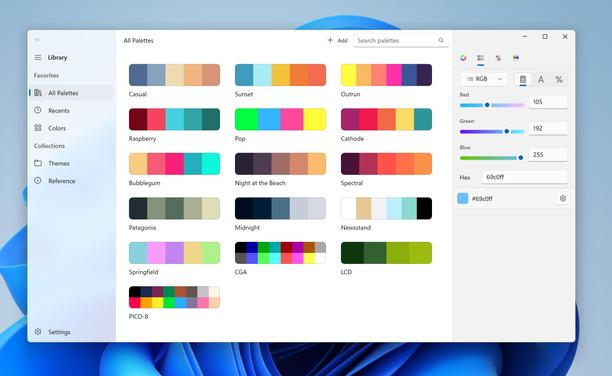
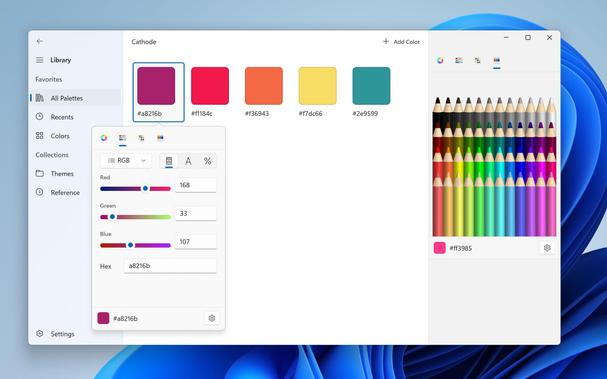
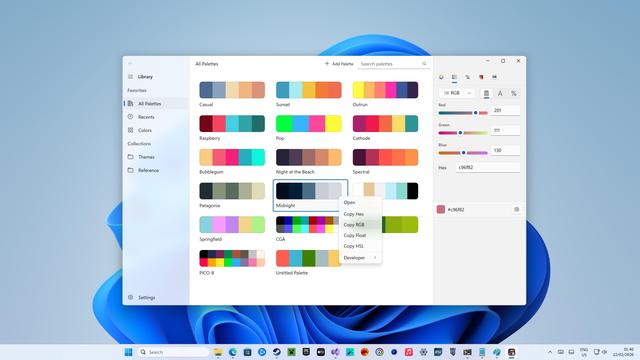
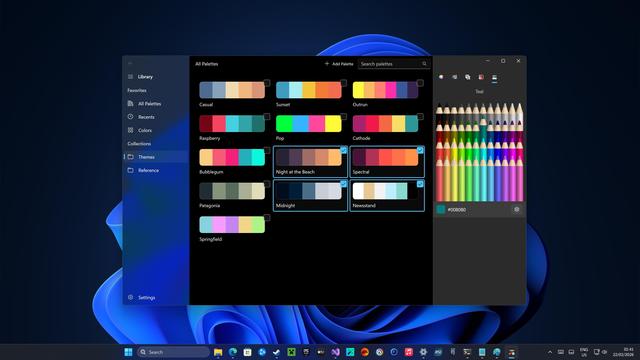
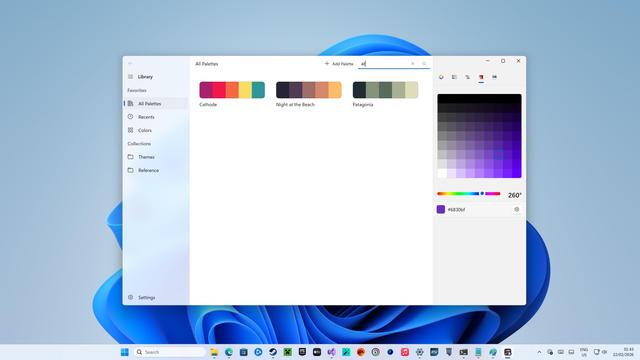
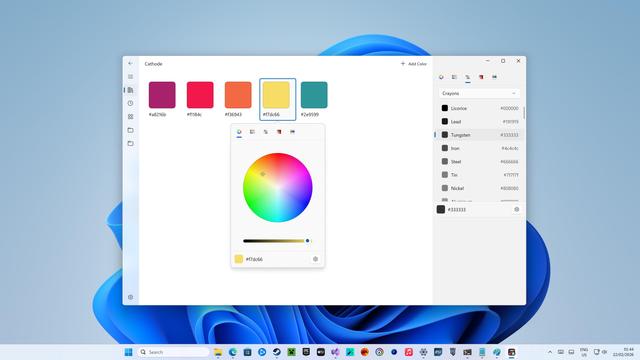
Turns out Codex is just as proficient at writing for the Windows App SDK, so I jumpstarted it with the existing unfinished UWP version of Pastel, and, like before, pointed it at the existing Swift codebase to begin porting it piece by piece to Windows 11. This is by no means a one-shot, I am slowly and methodically recreating the functionality of the Mac app.

Of course, there is no native version of Codex for Windows, so I'm running the Linux version under WSL, and Visual Studio 2022 to compile
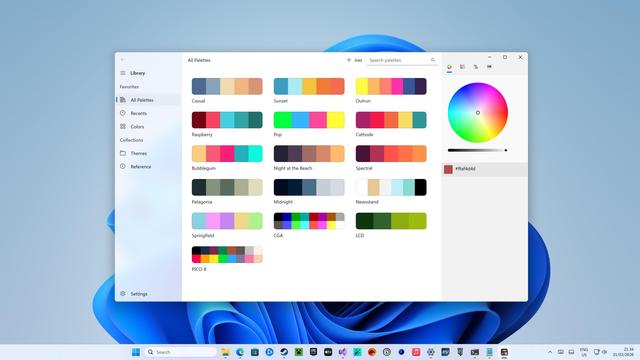
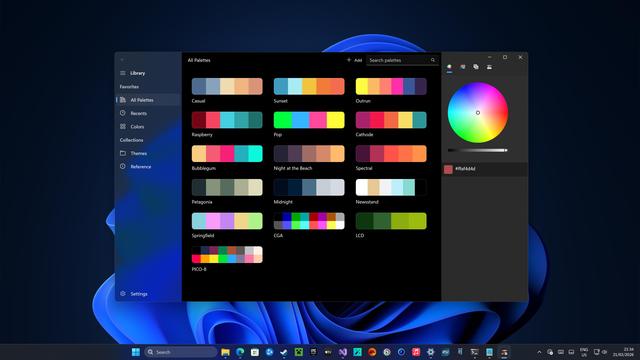
Light Mode | Dark Mode
Watching Codex recreate in seconds things that took me months, maybe even years, to implement the way I wanted πŸ₯²
We are actually deeply cooked
Just ploughing through this Windows port, with some pretty complex bespoke UI
Editing flow; you don't even have to squint to see how a finished app might work. Something that I would have had to take months to build at the expense of the iOS version, done in a night's free time after a full workday doing more-productive things. I always wanted to finish Pastel on Windows, but I had reluctantly accepted that I could never invest that kind of time β€” save for some kind of catastrophe that left me excluded from the Apple ecosystem. Now? Trivial.

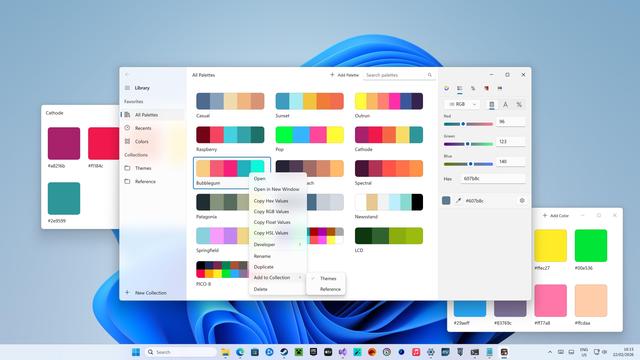
⭐️ Some more shots of all the working aspects of this Pastel for Windows project, using .NET 8.0 and the Windows App SDK (and Community Toolkit), ported from the iOS codebase and my original UWP prototype by OpenAI's Codex 5.3.

It's not a full app yet, but it's dangerously close.

It's hard not to think that agentic programming, or agentic porting, could have outright saved Windows Phone, had this all been possible a decade ago

It's only when you start trying to use a UI framework that you realize all the little things that are missing β€” like Windows' grid view doesn't have a drag-select API, it all has to be done custom. Or like how its alert boxes have no way of indicating a destructive item

When you search for Microsoft's Fluent design docs for Windows apps, you get a 404 on Microsoft's main site 🀑

You have to really know where to look to find them again, and they're buried as the last option (behind Web, iOS, and Android) on their design site

I'm pretty familiar with the .NET/XAML app building process; all my apps were ported to Windows Phone 7, then migrated to Windows Phone 8, Windows 8 and UWP, and I know my way around Visual Studio and the publishing system. I've even been through WinObjC for aborted ports of some of my apps. I'm familiar with the APIs, pitfalls, the 3P libs.

I won't pretend that somebody with zero experience would be able to just drop themselves in to Codex and easily build something like Pastel (but I hope so)

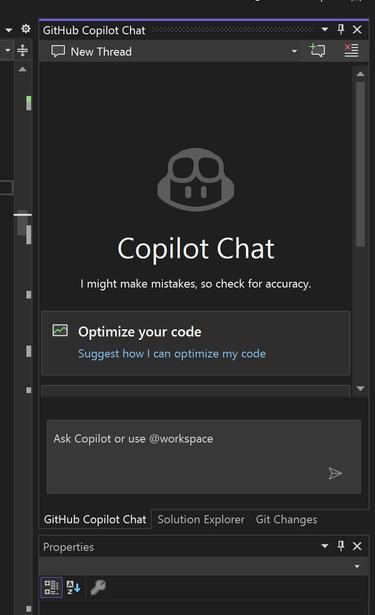
I updated my copy of Visual Studio and now 'GitHub Copilot Chat' is the first tab in the project explorer, replacing the project file list ('solution explorer') 🀑

Yeah no thanks

Drag and drop reordering, drag and drop colors into palettes.

This kind of (Mac-like?) behavior is not common to Windows at all. I am pleasantly surprised at how robust the Windows App SDK is, considering nobody in their right mind is building apps this way outside of Microsoft πŸ€ͺ

Renaming a new palette, opening it in a new window, adding it to a collection, and navigating around the app

Codex has no problem going deep into the weeds implementing things I would never have had the faintest idea how to begin, like this eyedropper button that calls into Win32, captures the screen and steals mouse events, and creates a mouse-tracking overlay crosshair window with GDI+, a task far outside the bounds of most WinUI apps. In minutes, without complaint.

This particular behavior is built-in on macOS, but not on Windows, so it all has to be done from scratch

This Windows version of Pastel is just under 10K lines of code (C# & XAML) so far. It doesn't yet persist its data model to disk, or sync, it doesn't have the color systems UI, it doesn't import pictures yet, and it doesn't generate wallpapers or widgets. Still plenty to do, but it's rapidly becoming a real app. I'm already very proud of it, and it's been kinda fun trying to pull off a level of polish that Windows apps tend not to see
I'm kinda surprised Microsoft, who has been all-in on this stuff for two years with Copilot (and, now, Claude), doesn't have a whole app store full of beautiful first-party native apps already. If *I* (a dummy) can do this in a day, what can a platform expert working full-time at Microsoft do?
Some code to ensure newly-spawned windows are always close to the mouse, with some bonus presentation animations
Windows doesn't have an equivalent to TestFlight, but it does allow you to do private, whitelisted store submissions before shipping publicly, so I'm gonna start the ball rolling with this build of Pastel to make sure everything's in order
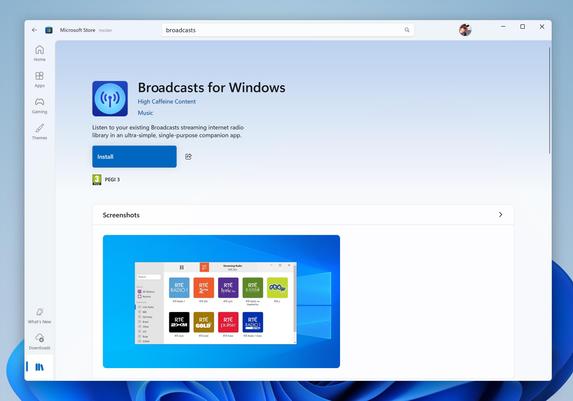
(That's where the Electron version of Broadcasts for Windows has lived since 2020 πŸ™ƒ)

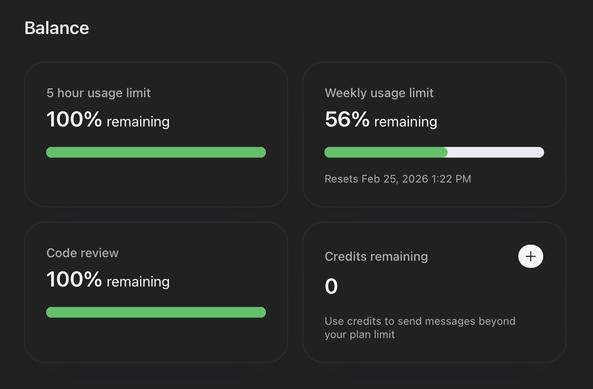
And, since the usage stats part is always worth mentioning:

I've used maybe 40% of my weekly Codex credits building this Windows port of Pastel (never hit the five hour limit), I'm on the $20/mo ChatGPT Plus plan, and I've only used 'gpt-5.3-codex medium'

In case you ever wondered how long the publishing process is on the Windows Store: that long
@stroughtonsmith oh wow the Microsoft app I designed in 2017 is still there https://apps.microsoft.com/detail/9p2gmh3s0fzj?hl=en-US&gl=US
Salesforce Chatter - Free download and install on Windows | Microsoft Store

Run your business from your Windows 10 device. The Salesforce Chatter app unifies your Chatter feed and business processes in a modern experience. Whether you're in the office or checking in from a coffee shop, Salesforce Chatter is your key to productivity. With the power of the Salesforce Chatter you can now connect to your customers in a whole new way from your Windows 10 device. Salesforce Chatter is a brand new experience for Salesforce users to be more productive, innovative, and collaborative from Windows 10 devices. Share knowledge, files, and data across your organization. Connect with experts regardless of their role or location, to swap insights and ideas in real time.

Microsoft Store - Download apps, games & more for your Windows PC
@dk @stroughtonsmith - so it’s your fault! πŸ˜‰