 Marcos Tanaka
I hate when Music randomly duplicates my albums and messes up my library…
So I finally decided to move everything over to MusicBox.
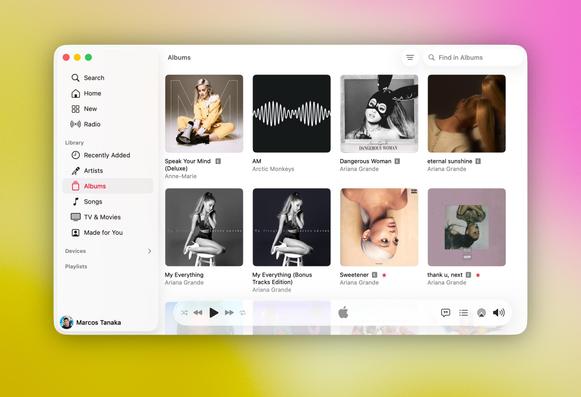
I hate when Music randomly duplicates my albums and messes up my library…
So I finally decided to move everything over to MusicBox.
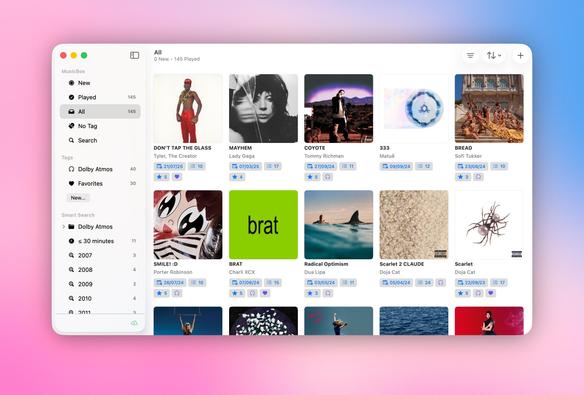
I also just released some new features to make library management easier: grid view and a clean two-column layout on macOS, plus the ability to import albums directly from your Apple Music library on iOS.
@mactanaka does it just import the apple music library or is it connected to the apple music library like a third party player (Marvis for example)?
And I see a Dolby Atmos folder in your screns, does Musicbox auto detect Dolby Atmos tracks or is something to do manually?
@pikuboy It just imports the albums you select, like this: https://mastodon.social/@mactanaka/116012976900255679
This way it won’t import duplicate albums and things like that.
And the Dolby Atmos categorization is a tag I automatically apply with these rules:
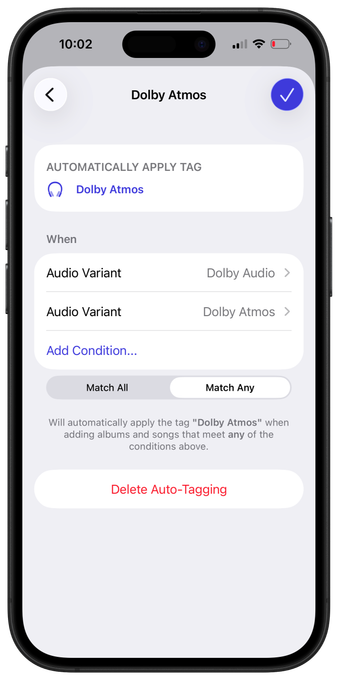
@mactanaka thanks for the reply. I tested the Dolby Atmos auto-tag and it’s working but only if the entire album is Dolby Atmos, right? It’s not per track?
For example Avatar Fire and Ash soundtrack is not labeled Dolby Atmos by Apple Music because the first track is only stereo by the rest of the soundtrack is Atmos.

 pikuboy