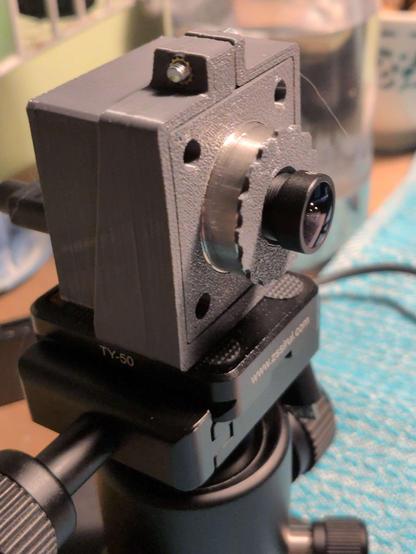
I finally got the data transfer from the AISC110C high-speed camera sensor working!

It's a 5€ chip that outputs 80x120 video at up to 40k fps.

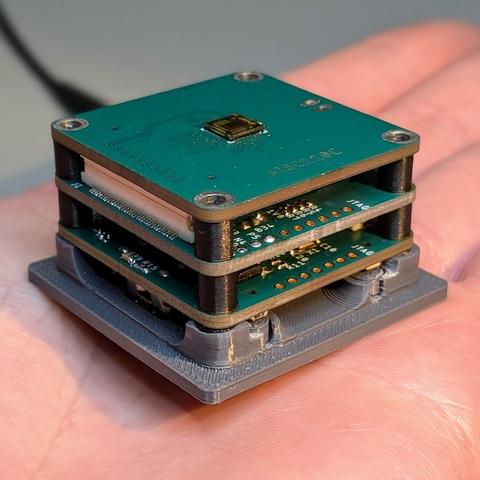
Data is read with a Xilinx Spartan7 and transmitted via USB3 with a Cypress FX3, each on its own little PCB.

The front PCB is exchangeable, making this a neat modular platform. I already have an analog video frontend with the ADV7182 and am working on a Cameralink interface.

Videos are coming tomorrow, I need more light for the high framerates.

I programmed the FX3 to output standard UVC, so you can display with ffplay or record with ffmpeg.

I tested it up to 2000fps via USB2, should work up to 5000fps.

Full frame rate should be possible via USB3, will test that tomorrow.

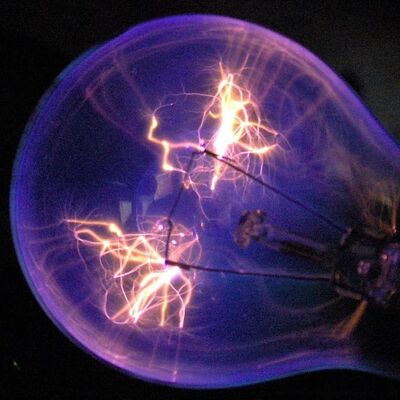
A lighter being lit, recorded at 2000 fps, played back at 25 fps.

Mastodon won't accept the video directly, so I had to convert to GIF, which introduced the dithering.

I'll try to find a better way to convert...

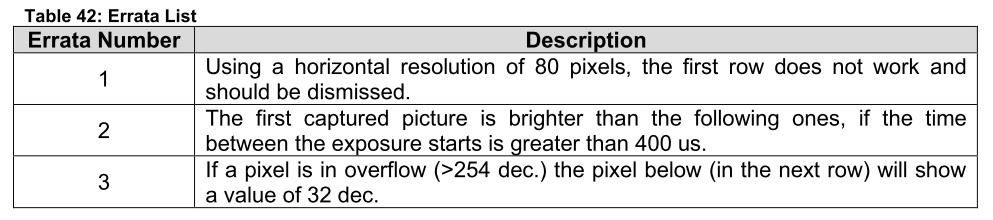
@stdlogicvector I *think* you might have an issue with numerical wraparound at maximum brightness :)
@funkylab That's unfortunately a problem of the sensor itself.
@stdlogicvector oh no! (oh, that might actually partially explain the price)
@stdlogicvector (I mean, in a high-res cinematic camera, you'd just detect the "32-valued below a 0b1111111x-valued pixel" situation and replace the 32 with a weighted average, but ca. nobody buys a low-res kfps camera for perceptive quality, but for inspection jobs, and interpolating a "yes everything is probably good here" pixel is worse than "this is obviously a sensing error" pixel in that application)

@funkylab Yeah..and to do that, I'd have to store rows of pixels in the FPGA. Too much effort.

And this way you get a visual indication of overexposure for free!

@funkylab Well, for that price I can live with a few bad pixels :D
@stdlogicvector exactly! You wouldn't accept those from a 200€ sensor, though.
@stdlogicvector wow only now I notice the first row. Digital design *is* hard!
@stdlogicvector what was your original video container and codec? (I ask because I still try to figure out what works best. So far, webm does work well, but according to https://docs.joinmastodon.org/user/posting/#media an MP4 container containing H.264 should work "better" in the sense that transcoding probably won't change the file.
(and in my cases, the magical invocation would be `ffmpeg -i video.mpeg -c:v libx264 -b:v 1000k -preset slower out.mp4`)
Posting to your profile - Mastodon documentation

Sharing your thoughts has never been more convenient.

@funkylab The camera outputs raw Y8/GREY8 video. I only specified the .avi file extension and ffmpeg did the rest.

Your spell works! Thanks!

(Recorded at 3000fps, played back at 25fps)

@stdlogicvector ah right, low-res. Drop the bitrate-specifying `-b:v 1000k`, you're staying below that, anyways. Add, in its place, a `-pix_fmt gray10le`, because YUV color space sure is boring if all you have are colorless shades of grey.

@funkylab It works and files are smaller now!

(Recorded at 1000fps, played back at 25fps.)

Now with USB3 and 5000fps!

As the sensor doesn't output usable data in the first line of the image I used the space to include metadata. The first 32 pixels contain a framecounter, the next 32 a microsecond timestamp. The remaining 16bit are user programmable, but I might replace that with the exposure time in microseconds.

Above 5kfps I get recording errors despite the datarate being only ~0.35Gbps. But I don't know the cause of the problem yet.

@stdlogicvector waow and I thought the PS2 eye's 120p 300FPS was impressive