My plain text calendar started off following the calendar.txt format. Then it morphed into Markdown and became calendar.md.

Now it's planner.md! And I love it. It's just like a paper planner where you can plan both hours and tasks. This has been nearly 10 years in the making!

It really does work in any text editor, but I love the level-2* convenience of accessing it with #Obsidian.

* Read about level-2 on Medium, or on my blog: https://medium.com/@miscellaneplans/the-3-levels-of-plain-text-productivity-and-why-level-2-is-the-sweet-spot-d7177122e4b1

#productivity #plainText

@ellane amazing. I am starting a tiny experiment for calendar.txt myself and your words about hourly planning resonate with me and am curious about how planner.md works. One thing I was thinking was more of an "event per line" as opposed to day per line model but otherwise spiritually keep the calendar.txt rules. (I currently use Obsidian Full Calendar to plan my day as a sort of pocket notebook calendar.)

@geetduggal It's really just a Markdown outline, very simple. Embedding search queries for tasks I want to see on specific days has been helpful, but it's an optional extra. The system works without it.

I did love calendar.txt and was reluctant to leave it behind, but wow, there's so much more I can do with plain text in Markdown! It makes navigating between dates so easy.

See this post for the basics (without the embedded search queries) https://pkm.social/@ellane/115578347219617553

Ellane (@[email protected])

Attached: 1 image @EpiphanicSynchronicity Good points, I'll clarify. When I said "digital calendar" I should have said software that markets itself as a calendar. I loved the calendar.txt approach, but now I'm simply using a Markdown style outline, like this: # 2026 > - Year goal ## January > - Month goal ### Week 01 > - Summary of things that happened this week #### 2026-01-01 W01 THU - New Year's Day - [ ] **12:00 Lunch at Bob's place** - Bring veggies and dip #### 2026-01-02 W01 FRI - etc

PKM.social
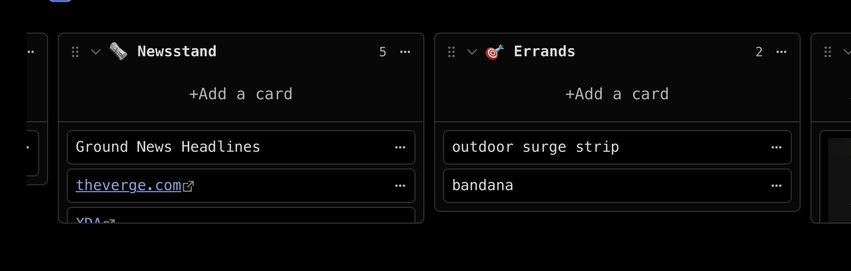
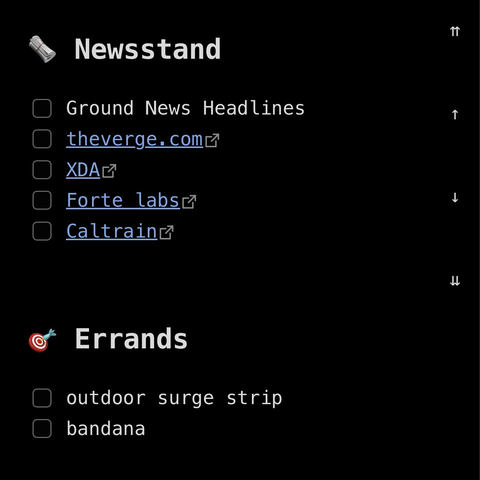
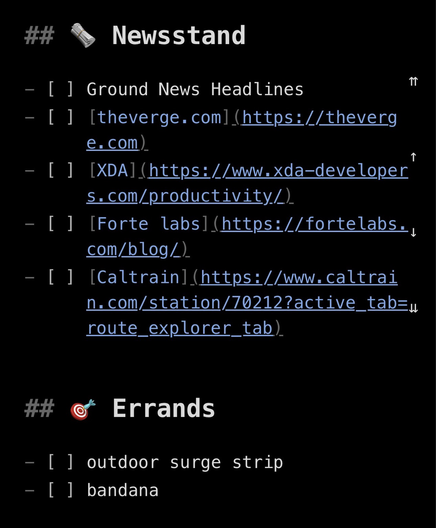
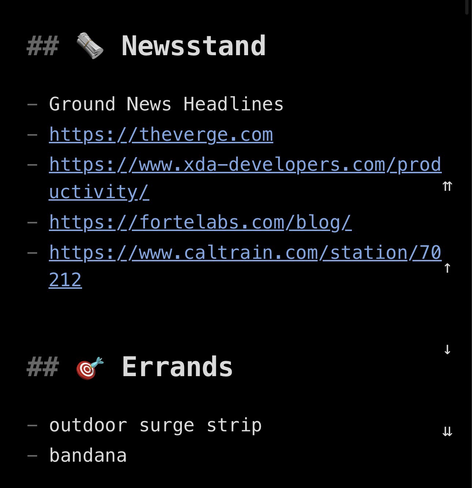
@ellane 🙏! What really excites me about something like calendar.txt or your planner.md is its simplicity on any device and editor. Even when markdown becomes complicated I tend to think about simplifying. Obsidian's live editor often yields less appealing soirce. I am tempted in such situations to minimize source messiness while maximizing obsidian happiness. The images below are nice obsidian renderings of two lists. However its source can easily become overwhelming. (see reply)
@ellane an example of virtually equivalent "messy" source vs "clean" and still "obsidian happy". This may be a level 1.5 or 1.75 in your scale 😀

@geetduggal Personally I don't have a problem with either of those. I'm okay with seeing the full [link](https://full-link). In fact I often switch to Obsidian's source view (via a shortcut on the Commander toolbar on my iPhone, or keyboard shortcut on Mac) to instantly see the bones of the document.

It's helpful for navigating when the embedded search queries are long or just not needed in that moment.

#Obsidian really is as superb at level 1 as it is at the higher levels!