Changing my (p)LAN:
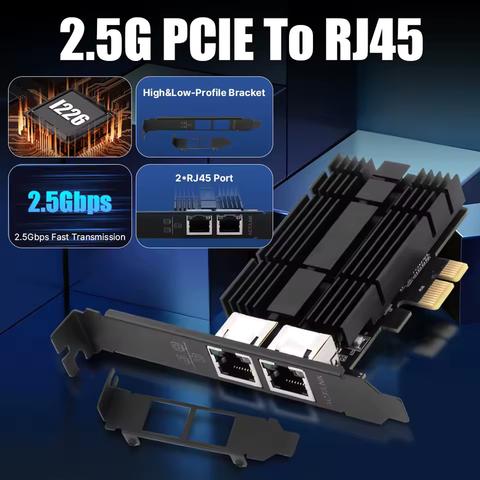
I've ordered a dual Intel i226-V network card (-35€, PCIe Gen3 x1) wich will bond (RR/LACP/?) the NAS and the AMD mini PC directly.

This bond0 will then be added to NAS bridge br0. The 1gig port of the NAS, also a member port of br0, connects to the router. The MikroTik wifi connects to the router, +1 hop to NAS.

Now i can sell all that:
πŸ‘‰ 2x ConnectX-3 +80€
πŸ‘‰ 2x DAC cables +20€
πŸ‘‰ managed switch 4x2.5G 2x10G +50€
πŸ‘‰ maybe single port RealTek 2.5G NIC +10€
🧡 1/n

#HomeLab

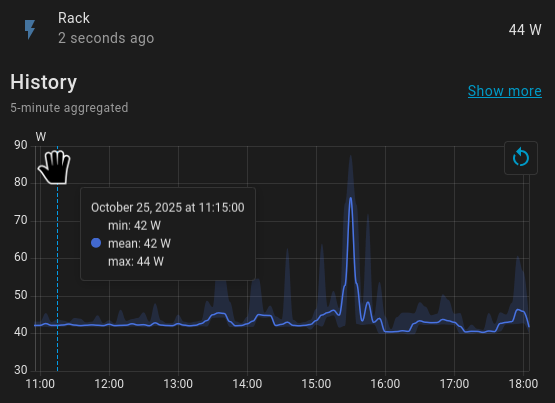
🧡 2/n without the switch running, i'm saving about 2.5-4 Watts, starting around 1600h - i'll see more details after my next sleep cycle

🧡 3/n #LACP is kinda useless, unless redundancy is your goal.

My NAS and PC are now connected via 2x 2.5G bond0 in round-robin mode. It's mostly working as intended, almost double the bandwidth of a single link.

Edit: those are direct cable connections without switch. If I need more ports, I'll add USB dongles to br0.

And yes, of course I can put bond0 in br0, but "netplan apply" locked up the whole NAS - had to power cycle it. Valid config though, boots just fine.

#HomeLab #Networking

🧡 4/n That dual Intel i226-V 2.5G NIC implements an ASMedia ASM1182e bridge.

PCIe Gen2 x1 upstream
2x Gen2 x1 downstream ports

That's not the best implementation, imho. But it is a 35 €uro implementation, via AliExpress.

PCIe Gen2 x1 runs at 5 GT/s, which is more than enough for 1 2.5G port. But squeezing 2 2.5G devices through that x1 upstream port feels a bit congested.

Not sure if #ASMedia even makes a Gen3 8GT/s x1 to 2x Gen2/3 x1 bridge. That'd be a better choice, imho.