 Mikina
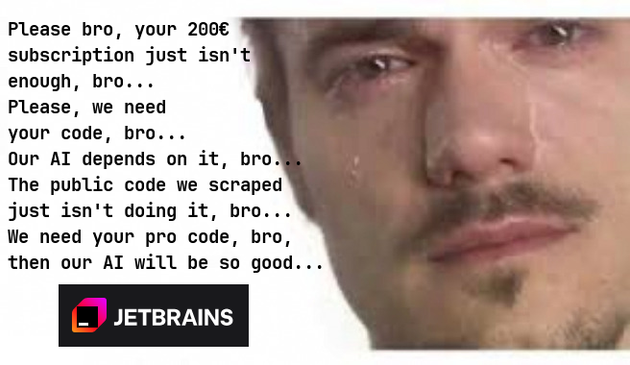
New Jetbrains Update Dropped
Doesn’t anyone else use things like OpenSnitch to audit all outgoing connections? I block all phone homes until something breaks, then investigate.
If you are trapped on Windows for some corporate reason, there is SimpleWall.
We’re friends, and friends don’t let friends let apps phone home.
VScode is certainly a heck of a lot easier to get LSPs working than e.g. vim.
If someone made it actually easy to set up neovim with lsp support that works as well as with vscode, there’d be no reason to give Microsoft any attention at all
Is the LSP support a plugin in Neo-/Vim ?
In Kate, you just install the LSP server, which is typically as simple as apt install marksman and then Kate will automatically start it when it encounters an appropriate file.
Kate also has a Vi Mode, if that’s what you’re looking for. ¯\_(ツ)_/¯
vim.lsp.enable(“server-name”) command, which you just put in your config and the Neovim will start the LSP when you open a relevant file.
Ah, I guess that makes sense. Kate automatically detects available LSP server executables but then prompts you before starting them for the first time, in case you did not install that and it’s malware, or I guess, in case you just placed a script there which happened to be called the same, but would be very bad to run.
Neovim could theoretically do that, too, but then you need a way to block executables, so that it stops prompting you every time, which you’d probably want in a separate config file.
So, it’s definitely a simpler solution and perhaps moreso what one would expect from a TUI editor, for you to just list the ones to run in the config file.
Neovim has something better - there is a plugin that installs the servers for you - github.com/mason-org/mason.nvim - and then you can just use the servers that plugin has installed (which should be more trustworthy because you just need to trust the plugin and not some random executable)
There is also github.com/mason-org/mason-lspconfig.nvim which bridges the two and automatically enables servers that were installed via Mason.
 BlameTheAntifa
 AeonFelis