 ipconf
Well well well.
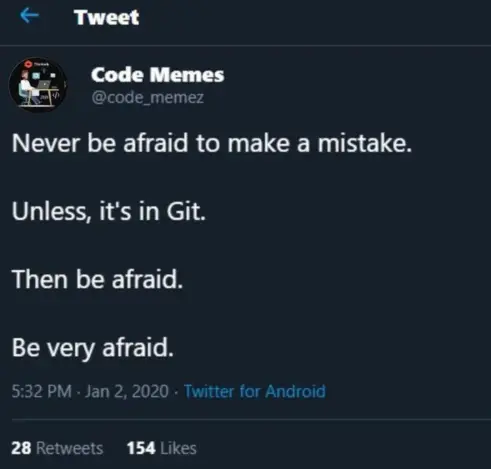
git reflog a lot, but when do y’all use this? Most I’ve ever needed is git log --graph for history checking. Maybe if I was in a situation where I knew the code on local branch X was working on Friday, but not anymore on Monday, then I could use git reflog to go back to Friday for that local branch right? Is that the idea?
Power users rebase with squashes and fixups multiple times a day. Especially if the job’s integration process isn’t enforcing long living branches.
Reflog is useful then, because you literally rewrite history every rebase.
’git log’ will only show you commits in your history. If you’re only ever working forwards, this will contain all the stuff you’ll ever need.
But if you’re rewriting history, like with a rebase or squash or something, or you’re deleting branches without merging them, then you can run into a situation where the official history of your branch doesn’t contain some of the commits that used to exist, and in fact still exist but are unlinked from anywhere. So reflog is the log of where you’ve been, even if where you’ve been isn’t in the official history anymore, so you can find your way back to previous states even if there isn’t otherwise a name for them.
If all you care about is your current history, git can use the dates of commits just fine to see where you were on Thursday without needing the reflog.
git reflog, I’m not making big enough git screw ups.
Git repository operations are (almost?) always recoverable. git reflog is your friend.
The filesystem operations are another story. Handle with care.
Think of it like your browser history but for Git. It’s a list of the SHAs related to your recent operations.
And because Git is a content-addressable data store, a SHA is basically like a URL. Even if a branch no longer exists, if you know the SHA it pointed to then you can still check out the exact contents of that branch. The reflog helps you find that.
SIR!!
I legit thought it was to publicly call out a user to be (metaphorically) flogged
And while it’s not how I do things, I totally understand the impulse. Tell me that doesn’t sound like something that could exist
I’ve had juniors who didn’t believe this, so just to say it: If you know what you’re doing, practically any Git problem is recoverable.
The one major exception is if you delete your local changes before committing them.
Yeah.But many of them are extremely annoying. Specifically screwing up rebase. It is recoverable, but very annoying.
That said I have seen juniors make two other common mistakes.
I’m fed up with these two. Yesterday I had to cherry-pick to solve a combination of these two.
I’ll get chastised, but when I screw up a rebase I create a backup branch and then have an LLM do the fixing…
I’m not proud of it, but I’m a lazy man who doesn’t want to resolve the same conflict 32 times.
So this workflow is needed if you are working on a public, i.e. multiple devs collaborating on a single branch, scenario. But it is much better to avoid this as much as possible. Usually it is a ‘scoping’ issue, where you create a branch that is too broad. For example ‘api-for-frontend’, which is a massive thing.
In our org we prefer to delete the branch after merge. In a way it says ‘this branch is closed’. This is to encourage devs to define smaller and more logically scoped branches.
I want to take this opportunity to say that, branch is just a label on a commit, with some additional functions. Once you start focus on commits and lineage of the commits, then branches become some what irrelevant.
Is it ok to continue on a branch if you also merge back main into it?
On some repositories, sure.
But better maintained repositories don’t allow merge commits (because merge commits suck), and so will have squashed on merge.
The squash will have changed commit IDs, so a long running branch rebased won’t benefit from a clean shared commit history.
So it can work, but “you’re gonna have a bad time.”
In general, git works best if branches are thrown away as often as possible.
You don’t have to squash to avoid merge commits. Instead, you can git rebase main to update your branch. Effectively, this will rewrite the history of your branch, as if you had just branched from the main-branch and then instantly coded all your changes on top of that. (Well, the commit timestamps won’t change, but they will sit on top of the changes of the main-branch.)
Afterwards, you should be able to merge into main by switching to it and then running git merge --ff-only your_branch.
Because all the changes sit on top of the main-branch commits, it should be able to fast-forward. No actual merging needs to take place then. You’ve already resolved any conflicts while rebasing.
This also allows you to keep branches for longer, so long as you frequently rebase and merge back.
Maybe I’m just a wizard, or I don’t know what y’all are talking about, but rebases aren’t special. If you use ’git reflog’ it just tells you where you used to be before the rebase. You don’t have to fix anything, git is append only. See where the rebase started in reflog, it’ll say rebase in the log line, then ’git reset --hard THAT_HASH’
Pushing without fetching should be an error. So either they got the error, didn’t think about it, and then force pushed, or someone taught them to just always force push. In either case the problem is the force part, the tool is built to prevent this by default.
Continuing after merge should be pretty easy? I’d assume rebase just does it? Unless the merge was a squash merge or rebase merge. Then yeah, slightly annoying, but still mostly "rebase -i’ and then delete lines look like they were already merged?
In my cases I has to solve same code conflicts multiple times during a rebase, so I just don’t try them when hit with conflicts.
Yeah if you have two branches, both with a bunch of commits which all modify the same areas of code, and reordering the commits doesn’t help, I can see how it is easier to merge.
I fail to see the benefits of “clean” git history
Well, if the commit history is clean and mostly linear, it’s much easier to read, understand and review. git blame will also be much nicer which is really important for debugging big codebases. Of course it’s a tradeoff, as usual.
See all this is fine for someone with good experience in git. They know how to solve the screw up. But wih junior devs, who don’t know much about it, they will just get confused and stuck. And one of the senior has to involve and help them solve. This is just annoying because these can be avoided very easily. Until they understand the pattern of how everyone operates with git, it just creates issues.
To me first time causing this issue is completely fine. I will personally sit with them and explain then what went wrong and how to recover. Most of them will repeat it again, act clueless and talk like they are seeing this for the first time in their life. That is the difficult part to me.
May be I’m just old school, and a grumpy old person, even though I’m not that aged.
rebase --onto “main merge commit” “branch merged commit”.
Specifically screwing up rebase. It is recoverable, but very annoying.
WDYM? Typically git rebase --abort will “just work”. If you have specifically done something really wrong, just look into git reflog
Pushing your commit without fetching
Git won’t allow you to do that if you set up your server properly. It will force you to pull first. I have [pull] rebase = true in my settings so that it always rebases my commits instead of merging them, which makes for much cleaner history.
Continuing on a branch even after it was merged.
This generally shouldn’t be a problem, you can just rebase the branch afterwards and it will be fine (the common commits will typically just be dropped).
The problem is not when I have to rebase. I know how to handle it. But with juniors they approach us only when things are in a really bad situation, where they cluelessly applied some commands they found on internet or from an LLM. Then it is very annoying to sit down and untangle the mess they created.
And regarding the pushing without fetching, it is usually a different branch. So they won’t incorporate the new changes in the main branch into their working branch, but just push their work into a branch. Again not a big deal. Just annoying.
All hail the mighty reflog!
Saviour of us all!
Well, if you did commit it, but just hadn’t pushed it yet, and then somehow lost that commit, then git reflog would be the tool for it.
Without a commit, sometimes you may have already staged some changes for an upcoming commit and can roll back to that.
But if neither of those are the case, then I can’t really imagine how Git should help you there. You haven’t told Git about those changes yet, so it’s out of scope.
At that point, you better hope your editor’s undo history goes back far enough…
Delete? Never.
mv git_repo git_repo.bad luciole (they/them)
 chaos
chaos theneverfox
 goatinspace
 Mr. Satan
 Klajan