
Raspberry Pi just announced the Pi 500+

It has a quad-core CPU, 16 GB of RAM, 256 GB SSD (built-in NVMe), and an RGB backlit mechanical keyboard (Gateron KS-33 blue switches).

Cost: $200.

First thing I did was yank the SSD out and replace it with an M.2 to OCuLink adapter, so I could game and local-LLM on the thing, using an AMD RX 7900 XT with 20 GB of GDDR6 VRAM.
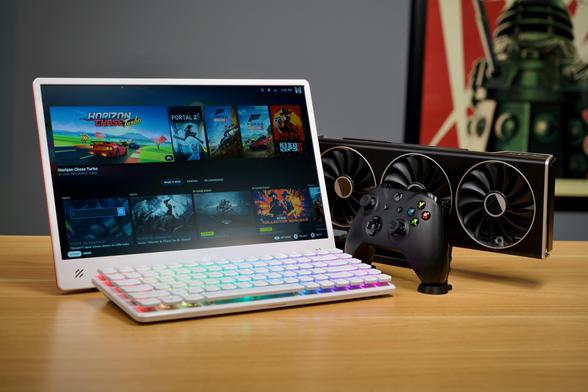
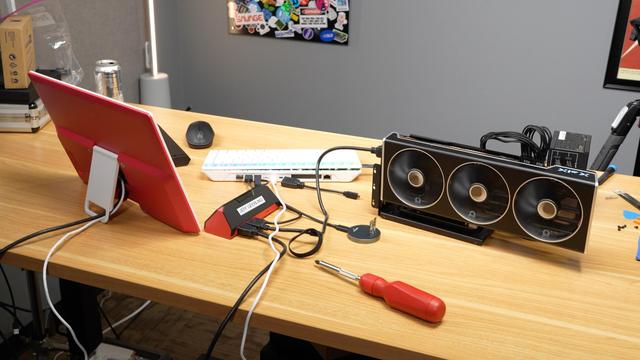
...Then I swapped out the keycaps for two different sets, to see how that experience goes. The keys are ‘low profile’, and the keyboard feels great (though it makes clickety-clack sounds at around 60 dBA from a foot away).

If you crave more information, I have you covered:

Full video with all the details: https://www.youtube.com/watch?v=Dv3RRAx7G6E

And if you enjoy text more than video, I have a couple blog posts:

Keyboard experience: https://www.jeffgeerling.com/blog/2025/testing-raspberry-pi-500s-new-mechanical-keyboard
eGPU testing: https://www.jeffgeerling.com/blog/2025/full-egpu-acceleration-on-pi-500-15-line-patch

@geerlingguy Can you use it as a keyboard for another computer?
@talinx no, but I'm sure someone could tweak the connection point on the motherboard to be able to switch the keyboard to external USB mode... I believe it's just using a USB interface direct to the SoC?
@geerlingguy Thank you for the answer! Being able to use it as a regular keyboard, too, would make it more useful IMO.
