
GNU Midnight Commander (mc) is a classic, dual-pane file manager for the terminal. It simplifies file management on Linux and Unix, making it fast and easy to use tool for new and power users as well. Try it out, after all it is free and opensource tool. You can easily install it yourself using your favourite package manager https://midnight-commander.org/
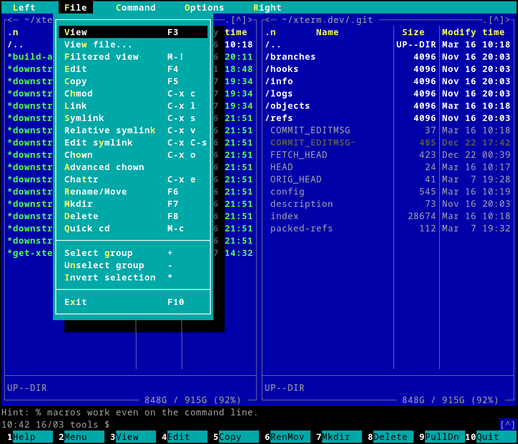
@nixCraft it's a must-install program. When I start system installations here, it is one of the first programs I install
@nixCraft Whilst I've grown accustomed to the bare terminal with ls and whatnot, this thing I've seen still in active use, today, among some of the senior engineers.
Might actually consider using it too. Small learning curve with the shortcuts and I'm just not used to being able to navigate with the cursor.
Always been a keyboard only andy in the terminal
@siim @nixCraft I've never considered using the cursor :lol:
@nfilipes @siim @nixCraft The only thing I ever click with the mouse is the panel headers to sort by name/size/time — MC is entirely keyboard friendly and doesn't require the mouse at all
@nixCraft And it's also customisable! ;-)
@nixCraft Yes, always the first package I install 🙂
@nixCraft I've tried ranger and nnn but always go back to MC. Specially on my server. The combination of shortcuts and menu makes it easy to use for beginners
@nixCraft pretty nifty file manager, though, coming from MS-DOS in those days, I sorely still miss the norton commander view where the panes would only cover half the screen allowing you to see terminal output of the commands you ran at the prompt below
@nixCraft I rely on the command line for file management most of the time, but occasionally a graphical interface comes in handy. In those cases, I use yazi. Unlike MC, however, you need to memorize all the keybindings—though you can fully customize them.

@nixCraft I love mc. I always die a little when people install a massive GUI docker package (~2GB) on their unraid machines just to do file management when mc is *already installed*.

You don’t even need to memorize the hotkeys, they’re on the bottom of the screen!

@nixCraft Wasn't a GUI version of mc used for GNOME's default file manager until Nautilus became that default file manager in GNOME 1.4?
@cameron_bosch @nixCraft The thing I've always liked about Gnome: the Gnome Commander 🥳
@thesaigoneer @nixCraft If you're on KDE, why not try Krusader? It's very similar, except it uses Qt like KDE and all of their apps.
@cameron_bosch @nixCraft You won't be surprised it's always on my KDE installs. On GTK, if available, Double Commander. And always mc of course. Tainted forever by Norton Commander 🤓
@nixCraft
Be sure to check out ghost Commander for Android
@nixCraft It's awesome. The ability to navigate compressed files and SSH remotes makes it my favorite file manager.