
Starting to grow weary of the VS Code and VS Code-like world.

I've always APPRECIATED Vim and Vim-likes, even as I've never been great at remembering the eleventy hundred macros/keybindings that make them efficient tools.

Helix seems like maybe a happy medium between? Am I a Helix person? Let's find out!
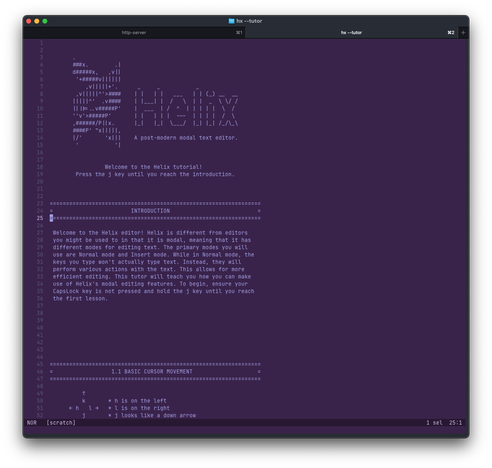
I've spent some real time using and configuring Helix and I'm still using it, which speaks volumes. Yes, there are a lot of keybindings. But there are also a few meta commands that help you find the keybindings quickly, so I feel like I've found the sweet spot on the clutch of this manual transmission. And there are some things that you'd think would be configured by default (LSPs, formatters) that are not.

I'm still liking it.

#webdev #helixEditor

The more I use Helix, the more satisfied I am.
Pros:
- Very fast, most commands execute instantly
- Vary stable, I haven't seen a crash/lock up yet
- Core feature coverage is excellent. Almost every "how do I do this" is answered in the main docs

Cons:
- Keybindings/command memorization. I'm 42, muscle memory is harder to develop
- Sooo many features that you take for granted in most IDEs need to be manually set up

#webdev #helixEditor

OK so I had to screen share while pairing today and using Helix and that was... humbling.

"Ooops, hang on. Whoops." *hjklllllllllll*

"Just a sec" *desperately tries to remember keybindings without opening the help dialog or browser tab*

#webdev #helixEditor

Closing in on 80 days using Helix as my primary code editor and, while I'm still memorizing all the shortcuts, I must say that I'm more sold on the modal editor lifestyle than I ever have been. I even find myself wanting modal keymaps in other text editors such as Scrivener.

#webdev #helixEditor

@zeigert I can’t ever go back. It’s like playing a video game for me. Makes coding so much more enjoyable.
@zeigert Do you have a solution for git blame? I use blame integration all the time to figure out "when did this codeline change" and "who did it?" and I missed that a lot last time I tried helix. The plain cli git blame is very clunky

@asmund @zeigert I use this line in config.toml, to map blame to space + l:

[keys.normal."space"]
"l" = ":sh git blame -L %{cursor_line},%{cursor_line} %{buffer_name}"

@Ansimorph @asmund Yeah, I've been using one like this:

B = ":echo %sh{git show --no-patch --format='%%h (%%an: %%ar): %%s' $(git blame -p %{buffer_name} -L%{cursor_line},+1 | head -1 | cut -d' ' -f1)}"

From:

https://github.com/helix-editor/helix/issues/3035#issuecomment-2717726191

It does require user invocation instead of just displaying for each line, but it serves my needs well.

Git blame and URL · Issue #3035 · helix-editor/helix

Describe your feature request Would be great to add a git blame hint (toggle on config) As part of this, being able to go to the repo url with a key bind is very useful. Both of these are provided ...

GitHub
@zeigert @Ansimorph aha, nice! I'll check that out 🙂 I have relied on invoking manually in vim too, so that's not a problem

@zeigert if it makes you feel better, I at one point switched to a column staggered 36-key split keyboard at the same time that I switched to colemak as my layout.

Pairing with my peers was hilariously bad.

I regret nothing.

@natecox I tried dvorak for a while but it basically made me suck at dvorak and also suck every time I sat down at a regular old qwerty keyboard as well.

@zeigert I tried Dvorak too for a short time, I felt like colemak was more comfortable and also easier to learn.

Still a learning curve for sure but the payoff was there too, after switching my wrist pain virtually disappeared.