OK UIKit folks, here's one for you. How am I supposed to add an iOS 26 inspector to the split view when my root controller is the modern UITabBarController and I don't have direct access to the split view controller? Is there API for this or do I have to walk the hierarchy and have a child VC invoke it?
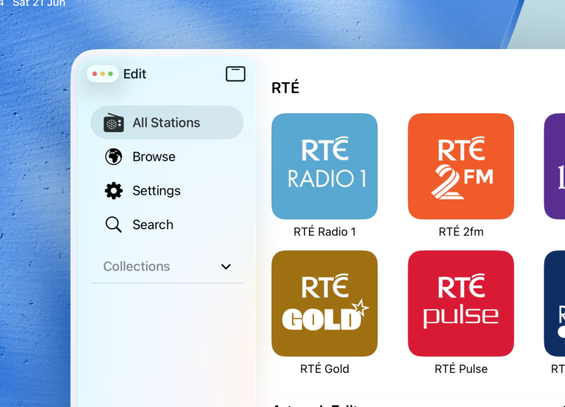
@stroughtonsmith UITabBarController does not use a UISplitViewController to make a sidebar. To achieve this UI, you should be able to wrap your root view with a UISVC and set the inspector column.
@stroughtonsmith Actually, I misspoke here. It should actually just be possible and easier to set the new inspector column on UISplitViewController without using primary + trailing.

@andyl just coming back to this now in my experimentation. I can see that using a split view as a tab does indeed work to create a four column interface, but the floating tab bar very much interferes with the app's toolbars in this case.

Am I thinking about this wrong? Is there a philosophy here that I should be following? Or should UIKit move the navigation bar down, out of the way of the tab control?

Is this the kind of sample project I should be filing a radar with?

@stroughtonsmith This is a known issue and should be resolved in a future beta. Like iPadOS 18, the tab bar will push the navigation bar down.
@andyl amazing, thanks 🙏
@andyl aha I never thought to try it on iOS 18, that does do that. It also looks like it has its own issues, like obscuring other columns of the split view. Thankfully I'm not worrying about backwards compatibility in this case
@stroughtonsmith Good news, future beta is no longer 'future'. This bug should be resolved in beta 5, which was released a couple of minutes ago.