If you add the correct name table entries in your fonts for stylistic sets and character variants, they show up in the font features dialog in recent versions of LibreOffice. This example shows Junicode. Note the character variant selctions have names, but the stylistic sets only show up as “None” or “1”.
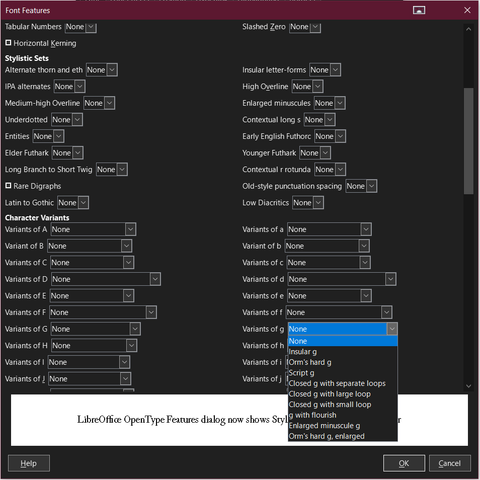
I’m not quite sure why some of the stylistic set choices are presented as a checkbox instead of a “None” vs “1” selector. The checkboxes seem more appropriate for these purely Boolean features.

@johnbutler Yes, although technically the substitution type is a function of the lookup not the feature, so stylistic set features are not necessarily Boolean.

Intrigued to know if/how Libre Office handles different featureparam names for the same feature associated with different script/langsys entries. This is also something that the format permits but that app makers may not consider in UI design.

@TiroTypeworks A-ha! And I see that the Stylistic Alternates choices in Brill present as “None”, “1” and “2”. Is there somewhere in the name table that lets Stylistic Alternates and Stylistic Sets choices have descriptive names for their settings, like Character Variants does?

And while we’re at it, do you happen to know of any libre or libre-ish fonts that include a Zapf table?

@johnbutler @TiroTypeworks Yes, you can name stylistic sets, for sure. Not sure about stylistic alternates.
@tphinney @TiroTypeworks to clarify: I know the ssxx sets themselves can have names; my question is whether each set’s own possible settings can have names like the character variants in my screenshot have.
@johnbutler @tphinney Oh, you mean the naming of enumerated variants. No, the featureparam spec fot the ssXX features is a simple label ID.

@johnbutler Stylistic Set features can have featureparam names, but the Stylistic Alternates feature cannnot.

[Note, for Brill, you’d need v5.00 to get the featureparam names, because our earlier toolchain couldn’t include them in the build.]

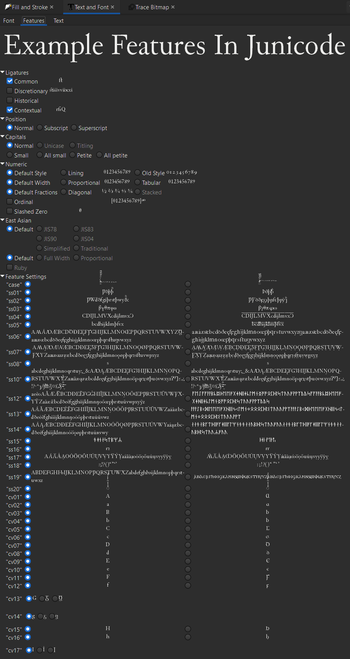
Here is Inkscape’s approach: no feature serrings names, just all affected glyphs. Note the multiple selectors in the character variants near the bottom.