I put it to the test by translating my test patch from my python fronted to a hypothetical equivalent node based representation without regard for wire placement and then stepped through my wire placement rules by hand. I'm very pleased with the results, it's a lot clearer to me what it does than the python version is at a glance.
I want this to be real so bad XD
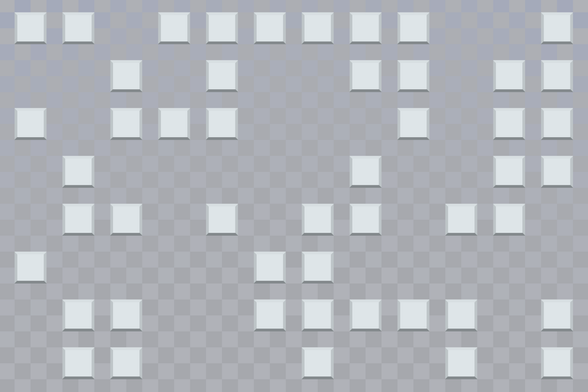
Test grid background and placeholder tiles. I wasn't quite aiming for windows 9x buttons but it sorta veered that way. dunno if I'll keep them
now, this may seem like I'm just fussing around on trivial details, but i assure you this is all going according to plan
I made some forward progress on my visual programming language project. Mind you, not any progress on the actual language yet, but I've established a makeshift gui quasi-framework that will hopefully make it easier to write the editor gui
I believe this was a worthwhile yak shaving detour because I was able to write the select mode in less than an hour.
The "framework" works such that there's some global state for the working data and theme elements, and there's a set of "screens" which are responsible for implementing drawing the gui and processing input events. Similar screens (as demonstrated here) share a base class to reduce code duplication. Each screen has its own event loop, and so the call stack essentially becomes an implicit stack of UI mode changes that can be unwound.
The side bar consists of "targets" which are just hyper link boxes that trigger screen changes on mouse-down. There's no mouse-over logic anymore since this meant for a touch screen anyway, and removing mouse-over button appearance changes simplifies things a bit. Each screen just define what it wants in the sidebar.
Select mode tests to see if a mouse-down happened on any boxes in the graph bay, and toggles their select state. The toggle function implements all the select and deselect logic. When select mode is active, the graph bay tiles check their select state to see which sprite they should use. When a toggle is issued, the select mode also rewrites its sidebar based on what you have selected. The "magic" button that appears will eventually go to the wire connection mode, but that doesn't exist yet.
I don't think the connection mode will take long to write, but I need to wander away to do other things now.
connection mode update: connection mode indeed did not take long to write
This version of connection mode is just a short term solution for managing parameter connections. I'm going to have it work such that the different sides of the screen correspond to one of the two selected nodes, but I think later on when I get all the other parts in place I'll probably rip it out and replace it with something else.
ok I'm at the point where I need to establish a base class representing the synthesizer instructions, which in this thread I've been calling "nodes" but I want to stop calling them "nodes" because the word "node" makes me think of pimples but they're full of javascript instead which is worse. I don't want to call them "instructions" because I'm going to be writing that word over and over and also because the nodes can represent registers and constants too. (there is no js in this project)
ok I'm just gonna call these "tiles" since in my mind they're just weird scrabble tiles anyway
an aside on naming things: I tend to substitute the word "user" with the word "player" or "operator" depending on context. So like, if I'm writing documentation on a tool I wrote, odds are I'm going to call you The Operator instead of "user" because I want you to feel cool.
in this particular project, I'm tempted to use the word "musician" instead, but I'm probably going to default to "player" for the person operating and programming the machine.
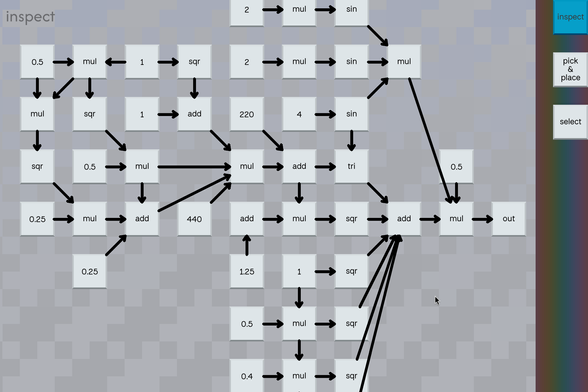
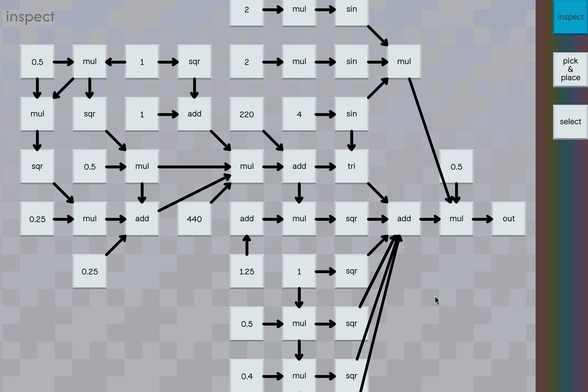
Getting to the fun part. There are now different types of tiles, and they can be programmatically connected. Tile positions are explicit. The wire positions are implicit, but I haven't implemented the procgen rules for them yet so they're just shortest path lines right now.
I implemented this part today because I realize that working out the data structures stuff here was a prerequisite to being able to complete the connection editing screen. Lots of options for where to go from here.
Incremental progress tonight while waiting for dinner. I've updated connect mode to now show the parameters of the selected items, as well as which side corresponds to which selected tile. Still lots of room for improvement.
I'm planning on having little detached wires hanging off of the outputs to hint at their polarity when they're disconnected. When they're connected my intention is to have an arrow indicating the directionality of the connection.
Also I'm annoyed that math words are all verbose. "term" and "sum" fit as alternatives for the inputs and outputs of the add node, but the vibes are off. "result" reads better than "sum" for the output. I don't like "term" because it's ambiguous. "summand" is too long. "addend" both is too long and it looks like it says "add end" which what. In the end I went with "+" for the operand end of the tile and "=" for the result end. (operand is also too long)
"input" and "output" could work, but I'm intentionally avoiding them so the output tile doesn't have an input named "output"
idk what I'm going to do for the "min" and "max" tiles lol
also I'm considering making the add tile effectively just a pass through and having the system add all wires connecting to the same input when the input doesn't have a special arithmetic meaning. eg draw two wires to the line out and it just adds them. or draw two hz values into a sine wave and it adds them. draw two values into a mul tile and it multiplies them instead.
The connect mode is fully functional now, and because I felt it added too much overhead, I also added a magic auto-connect/disconnect function to the selection mode since most pairs of tiles will have one obvious implicit connection anyway.
Here's a video demonstrating both:
I figured maybe I'd have a go at porting over my synth pipeline tonight, but I also decided I wanted to rebuild it as a python C++ extension and then my attention span bounced violently off the python packaging documentation, soooo... I made the lines look more arrow-dynamic instead :3
Big progress today! I rewrote a bunch of stuff and now the program has exactly the same functionality as it did yesterday, except that some of it is written in C++ now instead of python 😎
Now the tile objects are C++ classes that python thinks are python classes, instead of just being python classes. This will allow me to rebuild the C++ audio synthesis pipeline to use the tile graph directly instead of my earlier interpreter, and the tile graph will be constructed and manipulated by python.
and I wont have to worry about keeping two separate graph representations in sync, they'll just be the same graph.
I made a compiler for my visual synthesizer language thingy today
The next main things to do are building out an audio subsystem for the program so you can hear the patch, and then there's some important stuff missing from the editor like being able to place new tiles.
One of the things I'm really excited about with the design of the compiler is if you modify a patch while it is running, the oscillators don't reset, so you should be able to make a program while performing it :3
I got the audio hooked up to it and everything seems to work right :3
I am now the operator, with my virtual calculator.
the screen shot doesn't show off how cool this is, because when you're using this to edit constants in the patch, it'll update their values as you input expressions (so, every time you press equals or input a second operator) and so you can hear the change to the patch as you are doing math
I don't feel like being mad at linux right now, so I'm gonna figure out how to record this another time
I've got this hooked up to my audio convolver (a simple slow morphing fm patch convolved with the sound of a metal water bottle with a little bit of water in it being perturbed) and it sounds mesmerizing. Mym described it as "birds in a pinball machine" :3
I've been listening to it for like an hour and I'm so zoned out now 😎
I made it so you can rearrange the nodes now :)
I added a way to actually place tiles now instead of hard coding them!
finally, after five weeks and change of building a visual programming language from scratch, i can now build a working patch starting from nothing :D
The natural thing to implement next would be save and load, but pygame doesn't provide anything for conjuring the system file io dialogue windows (SDL3 has it, but pygame is SDL2 under the hood iirc). I'll worry about that another time I guess.
I'm probably going to go with an xml format so it's easy to extend. I want it to be easy to make custom controls in other applications eg game engines, so this feels like the obvious choice also I'm one of the five people who likes xml.
i'll probably end up adding envelope generators and midi before i implement save and load since it's not really worth using without those but it really depends on which way the wind is blowing when i next work on this
I'm really excited because all of the hard stuff is done now. I mean none of it was hard to implement or design, it's just that I made a bunch of architectural decisions up front and five weeks later the result is a thing that 1) works, 2) I've managed to keep the complexity of implementation pretty low across the entire program, and 3) all of the missing features and areas I want to improve upon have obvious paths to implementation.
and so further effort put into developing this will have an extremely favorable ration of time spent actually making the program more useful vs wallowing in tech debt
 aeva
aeva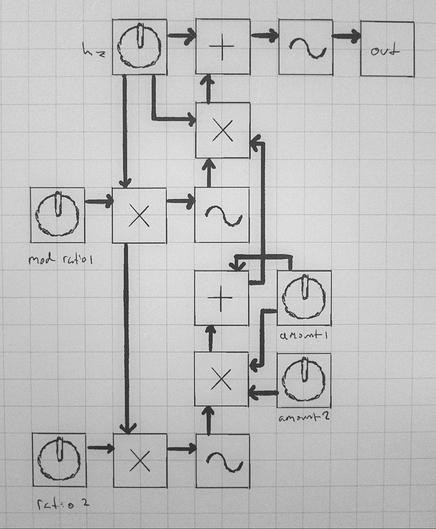




 Tess
Tess
 gkrnours
 Efi (nap pet) 🦊💤
 Evie 🏳️⚧️
 Fields
 Fabian Giesen
 LR
LR
 poetaster
 simonf 🦘
 halcy @