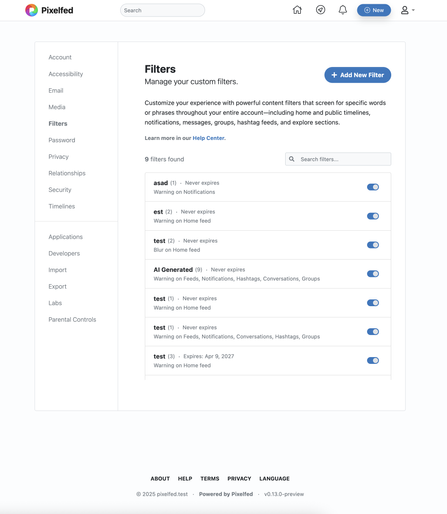
@dansup @matlfb let’s say I’m on a tablet or phone. There’s no hover state. From looking at the second design I see how I can add a filter. I can see how I “disable” one. I don’t see how I can edit one or delete one I no longer need. I’d think now that instead of editing I’d have to disable the one I wanted to edit and recreate a new one with the changes I wanted. It’d lead to a huge list of disabled filters I don’t want or need since I can’t see where to delete them either.
 European Made
 dansup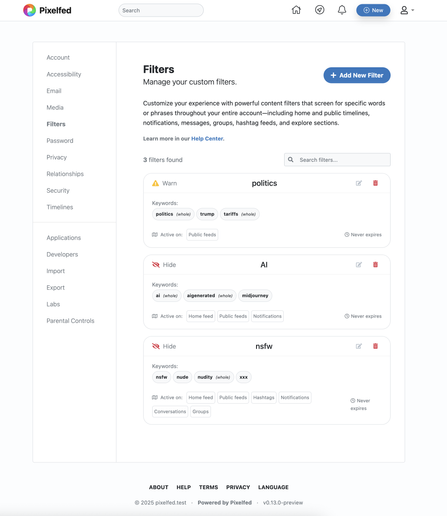
 Mathieu Lefebvre
 Bryan 🏳️🌈 Pixelfed
 wrdlbrmpft
 Greg Kaplan
 adrianmadethis