This is an IOCREST-brand USB to RS-232 serial adapter, which I bought from a seller on AliExpress. It arrived in exactly the same time as an identical eBay listing said it would, for literally half the price - if eBay is still your default go-to for weird stuff like this, keep in mind dropshippers are probably fleecing you.

This adapter contains an FTDI chipset, not the much cheaper CH340, and it's time to see if this is the reason I couldn't get serial mice working natively on Windows 10.
And, yep - with Windows 10 told to enable serial mouse detection on boot, all you need is the right kind of adapter installed and a serial mouse plugged in when you boot up. Here's the FTDI-derived one working with my Microsoft Home serial mouse - you can see the adapter blinking to say it's receiving data when I move it around. #retrocomputing

So, question: Can I get some suggestions for software / tips and tricks for recording and reviewing raw data coming off a serial port? I'm a very long way from trying to reverse-engineer a novel protocol myself, but that's the eventual goal, and the next step I'd like to take is compare what I'm seeing coming out of a serial mouse with documentation online to make sure I really understand what's going on and how all this works.

Uh... #retrocomputing #reverseengineering ? boosts welcome.

Thanks for the suggestions everyone, I really appreciate them whatever their cost or niche. I'm sure I'll find enough resources here to carry a long way into the projects I have in mind here.

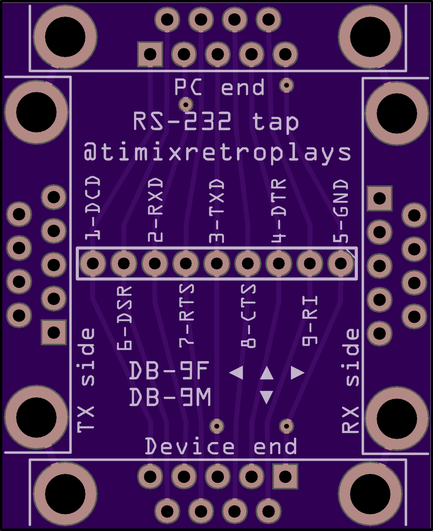
First draft for a less janky version of the first answer here: https://electronics.stackexchange.com/questions/63865/rs-232-serial-sniffing

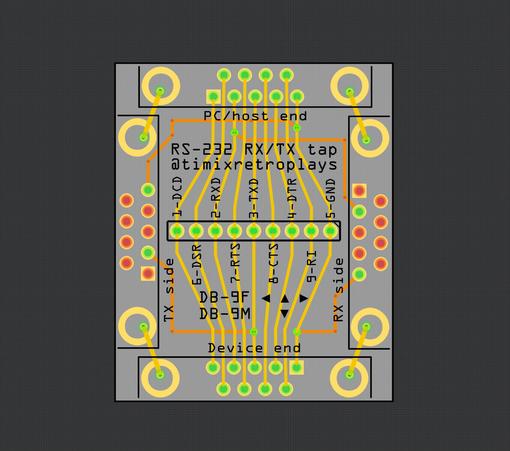
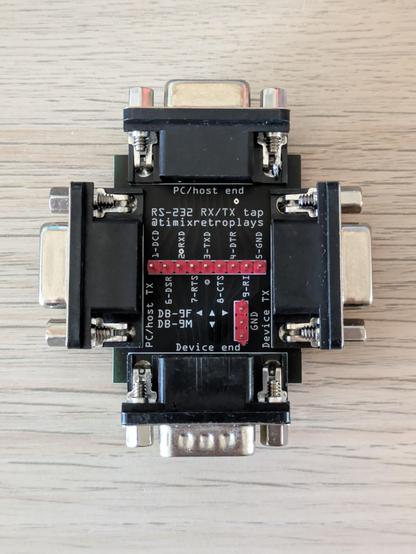
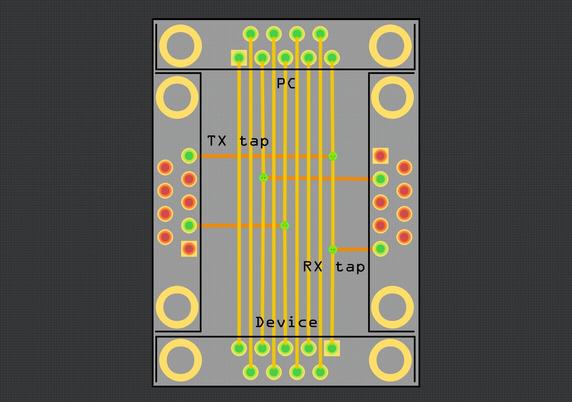
All nine lines are continuous from the PC end to the Device end (device end is male with pins, all others are female sockets), with the TX and RX lines also tapped out to the TX lines of the left and right ports, and GND is shared between all four ports.

I'll be adding this to my #SimpleBreakouts project once validated, so what might make this more useful to others? All 9 lines broken out to headers maybe?

RS 232 serial sniffing

We have a task in hand to sniff a RS232 protocol in a certain industrial automation setting (we have been asked to do this legally by the manufacturing company itself). We are planning to send a

Electrical Engineering Stack Exchange

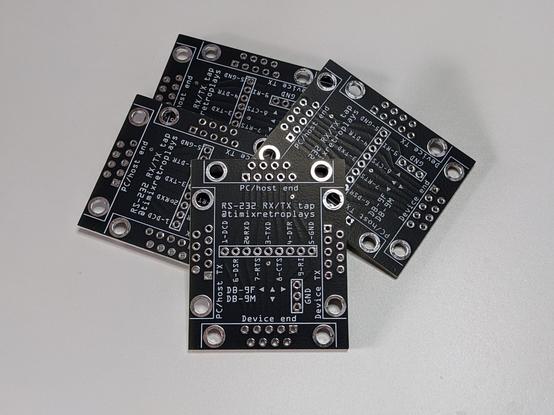
Added a 9-pin header right across the middle with pin labels. The socket mount points in these default DB-9 #Fritzing footprints aren't normally points I can attach wires to, but plonking a via in the middle of each and running a wire between those seems to produce the desired result (top right) - both in OSHPark's and JLCPCB's previews.

I know there's folks looking at this and cringing hard, but I'm not aiming for best practices here, just something that works okay for my purposes.

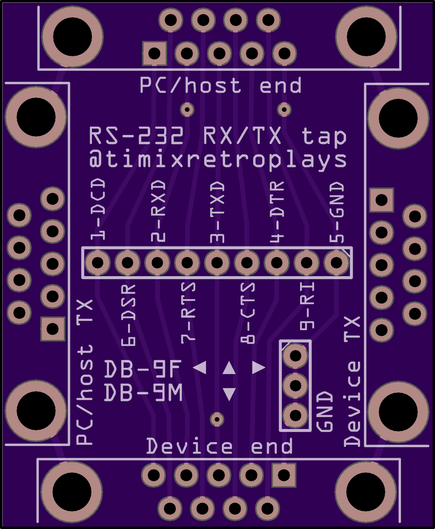
General question: with the knowledge that DB-9M and DB-9F are "male" and "female" versions of the same plug, and that there's a total of 4x DB-9 ports around the edge of this board, is it obvious that the arrows here mean "you need three female ports, one on the top and two on the sides, and one male port at the bottom"? I can fill the back of this with instructional text, but I think I can avoid that by making some assumptions if someone already knows they want a few copies of this board made.

Okay, here's my final answer for now - time to walk away from this project for a couple of days to see if any bright ideas occur in the meantime, so they don't occur while V1 of the board is in manufacturing.

"Host" is not the right word to describe either end of a technically equal, bidirectional connection, but it's that end that defines the pinout, and in the context of "A PC, or an Arduino, plugged into a serial mouse or gaming controller from the 90s", it's fit for purpose. #PCBDesign

Okay, this is *really* the last version for today, with better labels and some extra ground pin headers as suggested by @ilneill - it's getting quite crowded for a completely passive PCB, but I still think it's sufficiently self-documenting given the assumed knowledge of someone who already knows they want a board that does the exact things this one does.

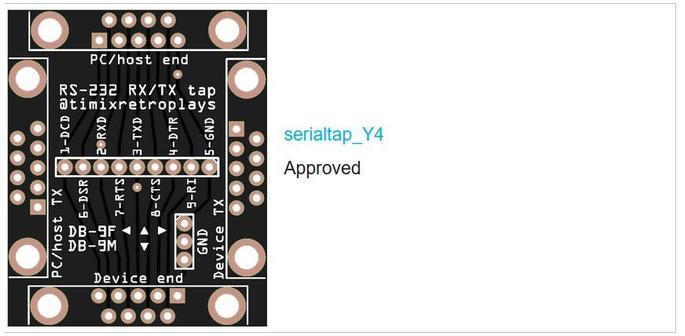
The extra 9-pin sockets I ordered are just around the corner, so I decided it was time to get the PCBs on the way as well - now would be an extremely funny time for someone to pipe up and suggest an obvious change or addition!

I love OSHPark, my usual go-to, but <AU$1/board on special is tough to argue with for a throwaway prototype, especially when I get to pick my own colour (I went with black to get maximum contrast and readability from the labels), so JLC it is for this project.

Serial ports: Yes
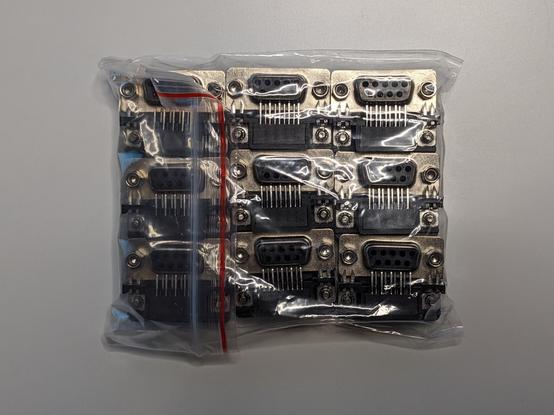
Pakij! These arrived today unannounced and delivered by what I can only describe as a teenager in his mum's hatchback, along with the LED light bars for my photo box, so I think Aramex might be having a bad week (tracking says the LEDs haven't been picked up from the seller in Sydney yet). Still, it's a pleasant surprise, and I think I'll be doing some serial stuff this weekend.

Nine months later, I finally have baby's first logic analyser in the post, so I thought I'd take a moment to solder one of these bad boys up.

Would anyone else in Australia like one of these? I have five and only need one.

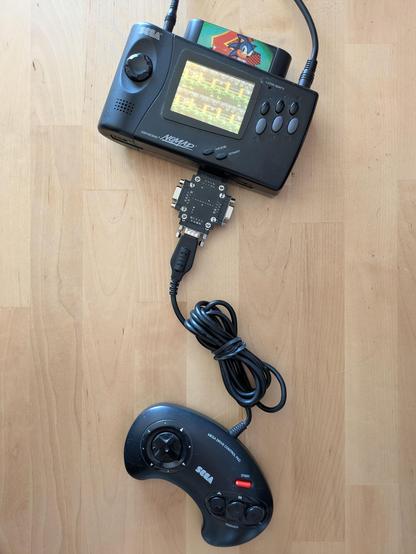
Its first project will actually not be anything to do with RS-232 - early #SEGA controllers also used a 9-pin D-sub connector, so this same thing can be used to tap those pads' signals as well.

My goal here is not to re-invent the wheel, but to reproduce Jon Thysell's excellent work in deconstructing the SEGA 3- and 6-button controllers' protocols for my own learning and understanding: https://jonthysell.com/2014/07/26/reading-sega-genesis-controllers-with-arduino/

This isn't the SEGA tower of power, it's the... subterranean tunnel of terror?

Reading Sega Genesis controllers with Arduino

NOTICE: This research and implementation in this post is not 100% correct. Please check out my SegaController Arduino library for better code and How To Read Sega Controllers for details on how it …

Jon Thysell