MacOS 15.3.1. I asked Siri “How do you turn off suggestions in Messages?”

Siri responds with instructions that:

(a) Tell me to go to a System Settings panel that doesn't exist. There is no “Siri & Spotlight”. There is “Apple Intelligence & Siri" and a separate one for “Spotlight”.

(b) Are for Mail, not Messages, even though I asked about Messages, and Siri's own response starts with “To turn off Siri suggestions in Messages”
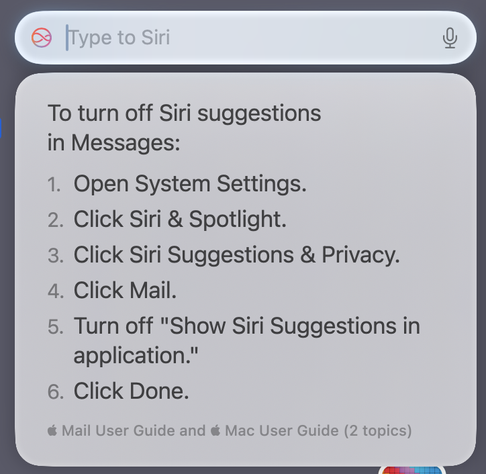
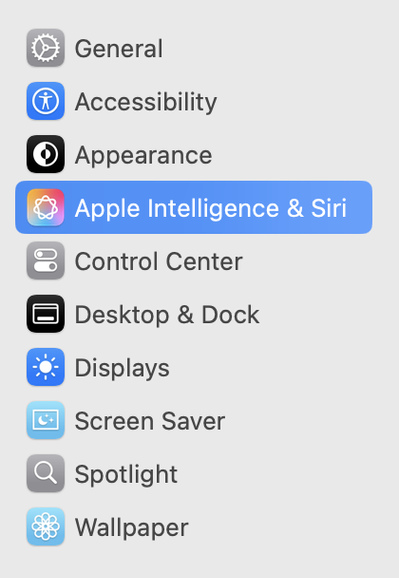
“Product knowledge” is one of the Apple Intelligence Siri features that, in its statement yesterday, Apple touted as a success. But what I asked here is a very simple question, about an Apple Intelligence feature in one of Apple's most-used apps, and it turns out Siri doesn't even know the names of its own settings panels.

The actual way to disable these suggestions in Messages on MacOS:

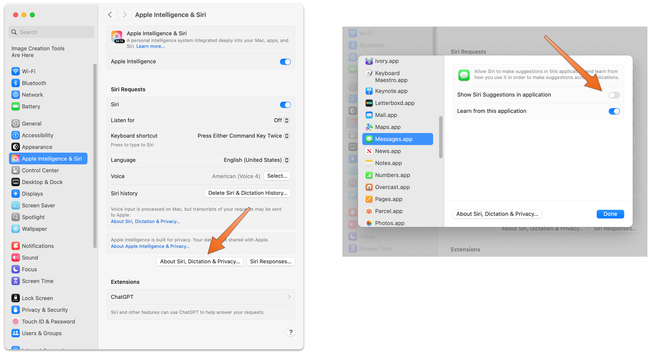
In System Settings: Apple Intelligence & Siri, click the “About Siri, Dictation & Privacy…” button.

In the panel that opens, go to Messages. Turn off “Show Siri Suggestions in application”.

(When I turned this off, an already-generated suggestion in Messages continued to be shown to me in a chat thread. But new suggestions stopped being generated and shown.)

On iPhone or iPad:

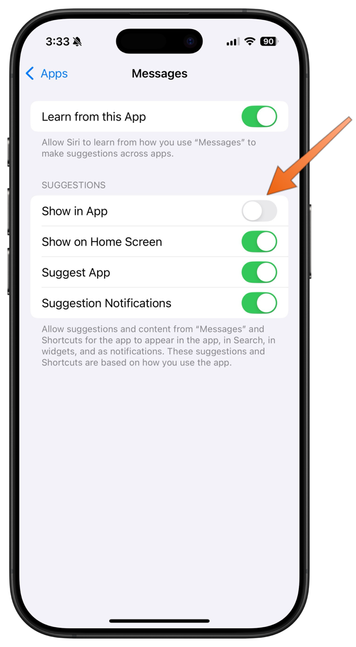
In Settings → Apple Intelligence & Siri, scroll down to “Apps” at the bottom. On the Apps screen (which should have one of those convenient “jump to here” A–Z indexes on the right, but doesn’t) scroll down to Messages.

Or, in Settings, scroll to the very bottom and tap "Apps” at the bottom of the main sidebar. On that Apps screen (which *does* offer the helpful A–Z index), tap Messages, then tap “Apple Intelligence & Siri”.

In the next screen, turn off “Show in App”.

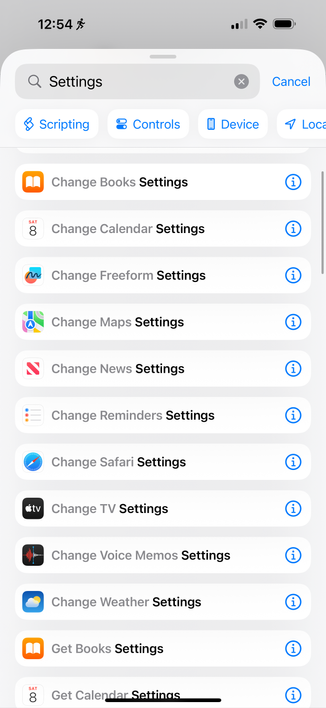
@gruber They should add these as new Shortcuts actions because managing these settings manually with any regularity is a huge pain now.

They’re on a path towards it too

@gruber that setting on iOS had no effect for me (AI suggested replies continue on new messages even after disabling the setting)

@fcloth I thought the same thing at first, but that's because I kept getting shown the same suggestion in the same chat thread I was using for testing. It seems that if a suggestion has already been generated, but you neither dismiss it nor accept it, and you then toggle this setting, that suggestion will remain.

Once I turned this off I stopped getting new suggestions, on both Mac and iPhone.

@gruber Alright, as I've ticked the setting across more of my devices, looks like it may be working after all. Thank you!

(Seems like maybe AI smart replies can be generated on one device and sync to the others..?)

@fcloth Or maybe they get generated when messages first arrive? I’m pretty sure they’re generated and stay on device, but I suspect changing the setting only stops them for messages that arrive after you toggle the switch.
@gruber I had new ones continue to generate after toggling the setting on my iPhone, but after updating more devices it seems to have stopped (I have 3 Macs, 1 iPhone and 1 iPad connected to my Apple Account)
@gruber The thing that makes me thing the smart replies sync is I had the exact same smart replies in each thread on every device I checked…I'd expect if each device generated its own, there'd be a little variation.
@gruber remember when going to the settings app and searching used to be useful? Try searching for notifications now
@gruber On iOS, Settings / Apps / Messages (which does have a convenient A..Z on the right), Apple Intelligence & Siri, turn off “Show in App” does the same thing.
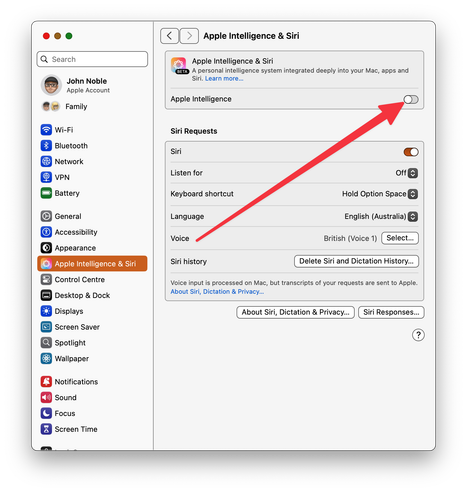
@gruber I found a way to do it in far fewer steps. Is working great for me. Cross-platform solution; option is identical on iOS.
@gruber Both my iPad and iPhone have the A-Z index on the Apps screen. The thing is, my iPhone is a Pro Max and my iPad is the biggest screen-size Pro model. (I'm old and have terrible astigmatism so I tend to get the largest size screen possible.) I'm wondering if the A-Z index appearing is a screen size issue?

@Pallais No A–Z index:

Apple Intelligence & Siri → Apps → Messages

Has the A–Z index:

Apps → Messages → Apple Intelligence & Siri

@gruber Yeesh. That sort of inconsistency reminds me of Windows. :sigh: It feels like Apple’s OSes are getting too big for even them to polish everything to the level they want.
@gruber To avoid all this fake AI crap. Just switch to different languages :)
@gruber You know, I have no goddamn clue what any of these settings actually means.
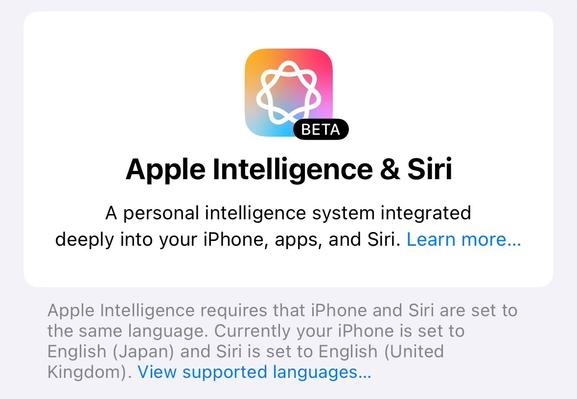
@gruber I think the setting section name depends on your specific hardware for this. I’m fully up to date with iOS 18.3.1, but with an older iPhone 13Pro, and my Settings just has “Siri”. I think you need a 15 or 16 at least to get Apple Intelligence.
@bigiain True! But I’m showing screenshots from Siri with Apple Intelligence. I think it’s indisputable that Siri with Apple Intelligence should know whether or not my iPhone has Apple Intelligence.