What I've been up to recently:

You can find my (extremely messy) work here: https://m1k-builds.pages.dev

https://sounddrill31.github.io/Pixelpulse2

Now, I'm trying to do the same for M series aarch64 macOS builds

Samueru-sama - Overview

XDG Vigilante. . Samueru-sama has 64 repositories available. Follow their code on GitHub.

GitHub

But now I'm stuck with a strange problem:

https://github.com/m1k-builds/Pixelpulse2-macOS/actions/runs/12974111994/job/36183593575#step:7:3705

create-dmg will get stuck here : Creating disk image...with no further output till it times out.

@keka any idea? I'll open an issue if I can't figure it out. This happens on both intel mac and apple silicon mac runners

my command:

create-dmg \
--volname "Pixelpulse2" \
--window-pos 200 120 \
--window-size 800 400 \
--icon-size 100 \
--icon "pixelpulse2.app" 200 190 \
--hide-extension "pixelpulse2.app" \
--app-drop-link 600 185 \
"Pixelpulse2-libsmu-${libsmuversion}-${arch}.dmg" \
"pixelpulse2.app" \
--skip-jenkins \
--hdiutil-verbose

#mac #macbook #apple #appledev #aarch64 #pixelpulse2 #adalm1000 #m1k

Tell create-dmg to be verbose when working with disks · m1k-builds/Pixelpulse2-macOS@2ade459

Personal MacOS builds for Pixelpulse2. Pixelpulse2 is a user interface for analog systems exploration. - Tell create-dmg to be verbose when working with disks · m1k-builds/Pixelpulse2-macOS@2ade459

GitHub
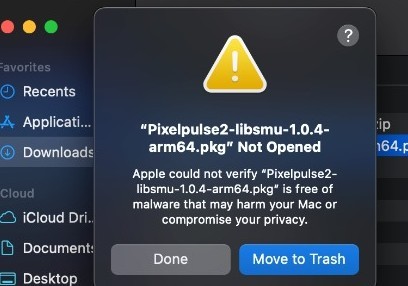
@keka switching to pkg works but I now need to sign the damn thing...