 MadCowKastor
 Eugen Rochko
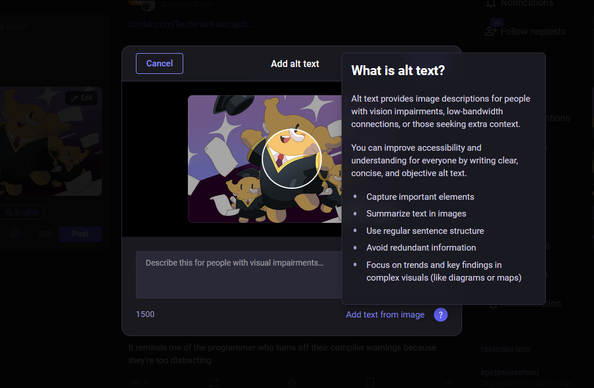
With today's update, we've improved the look of the alt text modal you see when composing new posts on #Mastodon, and added some information about the significance of alt text for accessibility and how to write it.
Thank you for the answer
@fae2535 No worries. It's one of those quirks of the platform - it's not obvious why it'd be that way.
Mastodon isn't "one giant thing" like Twitter. When you post, it takes time for other servers to know about it. Same for replies to posts. Not all servers know about each other, so replies from one of those places might be missing for you - unless you go to the same server as the person who's post you're looking at.
TLDR: A nerdy weirdness of the system.
It usedn't to be like that.
I feel that it changed between yesterday and today. But not sure. Thanks!
... menu, there will be an option called something like "open external post"), you will see it looks very different. this is because i don't use mastodon
@Gargron Indeed how am I supposed to close it? The only way I found is scroll to the next toot and click there.
Like I said how about closing it when I click on the popup itself?
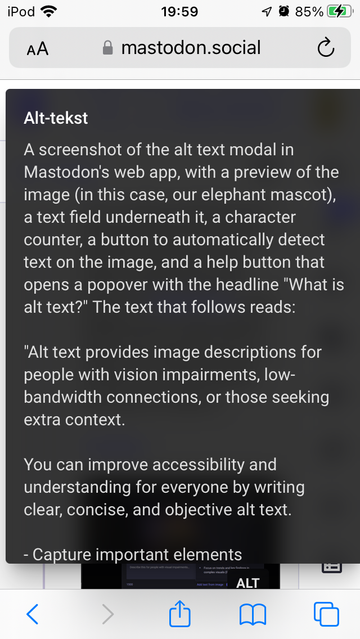
@Gargron too bad the input text area only mentions visual impairment as a reason, and doesn't also mention the "low-bandwidth connections, or those seeking extra context" that's included in the help text, though it's a good start. :)
Though, as others have already pointed out, it's usually better that text in images is included in full, rather than merely summarised
Furthermore, the help text modal is lacking scroll support when the text is larger than for example the user's phone screen. The only way for me to scroll the text into view in this example recording, was to scroll outside the modal, which imho is counter-intuitive and requires the user to actually be able to reach the background.
It could also do with a proper close button within the modal to hide said help text, as for some users it seems this modal takes up just about the entire screen space.
I realise all this info is better added to a GitHub issue, but I currently don't have the spoons for this. Others are welcome to copy this text and attached video in a support ticket should they wish to do so.
 jfor
jfor
 Matt Wilcox
 🌸 lily 🏳️⚧️
 θΔ ⋐ & ∞
 SBartsch ✅
 Resolviendo la incógnita 🌐
 Lazarou Monkey Terror 🚀💙🌈
 Jeri Dansky
 Stefan Bohacek
 Laurent Cimon
 queer as in fuck your borders
 Danny
Danny 
 webhat
 Julio J. 🀲
 Fubaroque
 Peter Saathoff-Harshfield
 FiXato
 uwu1ba
 Giselle