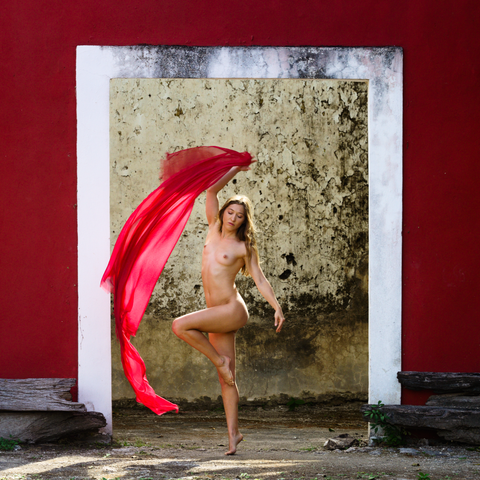
This image marks a transition: it's the 1st processed with open source software. I used ART ( #AnotherRawTherapee ), and for details @Krita. It's not that my 11 year old license of Adobe CS6 bores me (in fact I'm more comfortable with those tools), but since Adobe Bridge has stopped doing simple stuff like exporting to disk because of an embedded expiration date, I think it's time to say goodbye to those tools forever.

Model: LucyArtModel
#photography #MastoArt #art #fineart

@rjmoerland @Krita I have tried to quit Lightroom a few times, but it’s been hard. This is a good reminder for giving it another shot.

@mateodelarioja thanks! I found that editing a full project with new (FOSS) tools was for me the only way to make the transition. Editing a single image was not enough, as I got frustrated with not knowing the shortcuts and went back to the comforts of Adobe. Doing 20 images made sure I got muscle memory and surely enough my pace picked up after 5 images or so.

I still use ART, the #rawtherapee fork and @Krita, but since you're used to Lightroom you might like #darktable.
#anotherrawtherapee

@rjmoerland @mateodelarioja @Krita

I really really want to quit Camera Raw & Photoshop, but I'm having trouble achieving the same results in Darktable & Gimp. Not so much due to not knowing shortcuts, but because Darktable is so different conceptually, and Gimp doesn't have an equivalent feature-set (I've realized I lean on PS's "selective color" tool a lot).
https://graphicdesign.stackexchange.com/questions/163229/how-to-perform-a-selective-color-adjustment-a-photoshop-feature-in-gimp

Is there anything that was particularly helpful for you crossing the conceptual divide?

How to perform a "selective color adjustment" (a Photoshop feature) in GIMP?

Cf. How to perform a "selective color adjustment" (a Photoshop feature) in Darktable? Photoshop lets you pick one of the nine colors (which are the main colors of the three color systems...

Graphic Design Stack Exchange

@dougmccluer @mateodelarioja

For me it was trying multiple FOSS solutions to find the best replacements that fit my workflow, and accepting that the tools just aren't the same. In my case, "Another Raw Therapee (ART)" replaced Bridge+Camera Raw, and @Krita was the best replacement for PS (FWIW: it has a selective color mask). So I would recommend to test as many FOSS solutions as you can stomach, and stick to the ones that fit best. HTH!

@rjmoerland @mateodelarioja @Krita Thanks I'll have to give Krita a try for photos!

@dougmccluer I missed being able to run my Photoshop plugins on a layer, so I created a (FOSS) @Krita plugin that does just that:

https://codeberg.org/rjmoerland/krita-edit-layer

It's nothing fancy, as it doesn't implement the PS plugin API, but it will let you run any external program on a single layer, and it will automatically import the changes back into your #Krita file after you're done. So if you have #Photoshop plugins that can be run as a standalone app, it might help you with the transition.

krita-edit-layer

A Krita plug-in that runs an external application on a single paint layer

Codeberg.org