 sensiblepuffin
Really seems like they're missing one...

 squirrel
 MentalEdge
I don’t remember what program it was but I once went to configure something, and the command to “open settings” essentially just opened a text file in vim.
Being a nano scrub that took me a second to get out of.
 palordrolap
Sometimes, programs that need to start up an editor will honour the $EDITOR environment variable, which should contain the name of, or full path to, a user's preferred editor.
It's not set by default though, and a lot of things will naturally default to vi or even ed. Something to be set in a .profile, .bashrc or similar.
$VISUAL is another variable that is used for similar purposes.
The resemblance to certain two letter commands is not entirely a coincidence.
I learned enough ed(1) to be able to do quick edits in smaller files, and it is actually quite nice to have that simplicity without all the bells and whistles of modern editors.
It probably opened it in
${VISUAL:-${EDITOR:-vim}}; usually setting one of those variables in e.g. bashrc will avoid future vim.
Move from nano to micro!
thanks for the ptsd flashback… and right after insurance denied my meds as ‘unnecessary’.
Missing Mozart’s Dies Irae
 DreamButt
The cat makes this so real
 MeatPilot
Everything reminds me of Vim

Metsatöll - Vimm (Official Music Video)
 circuitfarmer
I’ll tell you what though: one you get used to it, you really get used to it.
I typed :q to try and close a tab the other day.
At one point I had a plugin for MS Word that added vim key bindings because I kept leaving stray vim commands while editing other people’s documents.
There are vim keybindings for Code. Discovered that yesterday.
Though, if you want vim bindings for Code, probably should just use vim…
By Code do you mean VSCode? I use it all the time with VIM key bindings. It offers so much more than VIM with less finicky configuration. It’s the first IDE I’ve ever actually liked. Before now it was VIM or nothing.
Never tried it myself, but there is this: Vimium addon for Firefox
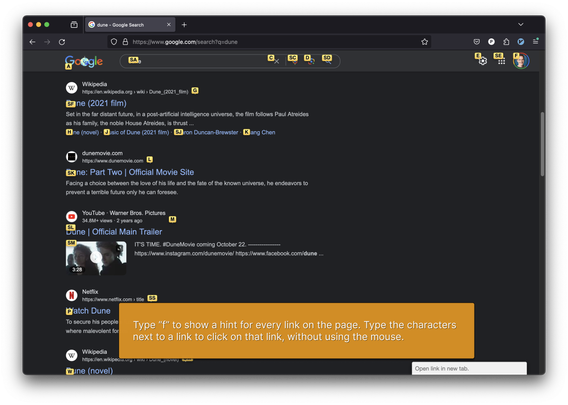
It’s great!
Lol yeah i try to close everything with it. Same with getting used to tiling. Insead of draging my mouse across the screen 20 times i just press a few key combos. But then i need to use a windows machine and everyone wonders why “the it guy” doesnt know how to use a computer.
Windows does have basic tiling with Win-Arrow Keys tho
Yes but it is very basic and i use different binds so its still like having a stroke every time i use it.
 SmokeyDope
You might like qutebrowser then!

 EpicFailGuy
I’m going to produce a song called “sudo yum install nano” so the playlist can be complete
 Twig
TwigMaybe some Machine Head?