
Carefree because you're cared for! OS 8 brings a Secure Session that ensures apps respect your privacy and require your consent, a brand new Dock with productive multitasking and window management features, and empowers our diverse community through Inclusive Design. https://blog.elementary.io/os-8-available-now
elementary OS 8 Available Now

Carefree because you're cared for

With OS 8, we’ve focused in on:

* Creating a new Secure Session that ensures applications respect your privacy and require your consent

* A brand new Dock with productive multitasking and window management features

* Empowering our diverse community through Inclusive Design

Which are you most excited for?
Secure Session with Wayland
49%
Brand new Dock
28.1%
Inclusive Design & Accessibility
22.9%
Poll ended at .
Over the past several years we’ve been building features to improve the trust relationship with your computer by requiring your explicit informed consent and disallowing untrustworthy behavior on a technical level. Now we’re extending that story with both new settings to put you in control of the system features apps can access and a new Secure Session powered by Wayland.
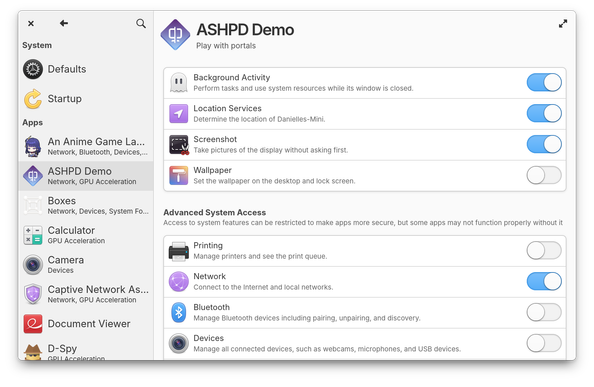
Application settings has an all-new design that expands your control over permissions. We now support adjusting the run-time permissions in Flatpak’s Permissions Store. So if you’ve previously denied an app access to run in the background or granted an app permission to set the wallpaper, you can change your mind at any time and adjust permissions here

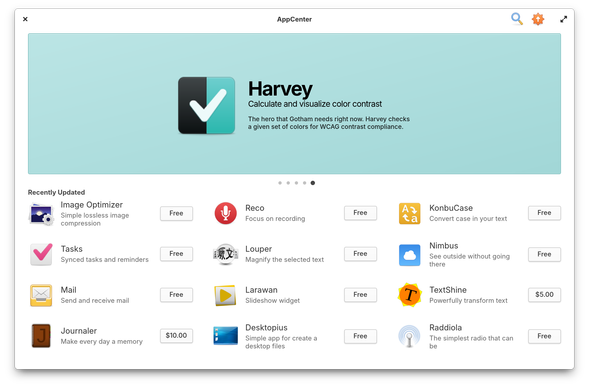
In OS 8 we’re expanding your access to apps even further by including the most popular app store for Linux out of the box: @flathub

You’ll be able to access apps made specifically for elementary OS, apps made for Linux, and popular cross-platform apps like Discord and Spotify all directly from #AppCenter without having to manually sideload or configure an alt store.

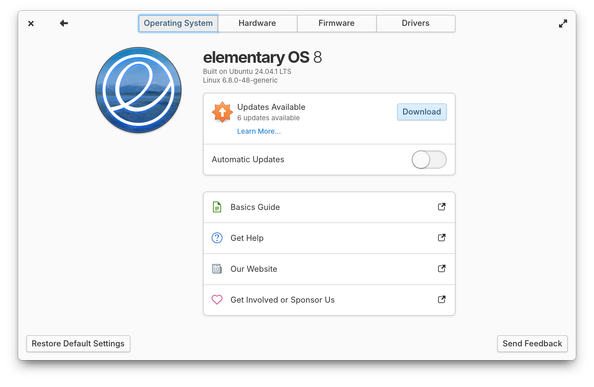
In OS 8 operating system updates will now appear in System Settings. The new system updates mechanism is super fast and includes the option to download updates automatically. Plus there are new options in the system shutdown dialog so you can install updates before shutting down or choose to skip a pending update, even when automatic updates are enabled.
We took the opportunity a few years ago to run a survey and get better insights into the way you multitask on elementary OS and other operating systems. We then combined those insights with the feedback we’ve received in GitHub over the years and carefully reconsidered the role of the Dock in our desktop. This has resulted in a new Dock that retains the features you love from OS 7 and before and introduces whole new features to improve your multitasking workflow
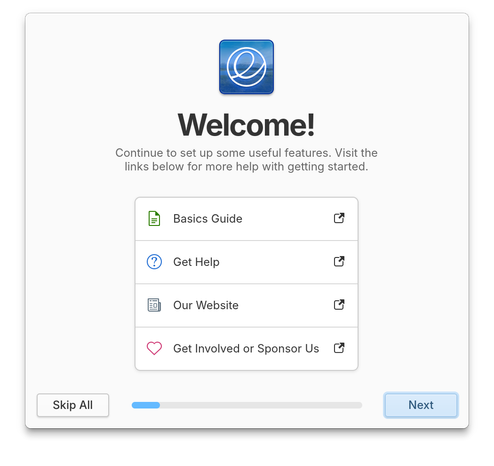
Keyboard navigation and screen reader support during Installation, Initial Setup, and Onboarding has been rewritten and the entire first run experience has been much improved for blind folks in OS 8. We also now have screen reader support in the Alt + Tab window switcher and we’ve made sure that there’s audio feedback when we’re unable to complete window management tasks
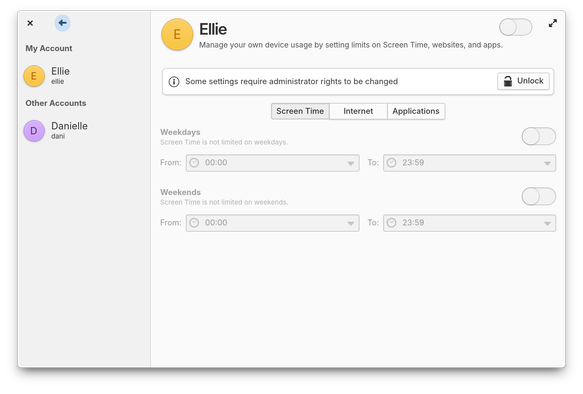
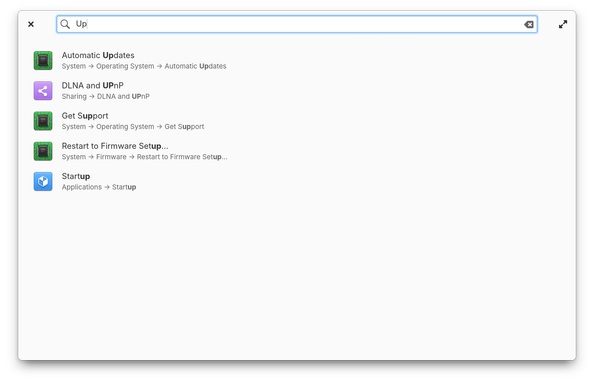
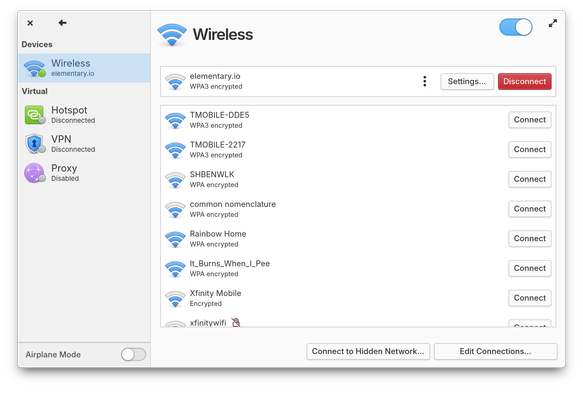
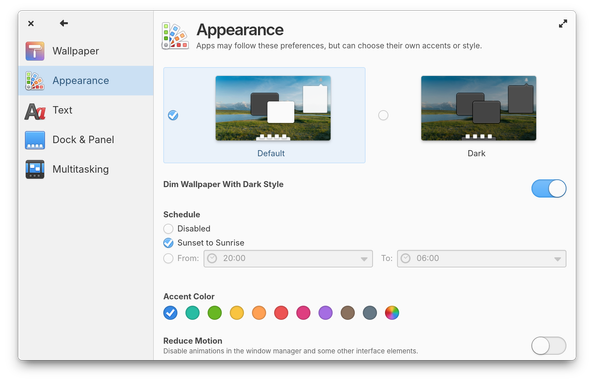
System Settings has been refreshed with a modern space-saving dual-pane design that is more responsive for small and large displays. We’ve also vastly improved support for text scaling, screen readers, keyboard navigation, right-to-left language layouts, and improved contrast in illustrations. Plus search now returns more relevant results and the titles of those results now reflect both the exact setting name they’re matching and the path to that setting.
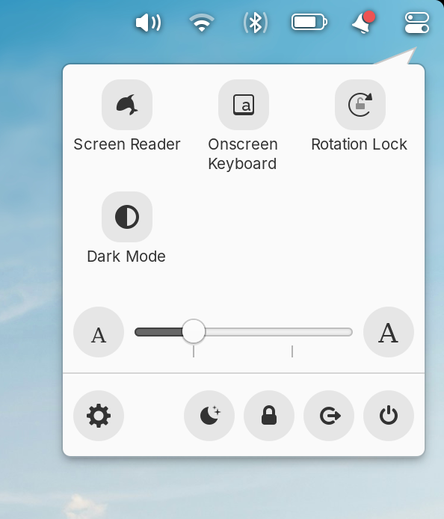
OS 8 also brings a new Quick Settings menu that improves access to features while reducing clutter in the panel. We’ve started by combining the accessibility and session menus which contain useful controls, but don’t indicate a change in status. We’ve also added hotly requested controls like Dark Mode and Rotation Lock.
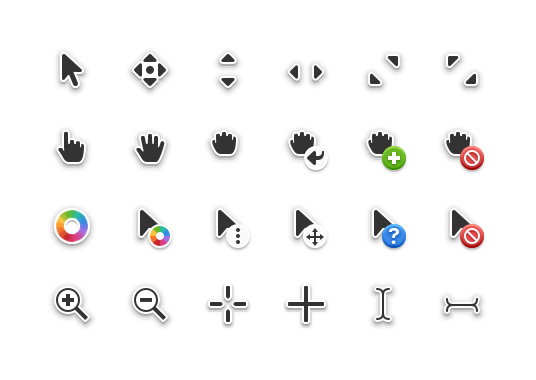
Pointers were completely redrawn in OS 8 to be more consistent, make better use of color, and be more precise. The new design is more fun and playful with softer edges and rounder corners while maintaining high contrast and legibility. The new design feels extremely familiar but also more modern.
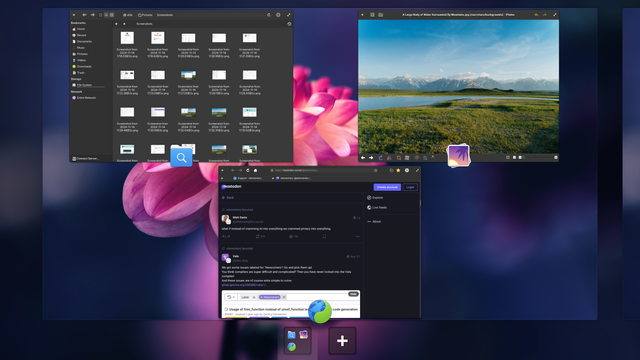
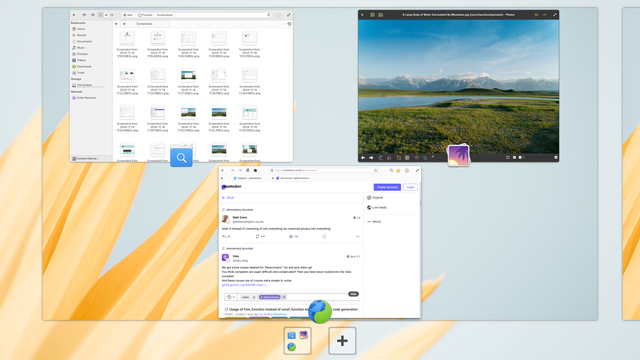
Instead of a plain dark gray background, Multitasking View now features a blurred version of your wallpaper that is adjusted for light and dark modes. Workspace cards now have rounded corners and the switcher at the bottom of the screen has been updated for light and dark modes as well.

OS 8 includes the latest long-term support Hardware Enablement stack from @ubuntu, including #Linux 6.8. We’re also shipping with Pipewire which improves latency and bluetooth audio quality while being architected for the world of sandboxed Flatpak apps running in the Secure Session. This is an especially big deal for folks doing audio production tasks on elementary OS.

Thanks @ubuntu 😘

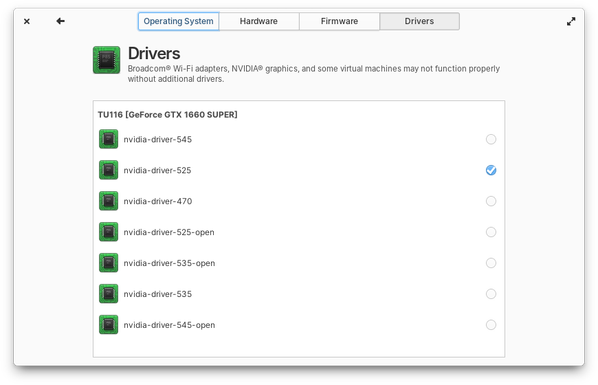
Driver management has moved from AppCenter to System Settings → System. The new design for drivers is more in line with how drivers are managed on other operating systems and is easier to work with, especially for hardware that has multiple driver options like NVIDIA graphics.
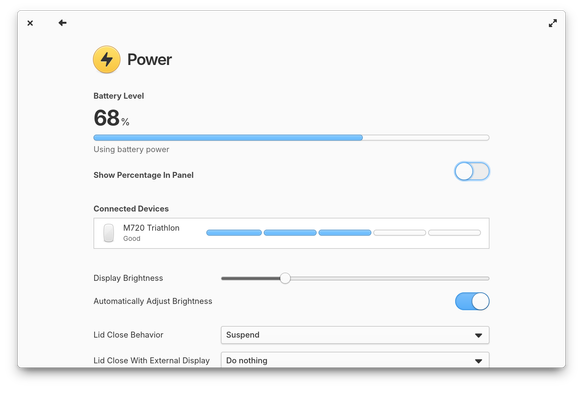
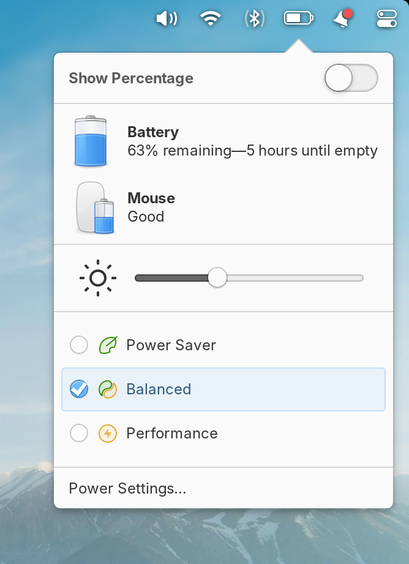
Power settings now shows the charging level and status for both internal batteries and connected battery devices like mice and keyboards. You can also choose to automatically set different power profiles based on whether your device is plugged in or on battery power, and power modes can be quickly changed from the power menu in the panel. Plus the battery icon in the panel will now show much more accurate battery levels for mobile computers.
I want to give special thanks to all of our volunteer contributors for working hard over the last 13 months to make this an incredible release. I’m also eternally grateful to our individual Early Access sponsors for providing consistent funding to keep producing our operating system and distributing it under our pay-what-you-can model. If you’d like to help build and improve elementary OS, don’t hesitate to Get Involved. https://elementary.io/get-involved
Get Involved with elementary OS

Thoughtful, capable, and ethical computing

OS 8 is available to download now for a pay-what-you-can price on our website! https://elementary.io
Thoughtful, capable, and ethical computing ⋅ elementary OS

Thoughtful, capable, and ethical computing

@elementary congratulations on the new release! Looks like some really cool stuff!
@elementary I’ve tried purchasing through a few browsers but always end up on a blank page after pressing the purchase button. I’ll try again tomorrow!
@cjgyt can confirm! Thanks for letting us know. We’re looking it right now 👀
@cjgyt should be fixed now!
@elementary Can confirm a successful purchase!
Congrats to @danirabbit and the whole @elementary team!
@elementary
At one point there were plans to support Pinebook Pro and ARM in general I believe. Is that still being worked on?
@jannem we have some experimental ARM images available at https://builds.elementary.io but nothing were ready to distribute publicly yet
elementary Builds

Early Access builds of elementary OS

@elementary congrats on getting the release out!
@elementary "more precise" "rounded edges" These two things do not go together.
@elementary @KelvinShadewing If they didn't round the pointing end it would've been fine

@elementary I was using elementary 0.3 on a laptop with a 3K screen where 1x scaling was too small and 2x scaling was too big

I commented on how 2x scaling looked ridiculous on my screen (it was way huge and windows struggled to fit) and was told "wayland will fix this"

so now elementary 8 will have wayland but i've gone through multiple laptops since then anyway :p

@elementary but I am truthfully excited for wayland with Pantheon because I've always loved pantheon (it was my first linux desktop in 0.2) and I want the cool things like "being able to run multiple monitors at different refresh rates"

I've used (and packaged) some elementary apps on Arch and Solus since leaving elementary proper, and have used Pantheon on Arch and NixOS (currently on NixOS)

elementary 8 is looking to be a great release. Congrats to y'all!

@elementary yaaaaaaas!!! 🎆🥳🎆🎆
@elementary thank you elementary I love you elementary
@elementary elementaryOS 8 is probably one of the most, beautiful, if not THE most beautiful distro ever. All of these changes look absolutely stunning, and I hope this release will encourage more distros to design in a more accessible and user-friendly way ❤️
@elementary Congratulations on the release!! Downloading now, can't wait to dive in 🙌
@elementary congratulations on the new release! 🎉
@decathorpe woo thanks! Excited to see everything released into Fedora too 😊

@elementary is it still requires wipe’n’reinstall for major version change?

No matter how beautiful and user-friendly the ui/ux is, I’m not investing in it again for just a few years to go through that pain again.

EDIT: seems like it's still a no-go https://github.com/elementary/os/wiki/Release-Upgrades#performing-a-release-upgrade

Release Upgrades

The OS build system. Contribute to elementary/os development by creating an account on GitHub.

GitHub
Christoph Schmees (@[email protected])

@[email protected] As long as there is no in-place upgrade with elementaryOS I will stick with LMDE and/or Mint (I employ both).

Mastodon
@elementary I love the clean and professional look and feel elementary OS brings to the Linux desktop 🤩 If you know me, that's very Chris of me, but I only wish it had a better name 😭 In all languages I know that use the Latin alphabet, proper nouns start with a capital letter! And one can add OS or Linux to the name anyway where it's not necessarily clear.
In contrast, I'm not a big fan of Ubuntu but at least it's not called ubuntuOS.

@elementary Very impressive work. Looking forward to trying out the Wayland session when it all lands over on Nix.

🤩

@elementary Congratulations on the release of OS 8! I have tried many times to enjoy Elementary OS on my ageing MacBook Pro and for whatever reason something just didn't work as well as it should. However OS 8, even at this early release seems solid and a joy to use! At last, a Distro that isn't Gnome or isn't KDE and returns to its own well deserved niche on Linux! Well done for all the hard work!
@friendslive so glad to hear that you’re having a good experience 😊