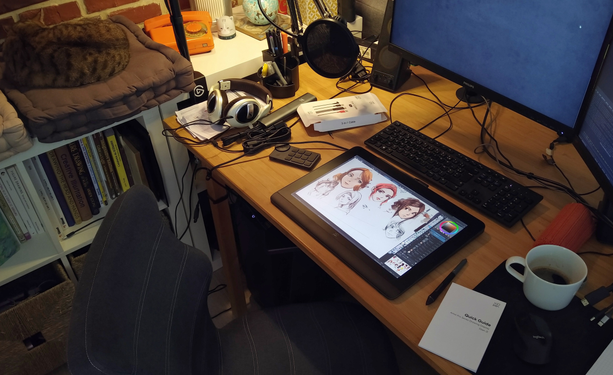
Lot's of #Wayland tablet improvements coming thanks to the work of @nicofee and @kde

https://nicolasfella.de/posts/qt-wayland-tablet-improvements/

And if you'd like to see more, support the ongoing KDE fundraiser

https://kde.org/fundraisers/yearend2024/

πŸ“· by @davidrevoy

#linux #floss #qt #kdegoals #kde #artwithopensource

Qt Wayland Tablet Improvents

A few weeks ago Qt 6.8 was released, delivering many fixes and improvements for our software. Some of them were contributed by yours truly, and in this post I want to highlight some of them. They relate to graphics tablet/stylus input on Wayland. Before we go into the fixes let’s have a quick overview of the flow of tablet input events on Wayland: The genesis of input events is in the kernel driver for the particular tablet, which talks to the hardware (via USB, bluetooth etc).

Nico's blog

I have a question for @davidrevoy :
which "driver" do you use to make the xp-pen work under wayland? The official binary one or do you have a better reccomendation?

CC @redstrate maybe you know too?

@portaloffreedom Which model do you have? It should be noted that the official but proprietary XP-Pen driver works fine under the Wayland session.
@redstrate
I have an Artist 16 2nd gen (not pro). I did manage to make the official driver work under Wayland by running it against the distro Qt instead of their own vendored ones. But it is a bit cumbersome and not very smooth, especially under Wayland. So I was wondering if you guys had been using something else or dealing with the same clunkyness

@portaloffreedom we have a matrix room where we are working on this front as part of the KDE Goals project, if you'd like to join:

https://matrix.to/#/#kde-input:kde.org

You're invited to talk on Matrix

You're invited to talk on Matrix