 popey
popeyWhen I want to download a "Linux ISO", I usually ssh to a server somewhere and run "rtorrent" and leave it running. In 2024, is there a "better" way to do this on a remote machine (i.e. not a desktop app on my laptop) 🤔
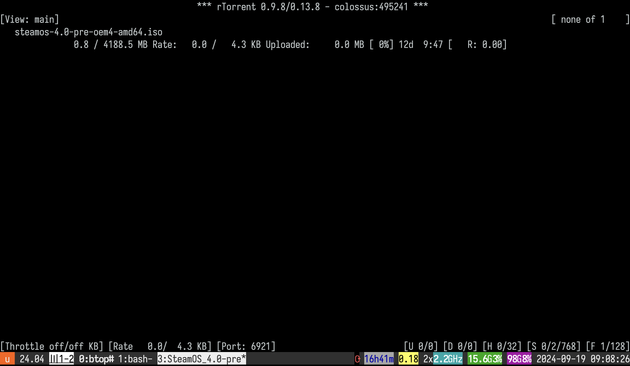
When I want to download a "Linux ISO", I usually ssh to a server somewhere and run "rtorrent" and leave it running. In 2024, is there a "better" way to do this on a remote machine (i.e. not a desktop app on my laptop) 🤔
You can set rtorrent to monitor a directory. So save the .torrent there and it'll automagically start downloading.
I mosh into a server and run a new tmux session for rtorrent. So it is always running.
@popey Maybe transmission-daemon? It's the headless version of program, and has a web interface + REST API.
As well as the default command line tool, there's a Python client library.
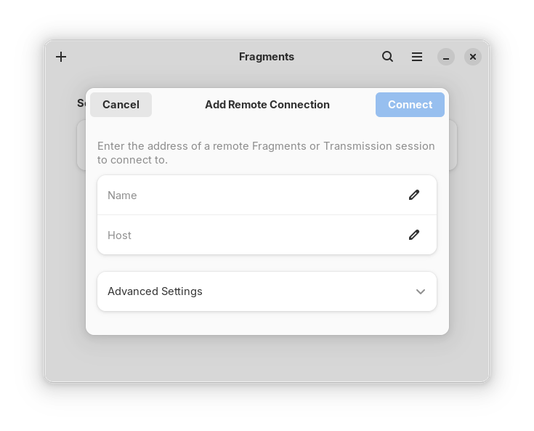
@popey Transmission and Fragments both support connecting to a remote instance. Transmission can run on embedded devices.
So, run Transmission on the server and connect to it from a graphical app on your desktop to add and manage your server's downloads?
(Yeah, this is a desktop app on your laptop, but only as a frontend to your server that's doing the real work.)
I don't bother torrenting ISOs any more. I'll just download it with my browser.
If the download fails, I'll go to the directory and do `wget -c <url>` to continue the download where it left off.
@popey lftp actually has a bittorrent client built in:
lftp -e "torrent ${TORRENT_URL}"
 Terence Eden
 James Henstridge
 Garrett LeSage
 Gabriele Musco
 Jake Howard
 prozak
 Inaction Figure
 SpaceLifeForm
 surfrock66
 Ryan Finnie