Highlights 2024.1 is out with support for dark and tinted app icons, Control Center widgets and Lock Screen controls on iOS and iPadOS 18✨

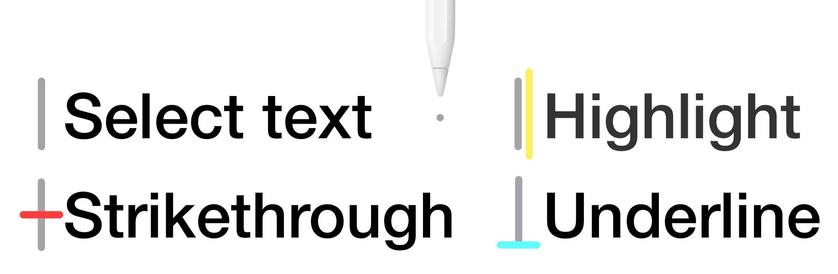
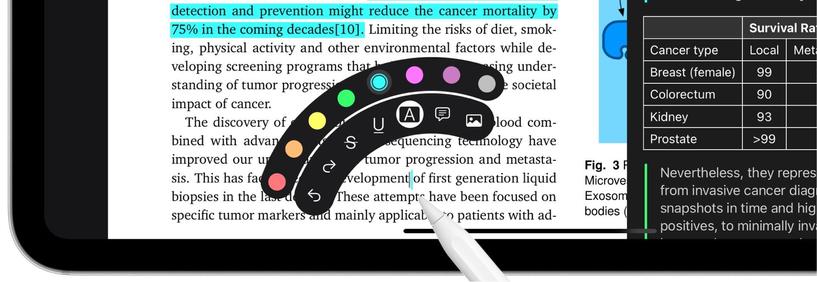
+ A whole new experience annotating with the Apple Pencil using hover previews and the new floating tool palette

New default and alternative dark app icons
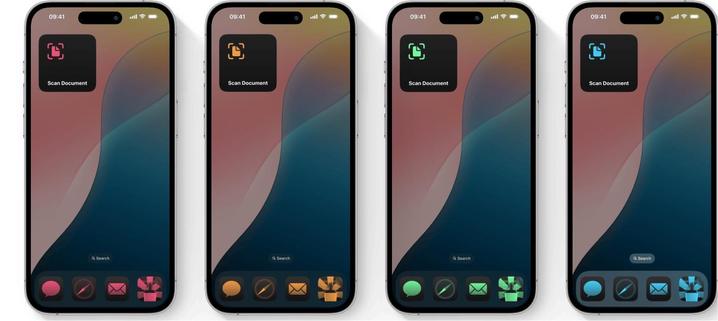
Use the new customization sheet to tint both app icons and widgets to your favorite color. For an even cleaner look switch to Large icons to hide app names.
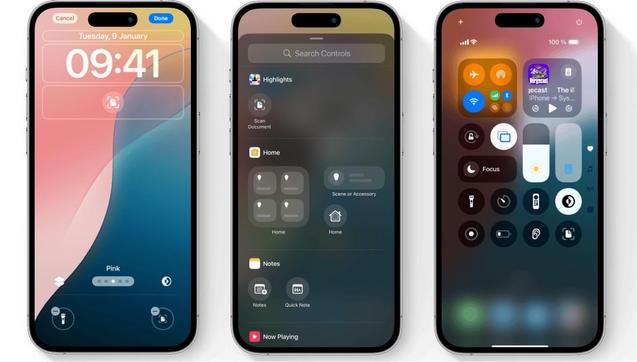
Launch directly into the document scanner from the Control Center or use it instead of the torchlight and camera controls on your Lock Screen. Highlights will automatically perform OCR (on device) to make the PDFs searchable after scanning - no Pro subscription required!
Using an Apple Pencil now shows a hover preview as you approach the screen. If a tool is selected, the preview will include the tool and the selected color. The pointer will also change with the content of the PDF to indicate when text can be selected.
Squeeze the Apple Pencil Pro to quickly switch tools, colors or undo using the new floating tool palette. The tool palette is also available on the Apple Pencil (2nd gen.) through the double-tap gesture.
Apple Pencil Goes Pro | Highlights

The big iOS 18 and iPadOS 18 update is here with support for dark and tinted app icons, Control Center widgets, and a whole new way of annotating using the Apple Pencil. Launch directly into the document scanner from the Control Center or use it instead of the torchlight and camera controls on your Lock Screen. Power up your Apple Pencil with hover previews and the new floating tool palette that appears on squeeze. Update your devices and download Highlights 2024.1 to take full advantage of the new features.
Highlights