Highlights app

@highlights
40 Followers
0 Following
13 Posts
The PDF Reader for Research available on Mac, iPad and iPhone. Turns your PDF annotations into powerful notes.
Websitehighlightsapp.net
Twitter@highlights_app
Apple Pencil Goes Pro | Highlights

The big iOS 18 and iPadOS 18 update is here with support for dark and tinted app icons, Control Center widgets, and a whole new way of annotating using the Apple Pencil. Launch directly into the document scanner from the Control Center or use it instead of the torchlight and camera controls on your Lock Screen. Power up your Apple Pencil with hover previews and the new floating tool palette that appears on squeeze. Update your devices and download Highlights 2024.1 to take full advantage of the new features.

Highlights
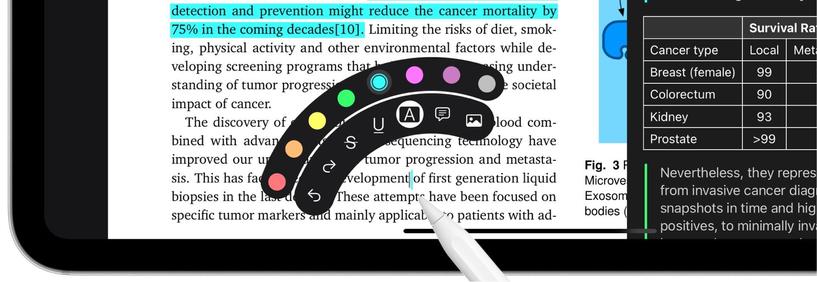
Squeeze the Apple Pencil Pro to quickly switch tools, colors or undo using the new floating tool palette. The tool palette is also available on the Apple Pencil (2nd gen.) through the double-tap gesture.
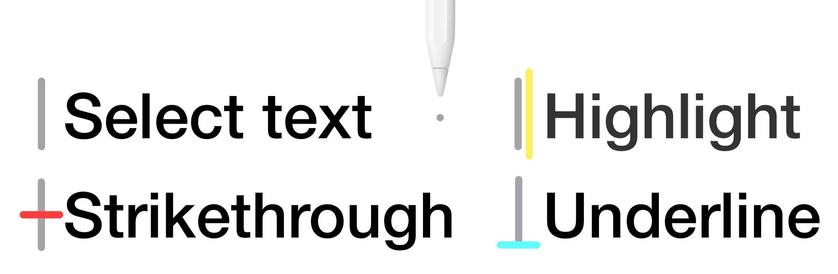
Using an Apple Pencil now shows a hover preview as you approach the screen. If a tool is selected, the preview will include the tool and the selected color. The pointer will also change with the content of the PDF to indicate when text can be selected.
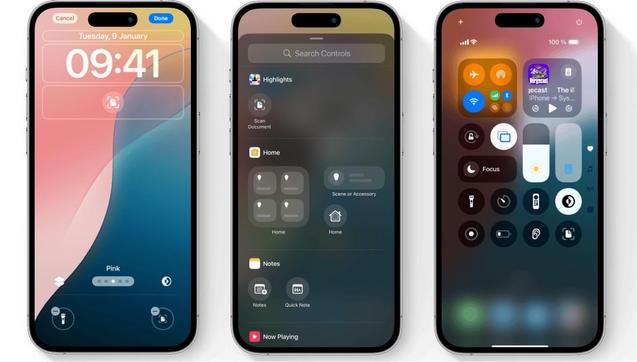
Launch directly into the document scanner from the Control Center or use it instead of the torchlight and camera controls on your Lock Screen. Highlights will automatically perform OCR (on device) to make the PDFs searchable after scanning - no Pro subscription required!
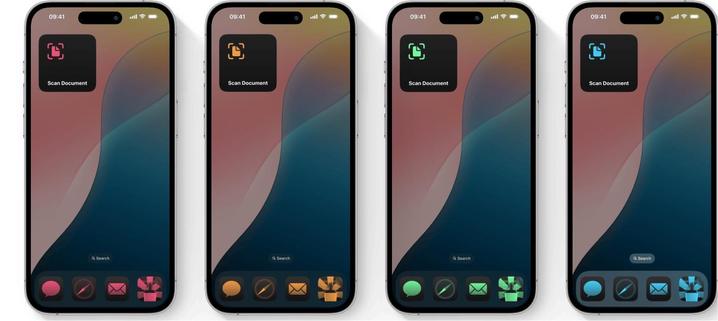
Use the new customization sheet to tint both app icons and widgets to your favorite color. For an even cleaner look switch to Large icons to hide app names.
New default and alternative dark app icons

Highlights 2024.1 is out with support for dark and tinted app icons, Control Center widgets and Lock Screen controls on iOS and iPadOS 18✨

+ A whole new experience annotating with the Apple Pencil using hover previews and the new floating tool palette


We've launched a second giveaway in our Discord community for Club MacStories+ and Club Premier members.

Today, we've got Highlights, an excellent PDF viewer and annotation app for iOS, iPadOS, and macOS by Jonas Myren Ribe.

Details: https://club.macstories.net/discord/960298030546960436/1164314962466975826

More on Highlights: https://apps.apple.com/us/app/highlights-pdf-reader-notes/id1498912833

Now through Oct. 31, you can join any Club MacStories plan and get 20% off an annual membership

Details here: https://www.macstories.net/news/announcing-the-club-macstories-fall-membership-event-and-discount/

Club MacStories Discord Message

Siri can also open the document scanner and thanks to flexible on-device matching, you can now say “Scan using Highlights”, “Open Highlights scanner” or similar phrases and they will all work.

Fore more info check out the blog post: https://highlightsapp.net/blog/2023/09/18/Shortcuts-and-Widgets-Everywhere/

Shortcuts & Widgets Everywhere | Highlights

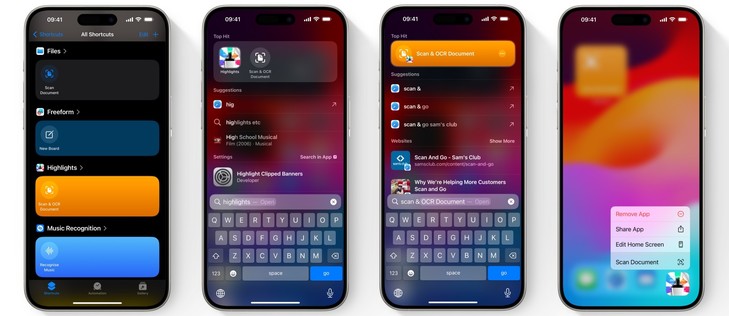
iOS 17 and iPadOS 17 are here and include support for widgets and shortcuts in a bunch of new places! Scan documents faster by launching directly into the document scanner from widgets on your Home Screen, Lock Screen and even StandBy. You can also run the Scan & OCR Document shortcut from the Shortcuts app, through Spotlight search or by asking Siri. Update your devices and download Highlights 2023.2 to take full advantage of the new features.

Highlights
You can also run the ready-made Scan & OCR Document shortcut from the Shortcuts app, through Spotlight search or by long-pressing the Highlights app icon. When you search for Highlights, Spotlight will display actions along side the app in Top Hits. When you search for a specific action it will be showcased with the easily recognizable orange background.