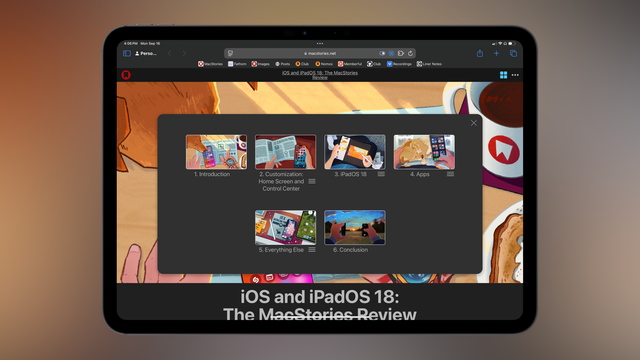
Here we go 🚀

6 chapters, 14 pages, hundreds of features covered...

My iOS and iPadOS 18 review is now live on MacStories!

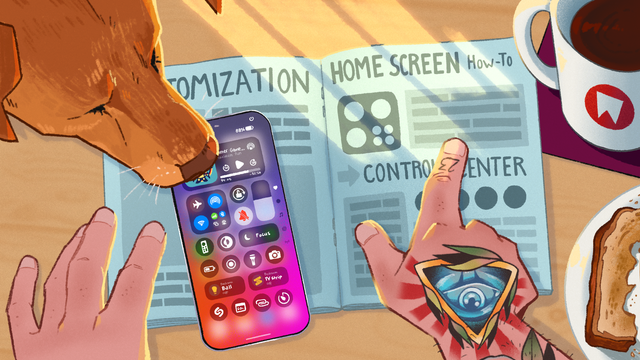
I did something different for my 10th annual review: in the age of generative AI, I hired a real artist to illustrate it instead.

It's my most personal review ever. I'm proud of it – especially the conclusion.

Enjoy. ❤️

https://www.macstories.net/stories/ios-and-ipados-18-the-macstories-review/
iOS and iPadOS 18: The MacStories Review

There is still fun beyond AI.

There are *a lot* of paid extras…and this time we even have a trailer!

https://youtu.be/fbXHAAI0gZk

Basically:

- All Club members get: iOS 18 review eBook + Making Of
- Plus and Premier members: *more* eBooks, full-res illustrated wallpapers and...a macOS screen saver with illustration time-lapses 🎨

Full details here: https://www.macstories.net/news/ios-18-review-extras-club/

Join the Club: https://club.macstories.net/

- YouTube

Enjoy the videos and music you love, upload original content, and share it all with friends, family, and the world on YouTube.

When Apple announced Image Playground and Image Wand, I knew what I had to do for my review:

Showcase someone's real art instead of some generative slop.

I'm so happy I got to work with Scout Wilkinson on this massive project. She's ridiculously talented. She gave the entire review a whole new identity. She created, iterated, and refined in a way that only humans can. She cared.

Now more than ever, you should consider working with a real, freelance artist like Scout:

https://scoutwilkinson.myportfolio.com/projects

Scout Wilkinson Art Portfolio

Fun fact (@cabel):

My pitch for the first-person perspective of the illustrations was basically "Hey, what if we did something reminiscent of Firewatch when you open the map"?

That's when everything clicked and Scout ran with the idea.

And even better: she did it all on an iPad with Procreate!

https://www.macstories.net/stories/ios-and-ipados-18-the-macstories-review/2/#customization-home-screen-and-control-center

iOS and iPadOS 18: The MacStories Review

There is still fun beyond AI.

Along the same lines, I also want to thank @jamesthomson – a true artist of code.

Despite my last-minute requests, he was able to turn Scout's time-lapses into a native macOS screen saver that brings the illustrations to life.

These are so mesmerizing to watch, and James even added options for speed control, plus a Random option.

Today is a great day to check out James' apps:

https://pcalc.com/ios/index.html
https://pcalc.com/dice/index.html

Get the screen saver with Plus or Premier: https://club.macstories.net/plans

About PCalc

The last thing I'll say is this:

To me, this review feels very different. Both visually and stylistically, but also for the direction it outlines for @macstories.

I've been running the site for 15 years, writing annual iOS reviews for 10…and I haven't felt this energized in a long time.

I hope you'll like this review as much as I loved working on it.

Thank you all. ❤️

https://www.macstories.net/stories/ios-and-ipados-18-the-macstories-review/

iOS and iPadOS 18: The MacStories Review

There is still fun beyond AI.

iOS and iPadOS 18: The MacStories Review

There is still fun beyond AI.

@viticci it’s probably not practical, but now I’m imagining how this would look as a physical box set 😛
@viticci Well done! Each review is a masterpiece.
@viticci What a great run, congratulations
Looking forward to dig into this one, have been really enjoying your articles and overall stance on technology and creativity this year
@viticci Thank you and all the team on bringing us these reviews. I've absolutely loved reading them. As someone who never goes into the iOS beta, it's always fun learning how things work. Just been sat next to my monitor with my iPhone, trying things as I read 😊
@viticci the review was good; kudos for your stance on Gen AI.