 Casey Liss
What API controls these quick links?
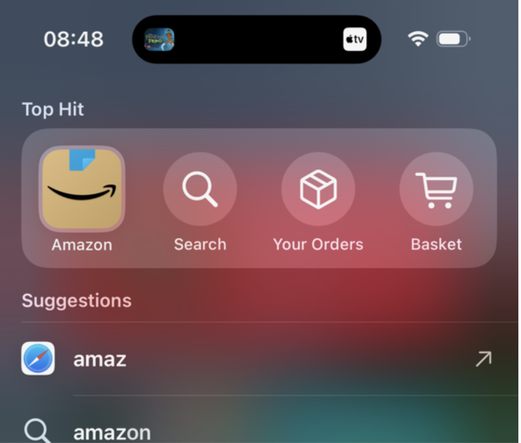


@matt1corey @brandonhorst @caseyliss It is App Shortcuts, and they've taken the Open action & made parameterized instances of it with App Shortcuts.
This is a combination of parameterized phrases from the first year of App Shortcuts & the Spotlight integration from the second year.
Here's where they start to talk about it: https://developer.apple.com/wwdc22/10170?time=851 Then the rest is in Brandon's linked video.
You can also use Suggested Entities to show nicely-designed entities in Spotlight as well
@matthewcassinelli @matt1corey @brandonhorst Oh wait it looks like maybe this is what I want, for iOS 18 anyway
https://developer.apple.com/documentation/appintents/openurlintent
@caseyliss @matthewcassinelli @brandonhorst For most of my OpenIntents, I have the deep link logic directly in the Intent code - this is an example of an OpenIntent that opens a Ledger in Bills to Budget, and navigates to a specified screen, but it can also be done with an AppIntent that has ‘openAppWhenRun' set to true.
It is a parameterized AppIntent -- it still doesn't look anything like the fancy Amazon shortcut, though

@matthewcassinelli @caseyliss @brandonhorst Got it! At least for one of my intents. Here's what I had to change:
- My AppEnum needed to define the DisplayRespresentation with both the name and symbol name, instead of just the name (see screenshot)
- My OpenIntent needed to have this parameter defined as the `target`
I don't think AppShortcuts comes into play here, although I could be wrong, as I do have an AppShortcut defined for this intent (but I always have)


@matt1corey @caseyliss @brandonhorst Within the Shortcuts app that might be the case now, but to be shown in Spotlight it’s based off App Shortcuts.
Generally this requirement you identified was added alongside the App Shortcuts spotlight update because prior to that App Shortcuts were just tiles and didn’t need the symbol.
@matthewcassinelli @caseyliss @brandonhorst Nope, it _also_ needs to be an AppShortcut - my 'Open Account' Intent satisfied all of that already, but didn't have an AppShortcut assigned. Adding that caused it to render each option explicitly in the Shortcuts app.
But... um... Each intent is showing the options for _both_!? Wow, that's a wild bug…

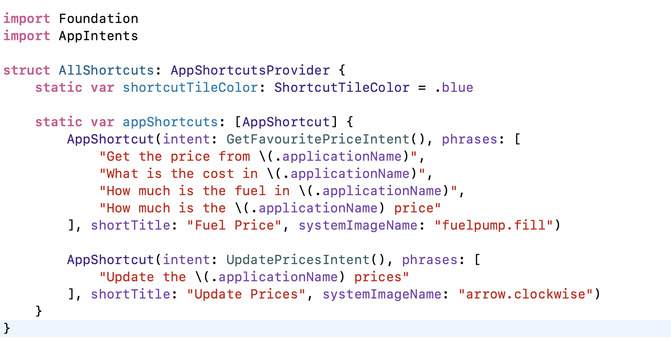
@matt1corey Is `navigator` a singleton? Where is it coming from?
(A summary is perfectly acceptable; I don't necessarily need to see code)
@caseyliss Ah, important detail -- ’navigator' here is an ObservableObject that I create at the root of my SwiftUI tree, and inject into the Environment. It drives the navigation of my root NavigationSplitView and NavigationStack’s, and has methods to show sheets and inspectors, so I can control this from anywhere.
I also add that (and other things) into my `AppDependencyManager`, so I can ‘inject' them into my AppIntents using the @.AppDependency mechanism

@bonney @caseyliss It's the AppIntent Dependency Injection mechanism. Not particularly well documented, but basically you can shove a bunch of Sendable objects into an instance of AppDependencyManager, and then inject them into your AppIntents later.
I do the setup work in both my main App, and my Widget Target, and it lets me reuse the AppIntents, handling the injection appropriately either way.
https://developer.apple.com/documentation/appintents/appdependencymanager


@matt1corey Also, unrelated: the API surface for `EntitlementCheck.isEntitled(with:)`
🤩
 Brandon Horst
 Matt Corey
 Matthew Cassinelli


 Michael Gorbach
 Col
Col
 Matt Bonney